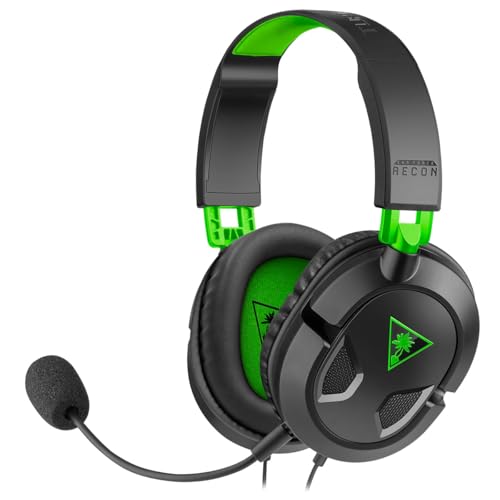
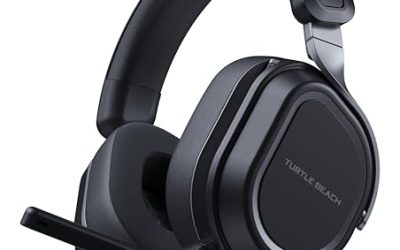
3 Best Medium End Headsets for Gaming (November 2026)
Mid-range headsets balance sound, comfort and mic quality without flagship extras. Compare three wired and wireless picks for PC, console and everyday play.
A medium end headset sits in the middle of the headset market: stronger sound and a better microphone than entry-level models, without the extra features and added weight that come with flagship designs. That middle ground is where most buyers land, because it covers long gaming sessions, voice chat and everyday listening in one purchase. The hard part is knowing which middle-tier features actually matter for the way you play, and which ones only add bulk, complexity or another app to manage.
This guide is for PC and console players who want a step up from basic headsets, remote workers who need a dependable microphone for calls, and anyone who switches between games, music and video all day. The three picks below cover the main ways people buy in this tier: the Razer BlackShark V2 Pro (2023) for wireless competitive play, the SteelSeries Arctis Nova 7 Wireless Gen 2 for multi-platform wireless use with app control, and the HyperX Cloud III for simple wired listening across PC and consoles.
Quick Picks
As an Amazon Associate we earn from qualifying purchases
Product
Best for
Key spec from title
Razer BlackShark V2 Pro (2023)
Wireless competitive play
50mm TriForce Titanium drivers, 70-hour battery
SteelSeries Arctis Nova 7 Wireless Gen 2
Multi-platform wireless with app control
50+ hour play, mixed 2.4GHz and Bluetooth
HyperX Cloud III Wired
Simple wired play across PC and consoles
Angled 53mm drivers, DTS Spatial Audio
How to Choose
Wired or wireless first
Decide how you will connect before you compare sound. A wired headset draws power from the device it plugs into, so it never needs charging and usually works the moment you plug it in, which suits players who sit at one desk and want the simplest setup. A wireless headset frees you from the cable and lets you step away from the desk without removing it, but it adds charging to your routine and a dongle or Bluetooth pairing to manage. If you play on several devices, check whether the headset moves between them easily, since some wireless models switch with a button while others need the dongle moved by hand.
Driver size and sound tuning
Driver size is the number listings print first, and it is also the number that tells you the least on its own. A larger driver can move more air and often gives bass more weight, but the tuning of the driver, the seal of the earcups and the shape of the ear cushions matter just as much for how games sound. Listen for how the headset handles footsteps and dialogue, since those are the sounds you rely on most during play, and treat surround labels as a feature to check rather than a promise. If you can, compare headsets on the same game and the same volume so the differences you hear come from the headset, not the settings.
Microphone quality for team chat and calls
A headset microphone decides whether your team hears your callouts or only your room. A detachable boom microphone usually sits closer to your mouth and picks up less keyboard and fan noise than a microphone built into the earcup, and a retractable microphone gives you the same benefit with nothing to lose or store. Check whether the microphone mutes from the headset itself, since reaching for software mid-match is a distraction you do not need, and look for a windscreen or foam cover if you play in a room with a fan running. If your calls matter as much as your games, put the microphone near the top of your list.
Comfort and fit for long sessions
Comfort decides whether a headset stays on your head for a full evening or ends up on the desk after an hour. Look at the weight first, since a lighter frame puts less pressure on the top of your head, then look at the ear cushions, because memory foam that seals gently around your ears beats firm padding that presses on your glasses. A headband with even padding spreads the weight, and earcups that swivel flat make the headset easier to rest around your neck between matches. If you wear glasses, pay close attention to the seal, since a gap where the frame passes under the cushion lets outside noise in and bass out.
The 3 Best Options
Razer BlackShark V2 Pro (2023)
Top Pick
Razer BlackShark V2 Pro (2023)
Best for: Competitive players who want wireless freedom with a strong microphone and long battery life.
The BlackShark V2 Pro (2023) is the wireless pick for players who want an esports-shaped headset without stepping into flagship territory. Its 50mm TriForce Titanium drivers split highs, mids and lows across three sections of the driver, which keeps footsteps and dialogue clear when the action gets loud, and the THX Spatial Audio support adds width to the soundstage on PC. The detachable HyperClear Super Wideband microphone captures voice with more detail than a standard boom mic, and the noise-isolating earcups with ultra-soft memory foam seal well for long sessions. With up to 70 hours of battery life, it runs for days between charges.
Watch out for: The 2023 edition shares its name with the older 2020 model, so confirm the model number RZ04-04530100-R3U1 on the listing before ordering.
SteelSeries Arctis Nova 7 Wireless Gen 2
Runner-Up
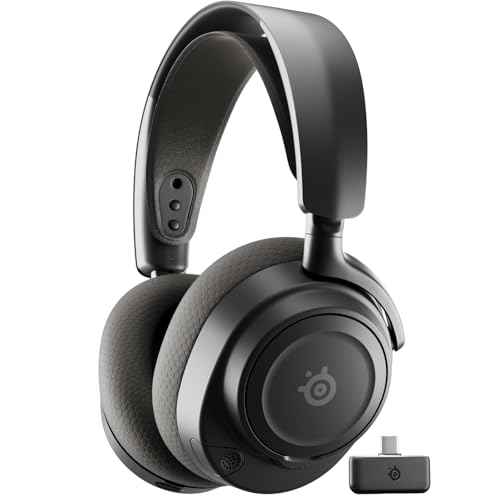
SteelSeries Arctis Nova 7 Wireless Gen 2
Best for: Players who switch between PC, console and mobile and want phone and game audio at once.
The Arctis Nova 7 Wireless Gen 2 is the multi-platform pick for players who move between devices. It mixes 2.4GHz wireless with Bluetooth, so game and phone audio can run together, and app control lets you adjust sound from your phone without pausing the game. Battery life runs past 50 hours per charge, which covers a week of evening sessions, and the USB-C dongle keeps the setup tidy on a desk. It works across PC, PS5, PS4, Switch 1 and 2, and mobile, so one headset covers it all.
Watch out for: The Gen 2 model is a separate listing from the original Nova 7, so check the title says Gen 2 before ordering.
HyperX Cloud III Wired
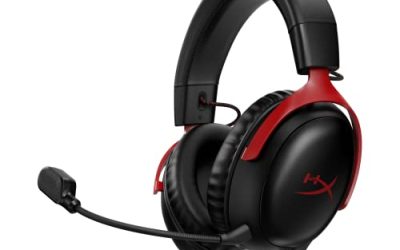
HyperX Cloud III Wired
Best for: Players who want a simple wired headset that works across PC and consoles with no charging.
The Cloud III is the wired pick for buyers who want the middle tier without batteries, dongles or apps. Its angled 53mm drivers aim sound directly into the ear, which gives games a wide, open feel, and DTS Spatial Audio adds a sense of space on supported platforms. The ultra-clear 10mm microphone sits on a detachable boom, so it comes off when you only want to listen, and the memory foam cushions on a durable frame stay comfortable through long sessions. With USB-C, USB-A and 3.5mm connections in the box, it plugs into PC, PS5 and Xbox Series X|S without extra adapters.
Watch out for: It is wired only, so players who want to move around the room while wearing it should pick a wireless model instead.
Which One Fits Your Situation
You play competitive shooters most nights
If ranked matches fill most of your evenings, pick the headset that keeps footsteps clear and your callouts clean. The BlackShark V2 Pro (2023) fits here, with its FPS audio profiles and wideband microphone built for team play, plus a battery that lasts the whole week. The Cloud III also works if you prefer a cable and a lower fuss setup, since its angled drivers keep directional cues easy to follow.
You switch between PC, console and phone
One headset for every device saves money and desk space, and it means you learn one set of controls. The Arctis Nova 7 Wireless Gen 2 fits here, since it pairs 2.4GHz wireless for games with Bluetooth for phone audio at the same time, and it works across PC, PlayStation, Switch and mobile. Check that your console is on the supported list before ordering, since some models need a specific edition.
You want the simplest setup possible
Some buyers want a headset that works the moment it is plugged in, with no charging, pairing or software to manage. The Cloud III fits here: plug in the right cable for your device and play, with the microphone ready whenever you need it. Keep the cable tidy so it does not catch on the desk edge, and store the headset on a hook or stand so the cable does not tangle between sessions.
You wear your headset all day, not just for games
If your headset stays on through games, calls, music and video, comfort and microphone quality matter more than any single gaming feature. The Nova 7 Gen 2 fits here for its long battery life and mixed wireless, while the BlackShark V2 Pro (2023) suits players who want the same long wear with a stronger microphone. Try the fit with glasses on if you wear them, since pressure on the frames shows up fast over a full day.
Common Mistakes
Buying on driver size alone, without checking how the headset is tuned or how the earcups seal.
Choosing a wireless headset and forgetting to check whether its dongle works with your console.
Picking a headset with a microphone built into the earcup when your team chat needs a boom mic close to your mouth.
Ignoring the weight and ear cushion material, then finding the headset uncomfortable after an hour of play.
Ordering the wrong edition of a headset that shares its name with an older model, such as the 2023 BlackShark V2 Pro and the 2020 version.
Frequently Asked Questions
What makes a headset medium end rather than budget or flagship?
A medium end headset sits between the two ends: it uses larger or better-tuned drivers than budget models, a clearer microphone, and stronger materials, while leaving out flagship extras such as active noise cancelling, haptic feedback or a charging dock. The result is a headset that covers gaming, calls and everyday listening well without asking you to manage extra features you may never use.
Are wireless medium end headsets good for competitive play?
Yes, when the wireless connection is a low-latency 2.4GHz link rather than standard Bluetooth alone. Both wireless picks in this guide use a 2.4GHz dongle for game audio, which keeps sound in sync with the action, and they add Bluetooth for phone audio alongside it. Keep the dongle close to the headset and the battery charged, since a weak signal or a dead battery ends the session either way.
Do I need a headset with surround sound?
Surround sound can help you place footsteps and distant action, but it is not a must-have for every player. Stereo headsets with well-tuned drivers give clear directional cues in games, and some players prefer stereo because it sounds more natural for music and video. If you play competitive shooters often, surround support is worth having; if you mostly play story games and watch video, strong stereo covers you.
How long should a medium end headset last?
A medium end headset should last years of regular use when the frame and hinges are built well. The weak points are usually the ear cushions, which wear flat over time, and the cable on wired models, which frays where it bends. Replace the cushions when they flatten, keep the cable free of sharp bends, and store the headset on a stand or hook, not in a drawer.
R
Razer Gaming Series Editorial Team
We compare specs, materials and verified owner reviews before a product earns a spot. Rankings are never paid.
FAQ
What makes a headset medium end rather than budget or flagship?
A medium end headset sits between the two ends: it uses larger or better-tuned drivers than budget models, a clearer microphone, and stronger materials, while leaving out flagship extras such as active noise cancelling, haptic feedback or a charging dock. The result is a headset that covers gaming, calls and everyday listening well without asking you to manage extra features you may never use.
Are wireless medium end headsets good for competitive play?
Yes, when the wireless connection is a low-latency 2.4GHz link rather than standard Bluetooth alone. Both wireless picks in this guide use a 2.4GHz dongle for game audio, which keeps sound in sync with the action, and they add Bluetooth for phone audio alongside it. Keep the dongle close to the headset and the battery charged, since a weak signal or a dead battery ends the session either way.
Do I need a headset with surround sound?
Surround sound can help you place footsteps and distant action, but it is not a must-have for every player. Stereo headsets with well-tuned drivers give clear directional cues in games, and some players prefer stereo because it sounds more natural for music and video. If you play competitive shooters often, surround support is worth having; if you mostly play story games and watch video, strong stereo covers you.
How long should a medium end headset last?
A medium end headset should last years of regular use when the frame and hinges are built well. The weak points are usually the ear cushions, which wear flat over time, and the cable on wired models, which frays where it bends. Replace the cushions when they flatten, keep the cable free of sharp bends, and store the headset on a stand or hook, not in a drawer.
Affiliate disclosure. As an Amazon Associate we earn from qualifying purchases at no extra cost to you. Prices accurate as of the date shown.
Best medium end PC headsets ranked by what the middle tier actually adds: larger drivers, detachable mics, better cushions and 2.4GHz wireless options.
Discover the 3 best LG Bluetooth headsets for November 2026: Dolby Atmos earbuds, IP67 sports buds, and hybrid ANC picks for calls, workouts, and travel.
Find the best headsets for rainbow six with this Siege guide to footsteps, directional audio, clear team callouts, lasting comfort and the right connection.
Want the best pa5 headsets? This guide covers PS5 Tempest 3D Audio, USB dongle and wired headsets, mic quality, comfort and battery life to help you pick well.
Shopping for the best gaming headsets for comfort? Compare ear cushion material, weight, clamping force and fit so long sessions stay easy on your head.
The best bluetooth headsets for working out stay secure, resist sweat and last through sessions. Learn how fit, ratings and battery compare before you buy.
Learn how to choose the best inexpensive gaming headsets: drivers, microphones, comfort, wired and wireless options, and platform fit, without overspending.
Want the best 50 dollar headsets? This guide explains drivers, comfort, microphones and compatibility so you can choose a budget gaming headset with confidence.