Key takeaways
- Performance: M.2 NVMe drives read at several thousand MB/s, while SATA SSDs are capped near 550MB/s by the interface itself.
- Form factor: M.2 mounts flat on the motherboard with no cables, whereas SATA drives need both a data and a power cable in a 2.5-inch bay.
- Price: SATA SSDs are cheaper per terabyte for bulk storage, while M.2 NVMe pricing has fallen close enough that speed is worth the small premium.
- Slot availability: Motherboards offer limited M.2 slots but many SATA ports, so SATA is the natural overflow option.
- Real-world feel: M.2 NVMe shortens large file transfers and creative workflows, while gaming and general use feel similar between the two for most people.
- Heat: Fast M.2 drives can run warm and benefit from a heatsink, whereas SATA SSDs stay cool and undemanding.
What's inside
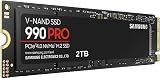
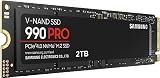
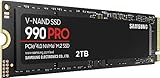
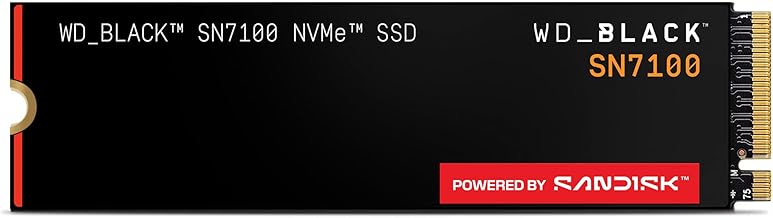
When it’s time to add storage to a 2026 build, the decision usually comes down to an M.2 drive versus a SATA SSD. M.2 is a compact form factor that plugs directly into the motherboard and, in its NVMe versions like the WD_Black SN7100 or Samsung 990 PRO, reaches read speeds many times faster than SATA, while a SATA SSD connects over the older 2.5-inch interface and caps out at a much lower ceiling.
The reason this matters is that storage shapes how snappy your whole system feels, from boot times to game level loads to moving large project files. Choosing correctly means faster everyday responsiveness and cleaner cable management; choosing poorly means either paying for speed you can’t use or bottlenecking a fast platform with a slow drive.
As an Amazon Associate we earn from qualifying purchases at no extra cost to you. Product prices and availability are accurate as of the date shown and are subject to change.


⚡ Save on Your Next PC — Amazon Prime
Prime members get fast free shipping on the systems above, plus early access to Prime Day & Black Friday PC deals. New members get a 30-day free trial.
Watch: M.2 vs SATA SSD: Which to Choose in 2026? — Video Review
Quick Verdict
Choose an M.2 NVMe drive like the WD_Black SN7100 or Samsung 990 PRO for your primary OS and game drive whenever your motherboard has a free M.2 slot, since it’s faster, cable-free, and now similarly priced. Fall back to a SATA SSD only when you’ve run out of M.2 slots and want cheap, roomy secondary storage for files, backups, and a large game library.
Key Differences
- Performance: M.2 NVMe drives read at several thousand MB/s, while SATA SSDs are capped near 550MB/s by the interface itself.
- Form factor: M.2 mounts flat on the motherboard with no cables, whereas SATA drives need both a data and a power cable in a 2.5-inch bay.
- Price: SATA SSDs are cheaper per terabyte for bulk storage, while M.2 NVMe pricing has fallen close enough that speed is worth the small premium.
- Slot availability: Motherboards offer limited M.2 slots but many SATA ports, so SATA is the natural overflow option.
- Real-world feel: M.2 NVMe shortens large file transfers and creative workflows, while gaming and general use feel similar between the two for most people.
- Heat: Fast M.2 drives can run warm and benefit from a heatsink, whereas SATA SSDs stay cool and undemanding.
M.2 NVMe: Speed and a Clean Build
M.2 is the modern default for good reason. A Gen4 drive like the WD_Black SN7100 or Samsung 990 PRO hits read speeds well above 7,000MB/s, slashing the time it takes to move large video files, load creative projects, or copy game libraries. Because it seats directly on the board, it also eliminates two cables and keeps your case tidy.
It’s the right pick for your boot and primary game drive, and increasingly for everything if you have the slots. The main considerations are the limited number of M.2 slots on most boards and the heat a fast Gen4 or Gen5 drive can generate, which is why many M.2 slots ship with a heatsink. For anyone who values responsiveness and a clean interior, M.2 NVMe is the clear front runner.
SATA SSD: Cheap, Roomy Secondary Storage
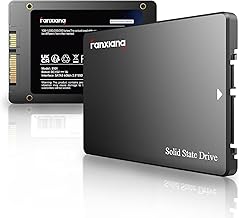
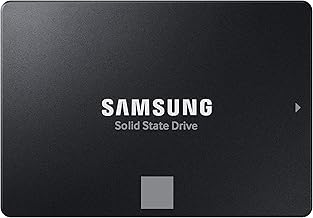
SATA SSDs haven’t disappeared because they still solve a real problem: affordable bulk storage. When your M.2 slots are full, a 2.5-inch SATA drive is an easy way to add a large, low-cost pool for game installs, media, and backups without touching your fast primary drive.
The catch is the interface ceiling of roughly 550MB/s, which makes SATA feel noticeably slower for heavy file work even though it’s still vastly quicker than a hard drive. It also needs data and power cabling. But as a quiet, cool, inexpensive companion to a fast NVMe boot drive, a SATA SSD remains a sensible, budget-friendly choice in 2026.
Which Should You Buy?
- For your OS and main game drive: pick an M.2 NVMe like the Samsung 990 PRO because it’s the fastest and keeps the build cable-free.
- For content creation and large file transfers: pick M.2 NVMe because its high read and write speeds cut working time dramatically.
- For cheap bulk storage once M.2 slots are full: pick a SATA SSD because it adds capacity at the lowest cost.
- For a clean, minimal-cable build: pick M.2 because it mounts directly on the board with no wiring.
- For reusing an existing 2.5-inch drive or bay: pick SATA because it drops straight into what you already have.
Frequently Asked Questions
Is M.2 always faster than SATA?
Only M.2 NVMe drives are dramatically faster; a small number of M.2 drives use the SATA protocol and run at the same 550MB/s ceiling, so check that the drive is NVMe.
Do I need M.2 NVMe speed for gaming?
Games load a little faster on NVMe and some newer titles use direct-storage features, but the everyday gaming difference over a SATA SSD is modest for most players.
Can I use both M.2 and SATA in one PC?
Yes, a common 2026 setup is a fast M.2 NVMe boot drive like the WD_Black SN7100 paired with a large SATA SSD for overflow storage.
Does an M.2 drive need a heatsink?
Fast Gen4 and Gen5 M.2 drives can run warm under sustained load, so a heatsink, often included on the motherboard slot, helps them maintain peak speeds.
Final Verdict
In 2026, make an M.2 NVMe drive such as the WD_Black SN7100 or Samsung 990 PRO your primary storage every time a slot is available; it’s faster, cleaner, and priced within reach. Keep a SATA SSD in mind purely as cheap secondary capacity when your M.2 slots run out. Match the drive to the role and you’ll get the responsiveness of NVMe where it counts and the value of SATA where it doesn’t.