Key takeaways
- Performance: NVMe reads at several thousand MB/s over PCIe, while SATA SSDs are hard-capped near 550MB/s by the interface.
- Price: SATA SSDs cost less per terabyte for bulk storage, whereas NVMe carries a modest premium that keeps shrinking.
- Connection: NVMe uses an M.2 slot on the motherboard with no cables, while SATA uses a 2.5-inch drive with data and power cables.
- Real-world feel: NVMe clearly wins on big file copies and creative apps, but boot and game-load differences are modest for typical users.
- Capacity value: SATA remains the cheaper route to large multi-terabyte storage pools, whereas NVMe is best focused on your active workload.
- Thermals: High-speed NVMe drives can warm up under load, while SATA SSDs stay cool and undemanding.
What's inside
Every new PC eventually faces the same storage fork: a blazing NVMe SSD or a dependable SATA SSD. NVMe drives ride the PCIe bus for read speeds that soar past 7,000MB/s, while a SATA SSD such as the Crucial BX500 or TEAMGROUP T-Force Vulcan Z runs over the older interface and tops out around 550MB/s, and understanding that speed gap is the key to spending your storage budget wisely in 2026.
This comparison matters because raw sequential speed only tells part of the story. NVMe transforms large file transfers and creative workloads, yet for boot times and gaming the day-to-day difference can be smaller than the spec sheet suggests. Knowing where the extra speed actually pays off keeps you from overpaying or, worse, bottlenecking a fast system with slow bulk storage.
As an Amazon Associate we earn from qualifying purchases at no extra cost to you. Product prices and availability are accurate as of the date shown and are subject to change.


⚡ Save on Your Next PC — Amazon Prime
Prime members get fast free shipping on the systems above, plus early access to Prime Day & Black Friday PC deals. New members get a 30-day free trial.
Watch: NVMe vs SATA SSD: 2026 Speed Comparison — Video Review
Quick Verdict
Choose NVMe for your primary drive if you move large files, edit media, or simply want the fastest, most future-proof storage and your board has a spare M.2 slot. Choose a SATA SSD like the Crucial BX500 or TEAMGROUP Vulcan Z when you want maximum capacity per dollar for a game library, media vault, or backups and don’t need headline transfer speeds.
Key Differences
- Performance: NVMe reads at several thousand MB/s over PCIe, while SATA SSDs are hard-capped near 550MB/s by the interface.
- Price: SATA SSDs cost less per terabyte for bulk storage, whereas NVMe carries a modest premium that keeps shrinking.
- Connection: NVMe uses an M.2 slot on the motherboard with no cables, while SATA uses a 2.5-inch drive with data and power cables.
- Real-world feel: NVMe clearly wins on big file copies and creative apps, but boot and game-load differences are modest for typical users.
- Capacity value: SATA remains the cheaper route to large multi-terabyte storage pools, whereas NVMe is best focused on your active workload.
- Thermals: High-speed NVMe drives can warm up under load, while SATA SSDs stay cool and undemanding.
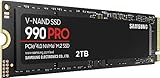
NVMe SSD: Speed Where It Counts
NVMe is the performance choice, and it earns that title on heavy workloads. Copying huge video files, scrubbing a timeline, loading a large creative project, or shuttling game installs between drives all happen far faster than SATA can manage. For anyone whose work or hobby touches big files daily, that speed compounds into real saved time.
It’s the right call for your OS and active project drive, and it keeps the build clean since it needs no cables. The considerations are the limited M.2 slots on most boards and the heat a fast Gen4 drive produces under sustained writes, which a heatsink handles. If you want your storage to feel effortless and stay relevant for years, NVMe is the drive to build around.
SATA SSD: Capacity on a Budget
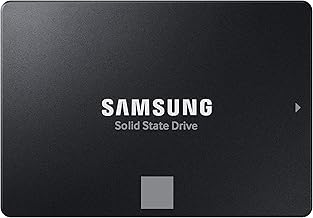
The SATA SSD survives because it answers a different question: how do I store a lot cheaply and reliably? Drives like the Crucial BX500 and Fikwot FX815 give you plenty of fast-enough space for a game library, media collection, or backups at a price that undercuts NVMe per terabyte, all while running cool and quiet.
Its ceiling of about 550MB/s means it won’t accelerate demanding file work, and it needs cabling in a 2.5-inch bay. But paired with an NVMe boot drive, a roomy SATA SSD is the classic 2026 combo: fast where you need it, spacious where you don’t. As affordable bulk storage, SATA still makes plenty of sense.
Which Should You Buy?
- For your OS and active workload drive: pick NVMe because it delivers the fastest boot, load, and transfer performance.
- For video editing and large file work: pick NVMe because its high sequential speeds cut working time significantly.
- For a big, cheap game and media library: pick a SATA SSD like the Crucial BX500 because it maximizes capacity per dollar.
- For a clean, cable-free build: pick NVMe because it seats directly on the motherboard.
- For expanding storage on a tight budget: pick SATA because it adds terabytes for the least money.
Frequently Asked Questions
How much faster is NVMe than SATA?
NVMe reads can exceed 7,000MB/s versus SATA’s roughly 550MB/s ceiling, so on paper it’s more than ten times faster, though everyday gaming and browsing feel closer.
Will I notice NVMe speed in games?
Game loads are somewhat quicker on NVMe and newer direct-storage titles can benefit more, but for most current games the difference over a SATA SSD is modest.
Is a SATA SSD still worth buying in 2026?
Yes, as affordable bulk storage; a SATA drive like the TEAMGROUP Vulcan Z is a cost-effective companion to an NVMe boot drive for libraries and backups.
Can I run NVMe and SATA together?
Absolutely, the popular setup pairs a fast NVMe primary drive with a large SATA SSD for overflow, giving you both speed and capacity.
Final Verdict
In 2026, build around an NVMe SSD for your primary, workload-facing storage and add a SATA SSD like the Crucial BX500 when you simply need more room for less money. NVMe wins decisively on big file work and future-proofing, while SATA wins on cheap capacity. Match each drive to its job and you get a system that’s both fast and spacious.