Key takeaways
- Capacity over headline speed: At this budget, a 1TB Gen 4 drive beats a 500GB Gen 5 drive for gaming every time. Sequential speeds above roughly 5,000 MB/s deliver diminishing returns in real load times; running out of space does not.
- DRAM cache versus HMB: DRAM-equipped drives hold their performance far better during large file transfers and heavy multitasking. DRAM-less drives using Host Memory Buffer are perfectly adequate for a pure gaming library, but avoid them as a boot-plus-work drive.
- Sustained write speed, not peak: Every budget SSD advertises a burst figure achieved inside an SLC cache. What matters is the post-cache floor — good sub-$100 drives hold 1,000 MB/s or better; weak ones collapse to 300 MB/s mid-install.
- Interface matching your board: A PCIe 4.0 drive in a Gen 3 slot runs at roughly half speed. Check your motherboard’s M.2 slot specification before paying a premium for Gen 4 or Gen 5 bandwidth you cannot use.
- Endurance and warranty: Look for at least 600 TBW per terabyte and a five-year warranty. Shorter coverage is a reliable signal that the manufacturer expects the NAND to age quickly under normal use.
What's inside
Storage prices have swung wildly over the past two years, and the sub-$100 tier is where the confusion is worst. One week a 1TB Gen 4 drive is a genuine bargain; the next, the same model creeps past the budget line while a DRAM-less competitor undercuts it by thirty dollars with half the sustained write performance. For gamers, the stakes are practical rather than abstract: a modern install can eat 150GB, DirectStorage titles lean on raw sequential throughput, and a drive that throttles under sustained load will stutter during asset streaming exactly when you least want it to.
This guide focuses on M.2 2280 NVMe drives that deliver real gaming value without crossing the $100 mark. We cover what actually matters at this price — controller quality, DRAM versus HMB, sustained write behaviour, and capacity-per-dollar — then review the specific models worth your money in 2026. Prices in this bracket move fast, so treat capacity recommendations as the flexible variable: if a 2TB drive dips under budget during a sale, it is almost always the better buy than a 1TB at the same price.
As an Amazon Associate we earn from qualifying purchases at no extra cost to you. Product prices and availability are accurate as of the date shown and are subject to change.


⚡ Save on Your Next PC — Amazon Prime
Prime members get fast free shipping on the systems above, plus early access to Prime Day & Black Friday PC deals. New members get a 30-day free trial.
Watch: Best SSD Under $100 — Video Review
How to Choose SSD Under $100
- Capacity over headline speed: At this budget, a 1TB Gen 4 drive beats a 500GB Gen 5 drive for gaming every time. Sequential speeds above roughly 5,000 MB/s deliver diminishing returns in real load times; running out of space does not.
- DRAM cache versus HMB: DRAM-equipped drives hold their performance far better during large file transfers and heavy multitasking. DRAM-less drives using Host Memory Buffer are perfectly adequate for a pure gaming library, but avoid them as a boot-plus-work drive.
- Sustained write speed, not peak: Every budget SSD advertises a burst figure achieved inside an SLC cache. What matters is the post-cache floor — good sub-$100 drives hold 1,000 MB/s or better; weak ones collapse to 300 MB/s mid-install.
- Interface matching your board: A PCIe 4.0 drive in a Gen 3 slot runs at roughly half speed. Check your motherboard’s M.2 slot specification before paying a premium for Gen 4 or Gen 5 bandwidth you cannot use.
- Endurance and warranty: Look for at least 600 TBW per terabyte and a five-year warranty. Shorter coverage is a reliable signal that the manufacturer expects the NAND to age quickly under normal use.
The Best Picks Reviewed
Kingston NV3 1TB
The NV3 is the most consistently affordable route to a full terabyte of Gen 4 storage, and its up-to-6,000 MB/s read figure is more than enough for any current game engine. It is a DRAM-less design, so treat it as a dedicated game library drive rather than a scratch disk for video editing — in that role it is exceptional value.
Samsung 990 PRO 1TB
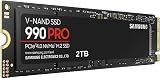
Samsung’s flagship Gen 4 drive pairs a mature in-house controller with full DRAM cache and up to 7,450 MB/s reads, giving it the best sustained write behaviour of anything realistically reachable near this budget. It typically sits just above $100 at list price, so buy it on sale — when it dips under, nothing else in the bracket competes on consistency.
SanDisk Optimus 5100 500GB
At 500GB this is a secondary drive rather than a primary library, but 6,600 MB/s reads make it a strong choice for a dedicated boot volume or a fast staging disk alongside larger storage. Comfortably under budget, and a sensible pick for small-form-factor builds with limited M.2 slots.
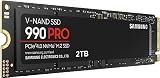
Samsung 990 PRO 2TB
Two terabytes of DRAM-cached Gen 4 storage is the ideal endgame for a gaming rig, and this drive delivers it without the thermal demands of a Gen 5 model. It sits above $100 outside of major sale events, so watch pricing closely — during seasonal discounts it has crossed into budget territory and is an outstanding buy when it does.
Samsung 9100 PRO 1TB
Samsung’s Gen 5 entry pushes up to 14,700 MB/s, which is genuinely transformative for DirectStorage workloads but well beyond what most 2026 titles request. It is realistically an aspirational pick at this budget and needs adequate M.2 cooling, but it is the drive to stretch for if your board supports PCIe 5.0 and you want to buy once.
Frequently Asked Questions
Is a Gen 5 SSD worth it for gaming in 2026?
Not at this budget. Real-world load time differences between a good Gen 4 drive and a Gen 5 drive are typically under a second in most titles, and the extra money is far better spent on capacity.
How much SSD storage do I actually need?
1TB is the practical minimum for a modern gaming PC — enough for Windows plus roughly five to seven large installs. 2TB is the comfortable target if your budget stretches during a sale.
Do I need a heatsink on a budget NVMe drive?
Gen 4 drives at this price rarely require one, though many motherboards include an M.2 heatsink you should use anyway. Gen 5 drives genuinely do need active cooling to avoid thermal throttling.
Will a DRAM-less SSD hurt my frame rates?
No. Frame rates are determined by your GPU and CPU; the SSD affects load times and asset streaming. A DRAM-less drive may show slightly longer level loads under heavy multitasking, but it will not cost you FPS in-game.
Final Thoughts
For most gamers, the Kingston NV3 1TB is the smartest sub-$100 purchase in 2026 — a full terabyte of Gen 4 storage with speeds no current game will bottleneck. If you can catch it on sale, the Samsung 990 PRO 1TB is the better long-term drive thanks to its DRAM cache and superior sustained writes, while the SanDisk Optimus 5100 500GB remains a tidy, genuinely-under-budget option for a secondary or boot volume.