Key takeaways
- SATA SSDs are the older, slower type but still far faster than any hard drive; fine as a budget or secondary drive.
- NVMe Gen4 drives like the Samsung 990 PRO or WD_Black SN7100 are the current gaming sweet spot, delivering huge speed at a sensible price.
- NVMe Gen5 drives like the Samsung 9100 PRO push speeds even higher and matter most for creators and future-proofing.
- The M.2 form factor lets NVMe drives plug straight into the motherboard with no cables at all.
What's inside
Storage is where a lot of gamers unknowingly leave performance on the table. The choice between a solid-state drive and a traditional hard drive doesn’t affect your frame rate, but it dramatically changes how your whole system feels: how fast Windows boots, how quickly games launch, and, increasingly, whether some modern titles even run properly. In 2026 this decision has gotten simpler than ever, but there are still smart ways to combine drive types to get speed and capacity without overspending.
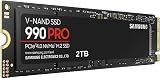
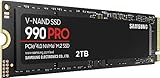
This guide explains the real-world differences between SSDs and HDDs for gaming, why NVMe drives have become the default, and how to plan storage so you’re not constantly deleting games to make room. You’ll learn where each drive type still makes sense and how to build a setup that’s both fast and roomy. The NVMe SSDs below are the kind of fast, reliable drives that should anchor any gaming PC.
As an Amazon Associate we earn from qualifying purchases at no extra cost to you. Product prices and availability are accurate as of the date shown and are subject to change.


⚡ Save on Your Next PC — Amazon Prime
Prime members get fast free shipping on the systems above, plus early access to Prime Day & Black Friday PC deals. New members get a 30-day free trial.
Watch: SSD vs HDD for Gaming: Which Do You Need? — Video Review
Why SSDs Win for Gaming
An SSD has no moving parts, so it reads data many times faster than a mechanical hard drive. In practice that means Windows boots in seconds, games launch almost instantly, and level loading screens shrink dramatically. Some modern games now assume you’re on an SSD and stream assets so aggressively that they stutter or misbehave on a slow HDD. For your operating system and the games you actively play, an SSD isn’t a luxury anymore, it’s the baseline expectation.
Understand the SSD Tiers: SATA vs NVMe
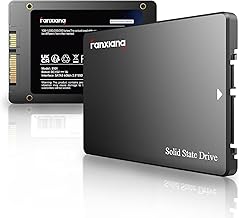
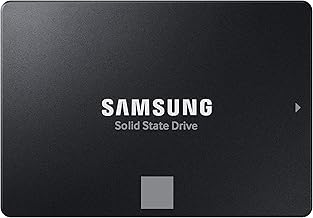
- SATA SSDs are the older, slower type but still far faster than any hard drive; fine as a budget or secondary drive.
- NVMe Gen4 drives like the Samsung 990 PRO or WD_Black SN7100 are the current gaming sweet spot, delivering huge speed at a sensible price.
- NVMe Gen5 drives like the Samsung 9100 PRO push speeds even higher and matter most for creators and future-proofing.
- The M.2 form factor lets NVMe drives plug straight into the motherboard with no cables at all.
Where a Hard Drive Still Makes Sense
HDDs aren’t obsolete for everything. Their strength is cheap capacity: you get far more terabytes per dollar than any SSD. That makes a large hard drive a smart place to park things where speed doesn’t matter, like media libraries, backups, and older games you rarely touch. What you shouldn’t do is install your OS or your current favorite games on one, because the sluggish load times undercut the whole experience.
The Best Setup: Combine Both
The savvy move for many builders is a two-drive strategy. Put a fast NVMe SSD, say 1TB or 2TB, as your primary drive for Windows and the games you play most, then add a large HDD as a cheap bulk archive for everything else. You get the snappy responsiveness of solid-state where it counts and the roomy, affordable storage of a hard drive for the stuff you don’t need loaded in a hurry. It’s the best of both worlds without paying SSD prices for terabytes you rarely access.
Size Your Primary Drive Realistically
Modern games are enormous, with some single titles eating well over 100GB. A 500GB SSD fills up faster than you’d think once you install Windows and a few big games. For most gamers a 1TB NVMe drive is the practical minimum in 2026, and 2TB is the comfortable choice if you keep several large titles installed at once. Buying a slightly bigger primary SSD up front saves you the constant chore of uninstalling games to free space.
Tips
- Make an NVMe SSD your boot and primary game drive; it’s the single biggest upgrade to how responsive your PC feels.
- Choose a Gen4 NVMe drive for gaming; Gen5 speeds are real but bring little frame-rate benefit for the extra cost today.
- Buy at least 1TB for your primary drive, since modern game installs balloon quickly past smaller capacities.
- Add a large HDD only for backups, media, and games you rarely launch, never for your OS.
Frequently Asked Questions
Does an SSD increase my frame rate?
No, frame rate is driven by your GPU and CPU. What an SSD improves is load times, boot speed, and asset streaming, which makes the overall experience feel far snappier even if the fps number is unchanged.
Is NVMe worth it over a SATA SSD for gaming?
NVMe is meaningfully faster on paper and is the current standard, plus it’s cable-free. For a new build, a Gen4 NVMe drive is the clear pick; SATA SSDs are best kept as inexpensive secondary storage.
Can I still use my old hard drive?
Definitely, just repurpose it. Keep your OS and active games on the SSD and use the HDD for backups, videos, and games you seldom play. It’s a great way to add cheap capacity to a fast system.
How big should my gaming SSD be?
1TB is the sensible 2026 minimum given how large games have become, and 2TB is the comfortable choice if you like keeping many big titles installed at once without juggling free space.
Conclusion
The SSD versus HDD debate is essentially settled for gaming: an NVMe SSD belongs in every build as the fast home for your OS and active games, while a hard drive lives on as cheap bulk storage for everything else. Pair a roomy Gen4 NVMe primary drive with an optional HDD archive and you get speed and capacity without compromise. The SSDs above are exactly the reliable, fast drives to build that setup around.