Key takeaways
- Ergonomic Angle: Look for a 45 to 57-degree slope for a natural handshake position. A 45-degree grip like the SOLAKAKA E9 PRO balances aim control and comfort, while steeper 47-degree designs like the Keychron M5 shift more strain off the forearm.
- Sensor and Polling Rate: Prioritize a modern PixArt sensor (3950 or equivalent) with at least 20,000 DPI and up to 8000 Hz polling via 2.4 GHz. High polling reduces motion latency to under 1 ms, which matters in FPS and MOBA titles.
- Buttons and Control: Decide between 6-button productivity layouts and 10 to 12-button MMO layouts. Extra side buttons, a thumb wheel, or a 5D rocker are useful for macros, inventory, and DPI switching without lifting your hand.
- Connectivity and Battery: Tri-mode (2.4 GHz, Bluetooth 5.3, and wired USB-C) covers gaming and multi-device work. Check for at least 70 hours of use on 1K polling and USB-C charging so you are not tethered mid-match.
- Weight and Size: For vertical mice, 85 to 115 grams is the sweet spot. Lighter models reduce fatigue during vertical aiming, but your hand size matters more here than with flat mice, so verify grip length and thumb rest depth.
What's inside
Vertical gaming mice have finally caught up to traditional gaming mice on performance, and in 2026 they are no longer just an ergonomic compromise. With top models now offering 8K polling rates, flagship sensors up to 30,000 DPI, and tri-mode connectivity, you can protect your wrist and forearm without giving up speed or precision in competitive play.
We compared the most promising vertical options for comfort over long sessions, sensor accuracy, button placement, and software customization to find the models that actually hold up for gaming. Whether you want an MMO-ready button bank or a lightweight daily driver for both work and play, these are the best vertical gaming mice worth buying right now.
As an Amazon Associate we earn from qualifying purchases at no extra cost to you.


![Gaming Mouse with 5 D Rocker, Wireless Vertical Mouse with [24000 DPI] [12 Programmable Buttons], Computer Mouse for Gamer/PC/E-Sports/Laptop (Black)](https://m.media-amazon.com/images/I/61b2XUzd4hL._AC_UY218_.jpg)


⚡ Save on Your Next PC — Amazon Prime
Prime members get fast free shipping on the systems above, plus early access to Prime Day & Black Friday PC deals. New members get a 30-day free trial.
Watch: Best Vertical Gaming Mouse — Video Review
How to Choose
- Ergonomic Angle: Look for a 45 to 57-degree slope for a natural handshake position. A 45-degree grip like the SOLAKAKA E9 PRO balances aim control and comfort, while steeper 47-degree designs like the Keychron M5 shift more strain off the forearm.
- Sensor and Polling Rate: Prioritize a modern PixArt sensor (3950 or equivalent) with at least 20,000 DPI and up to 8000 Hz polling via 2.4 GHz. High polling reduces motion latency to under 1 ms, which matters in FPS and MOBA titles.
- Buttons and Control: Decide between 6-button productivity layouts and 10 to 12-button MMO layouts. Extra side buttons, a thumb wheel, or a 5D rocker are useful for macros, inventory, and DPI switching without lifting your hand.
- Connectivity and Battery: Tri-mode (2.4 GHz, Bluetooth 5.3, and wired USB-C) covers gaming and multi-device work. Check for at least 70 hours of use on 1K polling and USB-C charging so you are not tethered mid-match.
- Weight and Size: For vertical mice, 85 to 115 grams is the sweet spot. Lighter models reduce fatigue during vertical aiming, but your hand size matters more here than with flat mice, so verify grip length and thumb rest depth.
The Best Picks Reviewed
Keychron M5 8K Wireless Vertical Mouse
Our top overall pick, the Keychron M5 8K sets the standard for vertical gaming in 2026. Its 47-degree ergonomic shell includes a dedicated thumb wheel and a PixArt 3950 sensor tunable up to 30,000 DPI with 42,000 IPS tracking. The real advantage is the 8K polling rate over 2.4 GHz, which delivers ultra-smooth cursor response that rivals top flat esports mice. It connects via 2.4 GHz, Bluetooth 5.3, and USB-C wired, with fully programmable buttons through Keychron software for macOS, Windows, and Linux. At around 95 grams, it stays agile for long Valorant or Apex sessions without sacrificing wrist support.
Razer Pro Click V2 Vertical Wireless Mouse
The Razer Pro Click V2 Vertical brings Razer’s refinement to an ergonomic form. Built with a 6-button layout, it focuses on multi-device productivity and gaming versatility rather than overwhelming button count. You get seamless switching between 2.4 GHz, Bluetooth, and USB-C wired mode, plus Razer Chroma RGB and Synapse software for macros, DPI stages, and the one-click AI Prompt feature for workflow shortcuts. The sculpted shape supports medium to large hands well, with tactile main switches and a precise sensor that handles both desktop work and 144Hz+ gaming without jitter or spin-out.
SOLAKAKA E9 PRO Ergonomic Vertical MMO Mouse
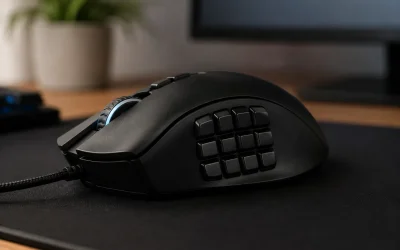
If you need macro power, the SOLAKAKA E9 PRO is the vertical MMO mouse to buy. It packs 10 programmable side buttons into a 45-degree vertical grip, with tri-mode 2.4G, Bluetooth, and USB-C connectivity and a web-based driver for on-the-fly remapping on PC and Mac. The sensor reaches 24,800 DPI with 1000 Hz polling and adjustable lift-off distance, more than enough for fast camera control in MMOs and MOBAs. RGB lighting is customizable without bloatware, and the broad thumb rest plus textured side grip keeps the mouse stable during marathon raids.
Wireless Vertical Gaming Mouse with 5D Rocker
This Wireless Vertical Gaming Mouse with 5D Rocker stands out for control innovation. Alongside 12 programmable buttons and 24,000 DPI, it adds a 5D rocker and joystick-style input that you can map to WASD, leaning, or weapon wheels for one-handed movement in shooters and flight sims. The vertical shell is fully optimized for gaming with low-latency 2.4 GHz performance and a high-precision sensor. For gamers who want thumb-driven movement or extra inputs without reaching for the keyboard, this layout offers unmatched versatility in a vertical chassis.
Vassink Ergonomic Wireless Rechargeable Mouse
The Vassink Ergonomic Wireless Rechargeable Mouse is a proven comfort-first option that still works for light gaming. It offers a simple 6-button layout with 800/1200/1600 DPI steps, ideal for users transitioning from a flat mouse who want immediate relief for the wrist and forearm. The included 2-in-1 USB-A and Type-C receiver covers modern laptops and desktops without dongle hassles, and the 2.4 GHz connection is stable for casual and strategy titles. Rechargeable over USB-C, it is an accessible, no-fuss vertical mouse for workdays that extend into evening gaming.
Frequently Asked Questions
Are vertical mice good for competitive gaming?
Yes, modern vertical gaming mice use the same flagship sensors and polling rates as competitive flat mice. Models with a PixArt 3950 and 8000 Hz polling perform on par with top esports mice. There is a short adjustment period of 3 to 7 days for aim muscle memory, but tracking, click latency, and DPI accuracy are no longer compromises.
Will a vertical mouse fix wrist pain or carpal tunnel?
A vertical mouse can reduce pronation and forearm strain by keeping your hand in a neutral handshake position, which often relieves discomfort during long sessions. It is not a medical treatment and will not cure underlying conditions. Pair it with proper desk height, arm support, and regular breaks for best results, and consult a clinician for persistent pain.
What DPI and polling rate should I use?
Most gamers play best between 800 and 3200 DPI with in-game sensitivity tuned separately. Extremely high DPI figures like 24,000 or 30,000 provide headroom for high-resolution displays, not a target to use daily. For polling, 1000 Hz is sufficient for most players, while 4000 to 8000 Hz offers smoother motion on 240Hz+ monitors if your system can handle the CPU overhead.
Are 10 or 12 side buttons worth it on a vertical mouse?
For MMO, MOBA, and survival games, yes. Having 10 to 12 thumb buttons lets you map rotations, pings, or build commands without moving your hand off the mouse. For FPS purists, a 6-button layout with a thumb wheel or 5D rocker is often faster and less error-prone. Choose based on whether you value macro depth or simplicity.
Final Thoughts
For most gamers, the Keychron M5 8K Wireless Vertical Mouse is the best blend of true gaming performance and all-day ergonomics, with 8K polling and a 30K DPI sensor that does not compromise on speed. MMO and macro-heavy players should go with the SOLAKAKA E9 PRO for its 10-button bank, while anyone wanting a polished multi-device vertical with refined software should consider the Razer Pro Click V2 Vertical. Choose the layout that matches your genre, and your wrist will thank you without costing you frags.