Key takeaways
- Change voltage in small steps and test each one in a real game, not just a short benchmark.
- If you see artifacts or driver crashes, raise the voltage a notch; instability means you went too low.
- Save the profile and enable apply-at-startup so the undervolt persists after every reboot.
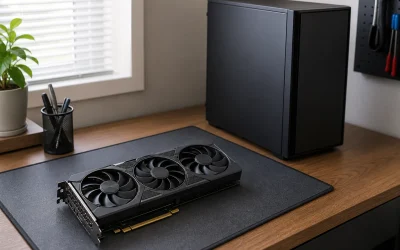
- Pair the undervolt with a good GPU support bracket if your card sags, since cooler running does not fix physical droop.
What's inside
Undervolting your GPU is the rare tweak that makes your graphics card run cooler, quieter, and often at the same or slightly better performance, all for free. By feeding the chip less voltage for a given clock speed, you cut heat and power draw, which can drop temperatures by 10 to 15 degrees Celsius and let fans spin down.
It is completely reversible and, unlike overclocking, undervolting reduces stress on the card rather than adding it. This guide explains the tools, the voltage-frequency curve, how to find a stable point, and how to validate it so you get a cool, quiet card that holds its boost clocks longer.
As an Amazon Associate we earn from qualifying purchases at no extra cost to you.


⚡ Save on Your Next PC — Amazon Prime
Prime members get fast free shipping on the systems above, plus early access to Prime Day & Black Friday PC deals. New members get a 30-day free trial.
Watch: How to Undervolt Your GPU — Video Review
Why undervolting works
GPUs ship with conservative voltage so every single chip in the batch is stable, which means most cards get more voltage than they actually need. Heat forces the card to throttle its boost clock during long gaming sessions. By lowering voltage, you reduce heat, so the card sustains a higher effective clock and runs quieter. In many cases you gain a little performance while using less power.
Get the right software
MSI Afterburner is the standard tool and works across brands. Install it, then open the voltage-frequency curve editor with Ctrl+F. For AMD cards, the Adrenalin driver has a built-in undervolt slider under the tuning tab. Either way, you will be adjusting the relationship between clock speed and the voltage that drives it.
Adjust the voltage-frequency curve
In the curve editor, pick a target voltage lower than stock, for example 900mV, and set your desired clock at that point, then flatten the curve beyond it so the card never exceeds that voltage. A common starting point is locking the stock boost clock to a voltage around 875 to 950mV. Apply the change and the card will now hit its clocks at lower voltage.
Test for stability
Run a demanding game or a benchmark loop for 20 to 30 minutes and watch for crashes, driver resets, or graphical artifacts. If it holds, you can try lowering the voltage further; if it crashes, raise the voltage slightly or lower the target clock. The goal is the lowest stable voltage that maintains your desired clock across your actual games.
Lock in your profile
Once stable, save the profile in Afterburner and set it to apply at Windows startup so the undervolt is always active. Note your temperatures and clocks before and after to confirm the improvement. A well-tuned undervolt typically trims 30 to 60 watts and 10-plus degrees while holding performance, which also helps a sagging card run cooler.
Tips
- Change voltage in small steps and test each one in a real game, not just a short benchmark.
- If you see artifacts or driver crashes, raise the voltage a notch; instability means you went too low.
- Save the profile and enable apply-at-startup so the undervolt persists after every reboot.
- Pair the undervolt with a good GPU support bracket if your card sags, since cooler running does not fix physical droop.
Frequently Asked Questions
Will undervolting damage my GPU?
No, it is one of the safest tweaks possible. You are giving the chip less voltage, which reduces heat and stress. The worst case is instability, which you fix by raising the voltage back up; it does no lasting harm.
Does undervolting reduce gaming performance?
Usually not, and it can even help. Because the card runs cooler, it sustains its boost clock longer during extended sessions, so real-world performance often stays the same or improves slightly while power and noise drop.
How much cooler will my GPU run?
It varies by card, but drops of 10 to 15 degrees Celsius and 30 to 60 watts of power are common with a moderate undervolt, which lets the fans spin slower and quieter.
Do I need special software to undervolt?
MSI Afterburner works for all cards, and AMD’s Adrenalin driver has a built-in undervolt option. Both are free, and the process takes only a few minutes to set and test.
Conclusion
Undervolting is the enthusiast’s favorite free upgrade because it makes a card cooler, quieter, and often faster in sustained play. Use MSI Afterburner or the AMD driver, flatten the voltage-frequency curve at a lower voltage, test in real games, and save the profile. Ten minutes of tuning buys you a calmer, longer-lasting GPU.