Key takeaways
- A specification-based review of the Razer Reclusa X Mini 65%, covering Orange tactile switches, hot-swap support, USB-C and gaming-feature unknowns.
This review analyzes published product information. We have not performed detailed research of this unit.
As an Amazon Associate, we earn from qualifying purchases.
A compact Razer keyboard with room to customize
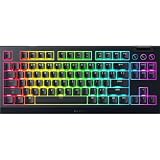
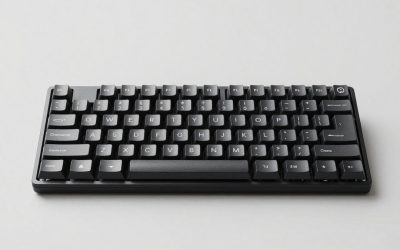
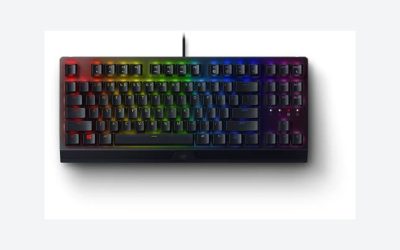
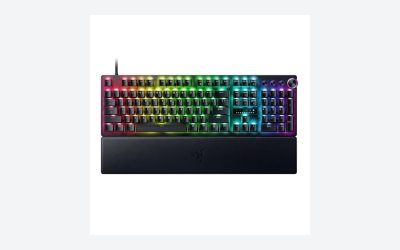
The Razer Reclusa X Mini pairs a 65% layout with hot-swappable switch sockets and factory-installed Razer Orange Tactile Mechanical Switches Gen-3. That combination makes its strongest buying argument customization rather than lighting alone: you can start with the supplied tactile switches and consider different mechanical switches later without replacing the entire keyboard.
This review evaluates the supplied retailer specifications, not a hands-on sample. The exact configuration covered here includes Orange Gen-3 switches, doubleshot ABS keycaps, a PPS plate and detachable USB-C connectivity. Its compact format and switch compatibility are concrete reasons to investigate it; the advertised acoustic improvements and competitive advantages remain listing claims rather than verified results.
The supplied configuration at a glance
| Layout | 65% compact format |
|---|---|
| Installed switches | Razer Orange Tactile Mechanical Switches Gen-3 |
| Hot-swap compatibility | 3-pin and 5-pin mechanical switches |
| Plate and dampening | PPS plate, custom stabilizers and dual-layer silicone dampening |
| Keycaps | Doubleshot ABS |
| Lighting | Per-key Razer Chroma RGB; south-facing LEDs |
| Connection | Detachable USB-C |
| Input specifications | 1000Hz polling, N-key rollover and anti-ghosting |
| Named gaming features | Snap Tap, Snap Flex and Dual-Keypress Priority |
| Listed dimensions | 12.24 x 4.02 x 1.47 inches |
| Listed weight | 1.56 pounds |
Switch choice is the meaningful upgrade path
The socketed PCB accepts both 3-pin and 5-pin mechanical switches. This gives buyers a stated compatibility criterion for future switch purchases instead of tying the board permanently to its original tactile configuration. It is particularly relevant if you expect your preferences to change after using the keyboard for both gaming and writing.
That compatibility statement is not a promise that every replacement switch or customization accessory will work. The supplied evidence does not identify individual compatible switch families, included removal tools or replacement procedures. Check the requirements of any proposed replacement before ordering rather than assuming that hot-swap support makes every mechanical switch interchangeable.
The installed Orange Gen-3 switches are described as tactile, with the listing emphasizing quieter actuation and distinct feedback. This configuration therefore targets someone interested in a noticeable keystroke response, not simply someone seeking a compact shell. However, there are no supplied actuation-force or travel figures. Neither typing effort nor suitability for a particular user’s touch can be established from the switch name alone.
Sound treatment without a guaranteed sound signature
The PPS plate, custom stabilizers and two silicone dampening layers are notable because the listing explicitly connects them to reduced resonance and a softer bottom-out impression. They make the internal construction part of the product’s appeal rather than leaving customization entirely to external accessories.
Those details still do not establish how loud the keyboard is or what it sounds like on your desk. No acoustic measurements or comparative recordings are provided. Treat the sound-related promises as design intentions, especially if shared-room use is the main reason you are considering the board. A tactile switch described as quieter is not evidence of a silent keyboard.
Doubleshot ABS keycaps are supplied, with the seller claiming resistance to legend fading. South-facing LEDs are also advertised as improving aftermarket keycap compatibility. That is useful direction for a customization plan, but not confirmation that a particular keycap kit includes every required size or clears every switch combination. The exact key sizes and keycap profile are not specified in the supplied facts.
Desk fit and the cost of a smaller layout
The listed 12.24-inch by 4.02-inch footprint gives you a practical starting point for checking desk space. A compact keyboard can be attractive when you want more freedom to position the mouse, but the 65% label is not a complete key map. The supplied evidence does not show the precise arrangement of navigation keys, secondary functions or shortcuts.
Before choosing it for mixed gaming and work, establish how your frequently used commands are accessed. That matters more than compactness alone if your routine depends on dedicated keys or quick navigation between documents. For a broader look at typing-oriented priorities, see our gaming keyboard guide for typing.
Detachable USB-C is the documented connection. Wireless operation is not established by the supplied listing, so this is not a supported choice for a cable-free requirement. Cable length, the host-side connector and included adapters are also unspecified; confirm those details if your computer’s ports or desk routing are restrictive.
Gaming controls need more than feature names
The listing specifies 1000Hz polling, N-key rollover and anti-ghosting support. These are relevant input specifications, but they do not establish measured end-to-end latency or guarantee better gameplay. There is no basis here for assigning a responsiveness score or claiming an advantage over another keyboard.
Snap Tap, Snap Flex and Dual-Keypress Priority are named as supported gaming features. Their configuration options, interactions and exact behavior are not explained in the evidence. Buyers should confirm both how these functions operate and whether their intended games or competitions permit them before treating them as decisive benefits.
Per-key Chroma RGB customization is advertised, but the supplied material does not identify a required software version, supported operating systems or onboard profile storage. Do not assume lighting settings or advanced controls will remain available without software running. For a managed work computer or a setup where installing utilities is difficult, those unanswered questions deserve attention before purchase.
Verdict: prioritize the sockets, verify the software
The Reclusa X Mini’s clearest appeal is its compact tactile starting configuration with 3-pin and 5-pin hot-swap support. It merits consideration if switch experimentation and a smaller desk footprint are priorities. It is less straightforward for buyers who need confirmed software-free customization, documented shortcut access or proven quietness. Verify those requirements rather than buying on the competitive-feature names alone.
Sources: Supplied retailer listing for the Razer Reclusa X Mini.
Check the exact product and current offer on Amazon