Key takeaways
- Socket and chipset: AM4, AM5, and LGA1700 processors are not interchangeable. Check the motherboard’s CPU support list and BIOS requirements, particularly for an older board.
- Memory: The Ryzen 5 5600 uses DDR4; the Ryzen 5 7600 requires DDR5. The Core i5-13400F can use DDR4 or DDR5 only with a motherboard designed for that memory type.
- Cooling and case clearance: Confirm cooler compatibility and case height limits. A basic cooler can be adequate at stock settings, but a larger tower cooler may run quieter under sustained loads.
- Power supply: Check the PSU’s exact model, age, and available GPU power connectors, not only its wattage label. For a typical 3060 Ti system with a six-core CPU, a quality 650 W PSU is a comfortable general target; follow the specific graphics card manufacturer’s recommendation, especially with higher-power CPU or GPU upgrades.
- Model suffixes: The Core i5-13400F has no integrated graphics, so the 3060 Ti must be installed for display output. A non-F model includes integrated graphics, useful for basic troubleshooting if the discrete card is removed.
The quick pick
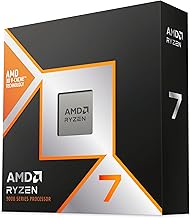
The best CPU for a 3060 Ti for most gaming builds is the AMD Ryzen 5 5600 if you already have an AM4 motherboard, or the Ryzen 5 7600 if you’re building new and can afford the higher platform cost. Both are six-core processors that pair well with the card; the right choice depends more on your resolution, motherboard, and upgrade plans than on chasing the most expensive CPU.
The GeForce RTX 3060 Ti is an older, capable 1440p graphics card, so at higher resolutions it often becomes the limit before a suitable six-core CPU does. At 1080p and high refresh rates, however, a faster processor can help deliver steadier frame times in CPU-heavy games. These are practical pairing recommendations, not a promise of fixed frame rates: results vary by game, settings, and memory configuration.

Dell XPS 8950 Desktop Computer - 12th Gen Intel Core i7-12700 up to 4.9 GHz CPU, 32GB DDR5 RAM, 1TB NVMe SSD, GeForce RTX 3060Ti 8GB GPU, Killer Wi-Fi 6, DVD Burner, Windows 11 Pro
Included for 'Best CPU for 3060 Ti: Gaming Picks by Budget' because the listing specifies 12th Gen Intel Core i7-12700 up to 4.9 GHz CPU and 32GB DDR5 RAM, details this guide uses to compare options.
View on Amazon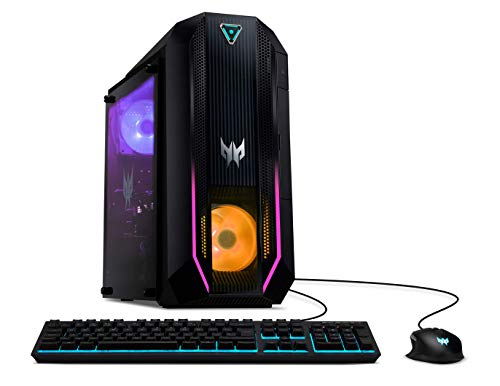
acer Predator Orion 3000 PO3-630-UR12 Gaming Desktop | 11th Gen Intel Core i7-11700F 8-Core CPU | NVIDIA GeForce RTX 3060Ti | 16GB DDR4 | 1TB NVMe M.2 SSD | Intel Wi-Fi 6 AX201 | RGB Keyboard & Mouse
Included for 'Best CPU for 3060 Ti: Gaming Picks by Budget' because the listing specifies 11th Gen Intel Core i7-11700F 8-Core CPU and NVIDIA GeForce RTX 3060Ti, details this guide uses to compare options.
View on Amazon
Dell XPS 8950 Desktop Computer - 12th Gen Intel Core i7-12700 up to 4.9 GHz CPU, 16GB DDR5 RAM, 512GB NVMe SSD, GeForce RTX 3060Ti 8GB GPU, Killer Wi-Fi 6, DVD Burner, Windows 11 Pro (Renewed)
Included for 'Best CPU for 3060 Ti: Gaming Picks by Budget' because the listing specifies 12th Gen Intel Core i7-12700 up to 4.9 GHz CPU and 16GB DDR5 RAM, details this guide uses to compare options.
View on AmazonChoose by budget and build situation
| Your situation | CPU pick | Why it fits | Typical CPU price range |
|---|---|---|---|
| Keeping an AM4 motherboard | AMD Ryzen 5 5600 | Low-cost six-core upgrade; leaves more of the budget for a GPU or SSD. | Usually $90–$140 |
| Building on a tight budget with a new platform | AMD Ryzen 5 5600 | Good gaming value, but compare the cost of an AM4 motherboard and DDR4 against newer-platform bundles. | Usually $90–$140 |
| Building new with room to upgrade | AMD Ryzen 5 7600 | Strong gaming performance, efficient operation, and an AM5 upgrade path. | Usually $170–$230 |
| Already on LGA1700 or finding a good bundle | Intel Core i5-13400F | Ten cores in total (six performance and four efficiency cores) make it a versatile gaming and multitasking option. | Usually $140–$200 |
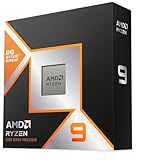
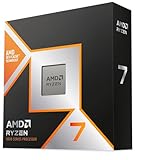
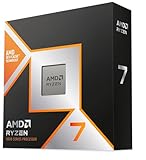
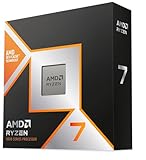
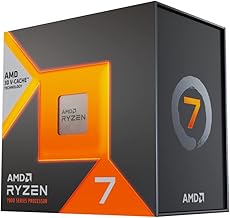
| Prioritizing high-refresh 1080p and gaming upgrades | AMD Ryzen 7 7800X3D | Extra gaming headroom in CPU-limited titles, though often more CPU than a 3060 Ti needs. | Usually $300–$400 |
Price ranges are broad street-price estimates, not live quotes. Motherboard, memory, and cooler costs can change which CPU is the better value. The Ryzen 5 5600 and 7600 generally include a basic cooler in retail packages, while cooler inclusion can vary by processor and seller; check the exact package before budgeting.
What resolution and refresh rate change
1440p: spend for balance, not maximum CPU speed
At 1440p, the 3060 Ti has more pixels to render than it does at 1080p, so many demanding games lean toward a GPU limit. A Ryzen 5 5600 is often sufficient for a budget build, and a Ryzen 5 7600 is a sensible new-build choice if its platform cost fits. Moving from a midrange CPU to a premium gaming chip may do little for average frame rates when the graphics card is already fully occupied.
Ray tracing, demanding graphics presets, and newer games can make the GPU limit more pronounced. Upscaling may raise frame rates, but it can shift more of the workload back toward the CPU; the result still depends on the game and settings.
1080p: faster CPUs matter more at high refresh
At 1080p, especially when aiming for 144 Hz or higher, the CPU can become a more visible limit in competitive games, large simulations, and busy multiplayer scenes. The Ryzen 5 5600 remains a strong value pairing, but a Ryzen 5 7600 can better support high frame rates and reduce CPU-related dips. A Ryzen 7 7800X3D makes sense if you plan to replace the 3060 Ti with a much faster GPU later; otherwise, its extra cost is usually better saved for that future graphics upgrade.
A high-refresh monitor does not mean every game will reach its maximum refresh rate. Check whether a game is CPU-limited by lowering resolution or graphics settings: if frame rates barely rise, the processor or game engine may be holding performance back. If they rise substantially, the GPU is more likely the constraint.
Platform cost is part of the CPU price
Compare the total platform, not just the processor sticker price. A Ryzen 5 5600 uses AM4 and DDR4, so it can be especially economical if you already own compatible parts. A new AM4 build may also be inexpensive, but it offers a more limited forward upgrade path than AM5. The Ryzen 5 7600 requires an AM5 motherboard and DDR5 memory, which raises the initial bill but gives you a newer platform with more room for future CPU upgrades.
The Core i5-13400F uses LGA1700 and supports DDR4 or DDR5, depending on the motherboard. That flexibility can make it attractive when you already have compatible parts or find a well-priced board-and-CPU bundle. LGA1700 has fewer future upgrade options than AM5, so do not assume a later processor swap will be as open-ended.
When comparing new-build totals, add the CPU, motherboard, and memory together. For example, a $110 CPU that needs a $150 board and a new memory kit can cost more overall than a $190 CPU in a competitively priced bundle. If you already own a board and memory, the calculation changes: using them may make a drop-in upgrade the clear value winner.
Compatibility checks before buying
- Socket and chipset: AM4, AM5, and LGA1700 processors are not interchangeable. Check the motherboard’s CPU support list and BIOS requirements, particularly for an older board.
- Memory: The Ryzen 5 5600 uses DDR4; the Ryzen 5 7600 requires DDR5. The Core i5-13400F can use DDR4 or DDR5 only with a motherboard designed for that memory type.
- Cooling and case clearance: Confirm cooler compatibility and case height limits. A basic cooler can be adequate at stock settings, but a larger tower cooler may run quieter under sustained loads.
- Power supply: Check the PSU’s exact model, age, and available GPU power connectors, not only its wattage label. For a typical 3060 Ti system with a six-core CPU, a quality 650 W PSU is a comfortable general target; follow the specific graphics card manufacturer’s recommendation, especially with higher-power CPU or GPU upgrades.
- Model suffixes: The Core i5-13400F has no integrated graphics, so the 3060 Ti must be installed for display output. A non-F model includes integrated graphics, useful for basic troubleshooting if the discrete card is removed.
How to make the final call
Choose the Ryzen 5 5600 if you want the lowest-cost sensible pairing, especially when you already own AM4 parts. Pick the Ryzen 5 7600 for a new build when you value stronger high-refresh performance and an AM5 upgrade path enough to pay for DDR5 and a compatible board. Consider the Core i5-13400F when LGA1700 parts or a good bundle lower your total cost. Move to a Ryzen 7 7800X3D mainly if CPU-heavy games and a planned GPU upgrade justify spending well beyond what the 3060 Ti needs today.
For a balanced 1440p system, put the savings from an expensive CPU toward a better future graphics card, a quality power supply, or more storage. For a 1080p competitive build, prioritize a stronger CPU if your target is consistently high frame rates in CPU-heavy games. In either case, 16 GB of memory is a workable minimum for many games, while 32 GB is a more comfortable capacity for current multitasking and newer titles.