Key takeaways
- Choosing a mouse for Apex Legends? Compare weight, sensor accuracy, shape, and polling rate to find a fast, comfortable fit for close-quarters fights.
As an Amazon Associate we earn from qualifying purchases.
Apex Legends asks a mouse to do two things at once. You track a target sliding sideways at full speed, then snap to a second enemy, while your own character slides, jumps, or ziplines across uneven ground. A mouse that feels fine in a slow tactical shooter can feel sluggish here, because the game never lets you plant your crosshair and wait. The real decision is not which mouse looks fastest on a spec sheet. It is which combination of weight, shape, and sensor behavior lets you stay accurate when the fight turns chaotic and every movement is a flick or a correction.
This guide is for Apex players who want to choose with confidence, from newcomers building their first setup to ranked grinders replacing a mouse that no longer keeps up. It explains how to weigh the trade-offs that matter in this game, how shape and grip change what feels right, and how to match a mouse to the way you actually play instead of copying someone else’s setup.
How to Choose
Weight and Balance
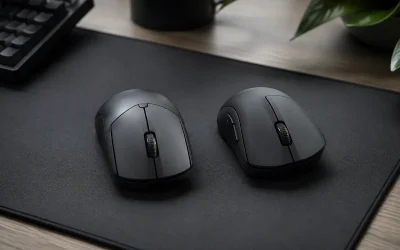
Weight changes how a mouse feels during the fast, repeated movements Apex demands. A lighter mouse, in the range most competitive players favor, makes it easier to flick between targets and to lift and reset during tracking without tiring your wrist. That matters in long sessions, where a third-party fight can arrive the moment you finish the first. Balance matters as much as the number on the box: a front-heavy or tail-heavy mouse feels awkward when you lift it, even if it is light overall. When you cannot hold the mouse first, look for a symmetrical weight distribution, read how owners describe the balance, and remember that a few grams matter more than a dramatic difference on paper.
Sensor Accuracy and Polling Rate
The sensor decides whether the crosshair goes where your hand tells it to go. Modern optical sensors track cleanly at the speeds Apex produces, so the practical question is consistency: the cursor should not spin out during a fast flick, jitter during slow tracking, or drift when you lift the mouse to recenter. Polling rate is how often the mouse reports its position to the computer. A higher rate, such as 1000 Hz or above, gives smoother tracking and slightly lower delay than the older 500 Hz standard, and it is the safer choice for a game built on movement. Check that the mouse holds its tracking at your normal swipe speed rather than only at a gentle crawl.
Shape, Grip, and Hand Size
Shape decides comfort more than any other factor, and it is the one no spec sheet can settle for you. A mouse that is too long forces your fingers to stretch, while one that is too narrow cramps your palm during long ranked sessions. Palm grip players need a taller, fuller body that fills the hand, claw grip players need a defined hump under the fingers, and fingertip players need a short, light body they can control from the fingertips alone. Measure your hand from wrist to middle fingertip, compare it with the listed dimensions, and treat length as the first filter. A shape that fits your grip feels natural within minutes, and a shape that fights you never stops.
Buttons, Scroll Wheel, and Software
Apex uses more inputs than a simple point-and-shoot game, so buttons deserve real attention. Two well-placed side buttons cover healing and tactical abilities for most players, and their position matters more than their number: you should reach them without shifting your grip or lifting a finger off the main buttons. The scroll wheel should step cleanly for weapon switching, without accidental jumps when you flick the mouse hard. Software is the quiet trade-off: it lets you set sensitivity steps, polling rate, and lift-off distance, yet some suites run constantly in the background and add clutter. Pick a mouse whose software you can set once and forget, with onboard memory if you want your settings to travel with the hardware.
Which One Fits Your Situation
You Fight Up Close and Track Constantly
If most of your kills happen inside buildings or at shotgun range, pick a light mouse that holds tracking through fast flicks. Weight matters most here, because every engagement is snaps and corrections with little time to reset. A claw or fingertip shape gives you the control to stay on a strafing target, and a high polling rate keeps the crosshair smooth while you track. Skip heavy bodies and wide shapes, which slow the quick adjustments close fights demand.
You Play Long Ranked Sessions
If you queue for hours, comfort decides whether your aim survives late matches. Pick a mouse shaped for your grip and hand size first, then check the weight: a balanced mid-weight body tires the wrist less than a very light mouse that forces a harder squeeze. A smooth sensor keeps your aim steady when fatigue sets in, and light clicks reduce finger strain across hundreds of engagements. A wireless design removes cable drag, which matters more the longer you play.
You Use a Fingertip or Claw Grip
If you hold the mouse with fingertips or a raised claw, pick a short, narrow body with a defined hump. These grips rely on finger control rather than palm support, so extra length becomes dead weight. A light body rewards the fine adjustments your fingers make, and side buttons should sit high enough to reach without shifting the grip. Avoid tall, wide mice built for palm players, since they force a fingertip grip into an awkward stretch that costs accuracy.
You Want Wireless Without Fuss
If you want to cut the cable, pick a wireless mouse with a modern low-latency connection and a battery that lasts through your longest sessions. The wireless link is no longer the weakness it once was, so ask practical questions: how you charge it and whether it sleeps at the wrong moment. A lightweight wireless body with onboard memory keeps your settings intact when you move between machines, and a dock beats a mouse that needs constant attention.
Common Mistakes
- Buying the heaviest mouse with the most buttons. Extra buttons and a solid, weighty body feel premium in the hand, yet they work against you in Apex. Every gram adds effort to the flicks and resets the game demands, and buttons you never press become obstacles your fingers must work around. A mouse with two well-placed side buttons and a light, balanced body will serve most Apex players better than a feature-packed brick. Before you buy, ask which buttons you will actually press in a fight and whether the weight helps or hurts the way you move.
- Chasing the highest DPI number on the box. A huge maximum DPI looks impressive, but almost nobody aims well at the sensitivity it implies, and most competitive players use a far lower setting. What matters is whether the sensor tracks cleanly at the sensitivity you actually play with, without jitter, acceleration, or spin-outs during fast swipes. A mouse that tracks flawlessly at a moderate sensitivity beats one that advertises a bigger number but stumbles at real gaming speeds. Set your sensitivity by feel in the firing range, not by the headline number.
- Copying a professional player’s mouse and sensitivity. A pro’s setup reflects their hand size, grip, desk space, and thousands of hours of habit, none of which you share. Their mouse may be too long for your hand or too light for your grip, and their sensitivity may feel either twitchy or sluggish on your arm. Use pro setups as a starting point for ideas, then adjust the shape and sensitivity until the mouse disappears in your hand. Your own comfort is the only setting that matters in a fight.
- Ignoring your grip style when choosing a shape. Many buyers pick a mouse because it looks good or because a friend recommended it, then wonder why their aim feels off. A palm grip player on a short, flat mouse will over-grip and cramp, while a fingertip player on a tall, wide mouse will stretch and lose fine control. Watch how you naturally hold your current mouse, measure your hand, and filter by shape before you compare sensors or weights. The right shape makes every other feature work better, and the wrong one makes them irrelevant.
- Skipping a proper trial period after buying. A mouse can feel strange for the first few hours simply because it is different, and many players give up before their hand adapts. Give a new mouse at least a week of regular play, including firing-range drills and full matches, before you judge it. Pay attention to wrist fatigue, misclicks, and whether your tracking improves or worsens, and keep the packaging until you are sure. A patient trial separates a genuinely bad fit from normal adjustment.
Frequently Asked Questions
What DPI should I use for Apex Legends?
There is no single DPI for everyone, because your in-game sensitivity and the DPI setting work together to decide how far the crosshair moves. Many players use a DPI between 400 and 1600 with a matching in-game sensitivity for a comfortable full turn across the mousepad. Start near the middle of that range, test your tracking in the firing range, and adjust in small steps until flicks feel controlled.
Is a wireless mouse fast enough for Apex Legends?
Yes, a modern wireless gaming mouse with a dedicated low-latency connection is fast enough for Apex Legends, and the delay is small enough that most players cannot feel it. The older worry about wireless lag comes from office mice and early models, not current designs. Choose a mouse with a high polling rate and a receiver, keep the receiver close, and charge on a routine that prevents mid-match battery warnings.
How light should an Apex Legends mouse be?
Most competitive Apex players prefer a light mouse, roughly 50 to 70 grams, because lighter bodies make flicks and resets less tiring across long sessions. That said, the right weight depends on your grip and your arm: some players aim better with a slightly heavier mouse that resists accidental movement. Try the lightest option you can, then add weight only if your aim feels twitchy or unstable rather than quick.
Do I need extra side buttons for Apex Legends?
Two side buttons are enough for most Apex players, covering abilities such as healing or a tactical skill without forcing your fingers to hunt for controls. More buttons can help if you bind grenades, ping, or push-to-talk to the mouse, but each extra button adds weight and a chance of accidental presses. Pick a layout where the buttons you use sit under your thumb naturally, and leave the rest unbound.
FAQ
What DPI should I use for Apex Legends?
Is a wireless mouse fast enough for Apex Legends?
How light should an Apex Legends mouse be?
Do I need extra side buttons for Apex Legends?
More from Amazon
Programs that pair well with the guide above. Offers and eligibility are set by Amazon and may change.
Free shipping on eligible items, Prime Video and more. Eligible new members can start with a free trial.
Start a Prime free trialAd-free music streaming. Eligible new subscribers can start with a free trial.
Try Music Unlimited freeA Prime membership for ages 18-24 with a trial period. Eligibility is set by Amazon.
See Prime for Young AdultsAudiobooks and podcasts to listen to on the go. Eligible new members can start with a free trial.
Try Audible freeAs an Amazon Associate we earn from qualifying purchases.