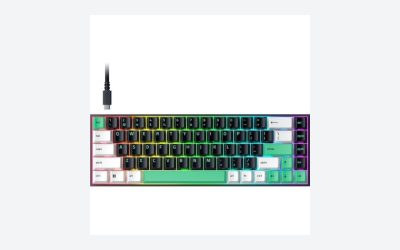
Key takeaways
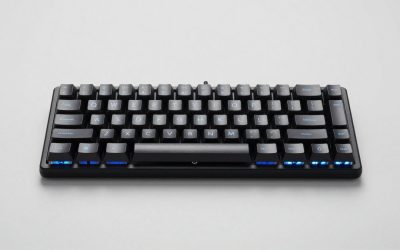
- AULA F99: Best overall feature mix for shoppers who want a 99-key layout, tri-mode wireless, hot-swappable switches, and RGB lighting.
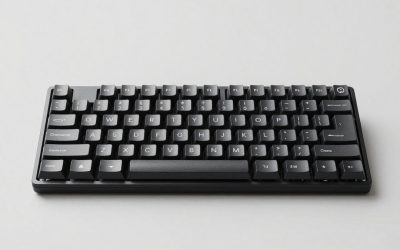
- Logitech MX Mechanical: A strong productivity choice with clicky switches, illuminated keys, Bluetooth, USB-C, and broad device compatibility.
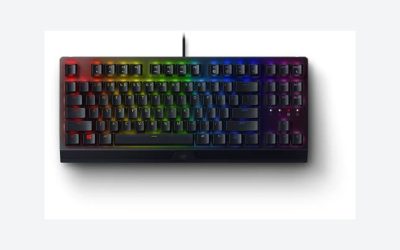
- Keychron K4: Suits users who want a 96% 100-key layout, number pad, Bluetooth 5.1, white backlighting, and N-key rollover.
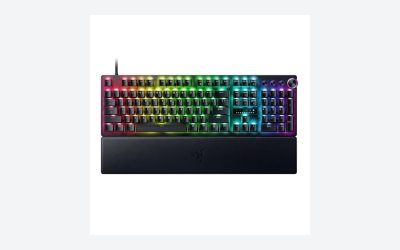
- Keychron K8: A tenkeyless option with Bluetooth, USB-C wired operation, white backlighting, and Brown switches for Mac and Windows setups.
- AULA F75 Pro: A compact, customizable choice with a 75% layout, knob, RGB lighting, hot-swappable switches, and tri-mode connectivity.
- Logitech Alto Keys K98M: Consider it if you want a 98-key-style productivity board with a clicky design, gasket construction, Bluetooth, and USB-C charging.
- Redragon Typewriter Style Mechanical Keyboard: Targets buyers who prioritize a distinctive round-keycap design, clicky Blue switches, RGB lighting, and three connection modes.
- Redragon K742: A number-pad-equipped option with a knob, RGB lighting, hot-swappable linear switches, and Bluetooth 5.0, 2.4GHz, and USB-C modes.
The best Bluetooth mechanical keyboard depends on the balance you want between layout, wireless flexibility, switch feel, and customization. The list includes compact boards for smaller desks, keyboards with number pads for productivity, and tri-mode models that add 2.4GHz and USB-C connectivity alongside Bluetooth.
For the broadest feature set, the AULA F99 stands out on paper with tri-mode connectivity, hot-swappable support, pre-lubed linear switches, and RGB backlighting. The Logitech MX Mechanical is the more productivity-focused option, while Keychron’s K4 and K8 offer different layouts for Mac and Windows users. Before choosing, confirm the exact switch, battery, operating-system, and layout details for the specific configuration you plan to buy.
Our top picks
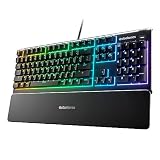
 AULA F99 Wireless Mechanical Keyboard
- Multi-Device Connection: The F99 wireless mechanical keyboard provides…
- Hot-swappable Custom Keyboard: The switches and keycaps can…
- Mechanical Gaming Keyboard: F99 is a premium mechanical…
 Logitech MX Mechanical Wireless Illuminated Performance Keyboard
- Clicky mechanical key switches with a gratifying, audible…
- Low-profile keys, more comfort: A keyboard layout designed…
- Smart illumination: Backlit keys light up the moment…
 Keychron K4 96% Layout 100 Keys Wireless
- A 96% layout (100-key) white LED backlight wireless…
- Connects with up to 3 devices via Bluetooth…
- With a unique Mac layout, the K4 has…
| Product | Key specs | |
|---|---|---|
| AULA F99 Wireless Mechanical Keyboard | Multi-Device Connection: The F99 wireless mechanical keyboard provides… Hot-swappable Custom Keyboard: The switches and keycaps can… Mechanical Gaming Keyboard: F99 is a premium mechanical… | Check price |
| Logitech MX Mechanical Wireless Illuminated Performance Keyboard | Clicky mechanical key switches with a gratifying, audible… Low-profile keys, more comfort: A keyboard layout designed… Smart illumination: Backlit keys light up the moment… | Check price |
| Keychron K4 96% Layout 100 Keys Wireless | A 96% layout (100-key) white LED backlight wireless… Connects with up to 3 devices via Bluetooth… With a unique Mac layout, the K4 has… | Check price |
 Keychron K8 Tenkeyless Wireless Mechanical Keyboard for Keychron K8 Tenkeyless Wireless Mechanical Keyboard for | TKL Layout Bluetooth Keyboard: A normal-profile 87-key keyboard… Optimized for Mac and Windows: The K8 includes… Dual Connection Modes | Check price |
 AULA F75 Pro Wireless Mechanical Keyboard AULA F75 Pro Wireless Mechanical Keyboard | Tri-mode Connection Keyboard: AULA F75 Pro wireless mechanical… Hot-swap Custom Keyboard: This custom mechanical keyboard with… Advanced Structure and PCB Single Key Slotting: This… | Check price |
 Logitech Alto Keys K98M Wireless Mechanical Gasket Logitech Alto Keys K98M Wireless Mechanical Gasket | Immersive typing with UniCushion: Enjoy a clicky mechanical… Seamlessly smooth typing: This mechanical keyboard features hot-swappable… Bright ideas, day or night: Non-RGB, white backlighting… | Check price |
 Redragon Wireless Typewriter Style Mechanical Gaming Keyboard Redragon Wireless Typewriter Style Mechanical Gaming Keyboard | 𝗥𝗲𝘁𝗿𝗼 𝗧𝘆𝗽𝗲𝘄𝗿𝗶𝘁𝗲𝗿 𝗦𝘁𝘆𝗹𝗲 𝘄𝗶𝘁𝗵 𝗠𝗲𝗰𝗵𝗮𝗻𝗶𝗰𝗮𝗹 𝗞𝗲𝘆𝘀 - Redragon… 𝟯-𝗠𝗼𝗱𝗲 𝗖𝗼𝗻𝗻𝗲𝗰𝘁𝗶𝗼𝗻 - Geared with Redragon innovative tri-mode… 𝗩𝗶𝗯𝗿𝗮𝗻𝘁 𝗚𝗿𝗼𝗼𝘃𝘆 𝗥𝗚𝗕 - Up to 16 presets… | Check price |
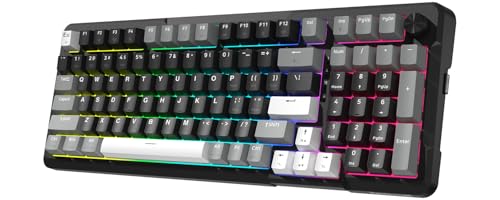 Redragon K742 Wireless Mechanical Gaming Keyboard with Redragon K742 Wireless Mechanical Gaming Keyboard with | Ultimate Typing Experience - Our Redragon K742 machanical… Seamless Multi-Device Control - This wireless keyboard allows… User-Customizable Design - This hot swappable machanical keyboard… | Check price |
As an Amazon Associate we earn from qualifying purchases at no extra cost to you.
Quick Answer: Our Top Picks
- AULA F99: Best overall feature mix for shoppers who want a 99-key layout, tri-mode wireless, hot-swappable switches, and RGB lighting.
- Logitech MX Mechanical: A strong productivity choice with clicky switches, illuminated keys, Bluetooth, USB-C, and broad device compatibility.
- Keychron K4: Suits users who want a 96% 100-key layout, number pad, Bluetooth 5.1, white backlighting, and N-key rollover.
- Keychron K8: A tenkeyless option with Bluetooth, USB-C wired operation, white backlighting, and Brown switches for Mac and Windows setups.
- AULA F75 Pro: A compact, customizable choice with a 75% layout, knob, RGB lighting, hot-swappable switches, and tri-mode connectivity.
- Logitech Alto Keys K98M: Consider it if you want a 98-key-style productivity board with a clicky design, gasket construction, Bluetooth, and USB-C charging.
- Redragon Typewriter Style Mechanical Keyboard: Targets buyers who prioritize a distinctive round-keycap design, clicky Blue switches, RGB lighting, and three connection modes.
- Redragon K742: A number-pad-equipped option with a knob, RGB lighting, hot-swappable linear switches, and Bluetooth 5.0, 2.4GHz, and USB-C modes.
How We Compared This Guide
This guide is based on the specifications and feature descriptions on each listing, together with the distinctions shoppers typically need to make when comparing Bluetooth mechanical keyboards. We evaluated the listed layouts, connection modes, switch descriptions, lighting, customization features, operating-system compatibility, and productivity-oriented design details.
Features were not treated as interchangeable between models. For example, a keyboard described as tri-mode is not automatically assumed to offer the same wireless behavior, battery capacity, software support, or device-switching process as another tri-mode model. Battery-life figures, dimensions, polling rates, keycap materials, software capabilities, and exact included accessories were not provided here, so those details should be confirmed on the current product page before purchase.
How to Choose a Bluetooth Mechanical Keyboard
1. Compare Bluetooth With 2.4GHz and USB-C
Bluetooth is the defining feature for a wireless mechanical keyboard, especially when pairing with a laptop, tablet, or other compatible device. It can help keep a desk clear of cables, but the connection experience depends on the keyboard and the host device. Check the product listing for pairing instructions, supported Bluetooth versions, and whether the keyboard can remember or switch among multiple paired devices.
For gaming or any situation where you want an alternative to Bluetooth, look for 2.4GHz wireless or USB-C wired operation. The AULA F99, AULA F75 Pro, Redragon Typewriter Style keyboard, and Redragon K742 are listed with Bluetooth, 2.4GHz, and USB-C modes. The Keychron K4 and K8 list Bluetooth and wired USB-C operation. Do not assume that every wireless keyboard includes a 2.4GHz receiver, and verify whether the receiver is included before ordering.
2. Choose the Right Layout Before Chasing Features
Layout affects desk space, typing habits, and access to navigation or number-pad keys. A tenkeyless keyboard removes the dedicated number pad and can leave more room for a mouse. The Keychron K8 is the tenkeyless model in this group.
A 75% design keeps many navigation controls in a smaller footprint, while the AULA F75 Pro adds a control knob. The Keychron K4 uses a 96% 100-key layout, and the AULA F99 is described as a 99-key keyboard, giving shoppers a way to retain number-pad functionality without selecting a conventional full-size board. The Logitech Alto Keys K98M and Redragon K742 are also aimed at users who want a number pad. Check the key arrangement and dedicated-key count in the product images rather than relying only on labels such as “compact” or “wireless.”
3. Match Switch Type to Your Typing Style
Switch choice changes the sound, resistance, and feedback of a mechanical keyboard. Linear switches generally provide a smooth keystroke without a tactile bump. Tactile switches provide a noticeable change in resistance during the press, while clicky switches add an audible click. The best choice is personal, but the surrounding environment matters: a clicky board may be less suitable for shared offices or quiet rooms.
The listings identify linear switches on the AULA F99, AULA F75 Pro, and Redragon K742; Brown switches on the Keychron K4 and K8; and clicky switches on the Logitech MX Mechanical, Logitech Alto Keys K98M, and Redragon Typewriter Style keyboard. Confirm the switch type for the exact listing because a product family can include multiple configurations.
4. Decide Whether Hot-Swappable Hardware Matters
Hot-swappable sockets allow compatible switches to be removed and replaced without soldering. This is useful if you want to change from linear to tactile switches later, fine-tune the typing feel, or replace an individual failed switch. It can also make a keyboard more appealing to enthusiasts who expect their preferences to change.
The AULA F99, AULA F75 Pro, and Redragon K742 are specifically described as hot-swappable. The listings do not confirm hot-swappable support for the remaining models. Check socket compatibility, whether switches are included, and whether the keycap and switch pullers come in the box. Hot-swappable does not necessarily mean every switch type is supported.
5. Verify Mac, Windows, and Mobile Compatibility
Operating-system compatibility involves more than whether a keyboard can establish a Bluetooth connection. Check for the correct modifier-key legends, shortcut behavior, layout selection, and any configuration software required by your system.
The Logitech MX Mechanical listing names macOS, Windows, Linux, iOS, and Android. The Keychron K4 is identified for Mac and Windows, and the Keychron K8 is described for Mac and Windows. Other models in the list may work with additional devices, but those details should be confirmed from the current listing. If you regularly move between a computer and tablet, verify how device pairing and switching work before buying.
6. Consider Backlighting and Controls
Backlighting helps with visibility in dim rooms, while RGB lighting can add color effects and customization. White backlighting is listed for the Keychron K4 and K8. RGB backlighting is listed for the AULA F99, AULA F75 Pro, Redragon Typewriter Style keyboard, and Redragon K742. The Logitech MX Mechanical and Logitech Alto Keys K98M are described as illuminated or white-backlit models.
Also check how brightness and lighting modes are controlled. A physical knob can be convenient for volume or other functions, but the listings do not establish each knob’s exact assignment. The AULA F75 Pro and Redragon K742 are listed with knobs, so confirm whether the control is programmable and whether it can be remapped.
7. Check Battery and Charging Details Carefully
Wireless convenience depends on charging behavior, but battery capacity and runtime were not provided for most products in this comparison. Do not infer endurance from the presence of Bluetooth, RGB lighting, or a particular keyboard size. RGB brightness, connection mode, lighting use, and idle settings can affect how often charging is needed.
Look for the stated battery capacity, estimated runtime under defined conditions, charging connector, charge time, and whether the keyboard can be used while charging. The Redragon Typewriter Style model is listed with a rechargeable 4000mAh battery, while the Logitech Alto Keys K98M is described as having USB-C charging. Confirm the exact charging and battery specifications for any other model you are considering.
8. Avoid Common Buying Mistakes
- Do not confuse Bluetooth with 2.4GHz wireless; they are separate connection methods with different setup requirements.
- Do not choose a layout from its percentage label alone. Check for a number pad, navigation cluster, arrow keys, and the placement of frequently used controls.
- Do not assume a keyboard includes hot-swappable sockets merely because it is marketed as customizable.
- Do not select clicky switches without considering noise in shared spaces.
- Do not assume Mac support guarantees Mac-specific legends or identical shortcut behavior.
- Do not rely on an advertised battery claim without checking the test conditions and whether lighting was enabled.
- Do not assume RGB lighting, a knob, or a gasket design automatically improves typing comfort; compare the features with your actual priorities.
Detailed product breakdowns
1. AULA F99 Wireless Mechanical Keyboard
The AULA F99 is a flexible choice for shoppers who want mechanical-keyboard customization without giving up wireless versatility. Its product listing identifies a tri-mode design with Bluetooth 5.0, 2.4GHz wireless, and USB-C connectivity. That combination gives it three distinct use cases: Bluetooth for laptops, tablets, and other compatible devices; 2.4GHz wireless for a gaming-oriented connection; and USB-C for wired use or charging, depending on the included implementation.
The F99 is also described as a hot-swappable custom keyboard with pre-lubed linear switches and RGB backlighting. Hot-swappable sockets allow compatible switches to be changed without soldering, although buyers should verify which switch format the board supports and whether a switch puller is included. The pre-lubed linear switches should appeal to users who prefer a smooth, non-clicky keypress, but the listing does not provide the actuation force, travel details, sound profile, or switch model. Those details are worth confirming if typing feel is a priority.
Its 99-key format is a notable middle ground. The layout retains a number pad while aiming to use less space than a traditional full-size keyboard. It may suit spreadsheet users, office workers, and gamers who need dedicated number keys but do not want the broadest possible desktop footprint. The product information also identifies compatibility with PC, tablet, PlayStation, and Xbox, giving it broader stated platform coverage than many conventional desktop keyboards.
- Key specifications: Bluetooth 5.0, 2.4GHz wireless, USB-C, hot-swappable design, pre-lubed linear switches, RGB backlighting, 99-key layout, and stated compatibility with PC, tablet, PlayStation, and Xbox.
- Strengths: Tri-mode connectivity, switch customization, a number pad in a relatively compact layout, and broad stated device compatibility.
- Trade-offs: The listing does not state battery capacity or runtime, Bluetooth device memory, keycap material, software support, stabilizer design, or whether the 2.4GHz receiver is included.
- Best for: Users who want a customizable wireless board with a number pad and the option to use it with computers, tablets, or consoles.
- Skip it if: You specifically want a proven battery-life figure, a clearly documented software ecosystem, or a keyboard with a traditional full-size or tenkeyless layout.
Before buying, verify the exact layout, included accessories, operating-system key legends, switch compatibility, and battery specifications. Those points can materially affect whether the F99 is suitable for your desk and devices.
Check the AULA F99 Wireless Mechanical Keyboard on Amazon
2. Logitech MX Mechanical Wireless Illuminated Performance Keyboard Clicky
The Logitech MX Mechanical is positioned as a productivity-focused wireless mechanical keyboard with illuminated keys and clicky switches. Its stated compatibility spans macOS, Windows, Linux, iOS, and Android, making it one of the more broadly platform-oriented options in this selection. Bluetooth support makes it a natural fit for laptops, tablets, and computers where a cable-free connection is preferred.
The product name identifies it as the clicky version. Clicky switches are designed to provide both tactile feedback and an audible sound when pressed. That can make deliberate typing feel satisfying, but the sound may be distracting in shared offices, video calls, bedrooms, or other quiet spaces. Buyers who want a quieter experience should verify whether a different switch version is available rather than assuming this model can be converted to another switch type.
Illuminated, backlit keys are another important part of the MX Mechanical’s appeal. Backlighting can improve visibility in dim rooms, while the product’s “performance” positioning suggests an emphasis on daily productivity rather than only gaming. However, the listing does not specify the lighting modes, brightness controls, battery runtime, charging behavior, key rollover, layout, or whether the keyboard supports Logitech software features on every listed platform.
Its broad compatibility is useful for households or workspaces that move between operating systems. Still, compatibility does not necessarily mean every feature works identically everywhere. Buyers should confirm how backlight controls, remapping, multi-device switching, and configuration software behave on their preferred operating system, especially on iOS and Android.
- Key specifications: Wireless mechanical design, clicky switches, illuminated or backlit keys, Bluetooth connectivity, USB-C, and stated support for macOS, Windows, Linux, iOS, and Android.
- Strengths: Wide operating-system compatibility, illuminated keys, a clearly defined clicky typing experience, and a productivity-oriented design.
- Trade-offs: Clicky switches can be louder than tactile or linear alternatives. The listing does not state layout, battery life, device-pairing capacity, polling behavior, or gaming-specific features.
- Best for: Writers, office users, and multi-platform households that want a backlit mechanical keyboard with an audible click.
- Skip it if: You need a quiet board for a shared space, require hot-swappable switches, or want clearly documented 2.4GHz gaming wireless.
Check the exact key layout before ordering, particularly if you need a number pad or compact dimensions. Also verify whether the listed USB-C connection is for charging, wired data, or both, and review the supported Logitech software features for your operating system.
Check the Logitech MX Mechanical Wireless Illuminated Performance Keyboard on Amazon
3. Keychron K4 96% Layout 100 Keys Wireless Mechanical Keyboard
The Keychron K4 is designed for shoppers who want a number pad without moving to a full-width traditional keyboard. Its listed 96% layout contains 100 keys, concentrating the arrangement into a more compact footprint while retaining number-entry functionality. That can be useful for spreadsheets, accounting, inventory work, and games or applications that rely on dedicated navigation and number-pad keys.
Connectivity includes Bluetooth 5.1 and wired USB operation. Bluetooth 5.1 is a newer standard than the Bluetooth 5.0 specification listed for some competing products here, although the specification alone does not establish battery life, connection range, or latency in a particular environment. The USB wired mode provides an alternative when charging, troubleshooting, or using a direct connection is preferable.
The listing specifies Keychron Super Brown switches, a white LED backlight, and N-key rollover. Brown switches are generally associated with tactile feedback without the pronounced click mechanism found in clicky switches, but the exact feel and sound depend on the specific switch construction and keyboard acoustics. N-key rollover is useful for recognizing multiple simultaneous key presses, particularly during gaming or shortcut-heavy work.
The K4 is identified as Version 2 and is described for Mac, Windows, and PC use. Buyers who switch between operating systems should still check the keycap legends, included modifier keys, and shortcut behavior. The listing does not identify battery capacity, runtime, software support, hot-swappability, backlight controls, or the exact case and keycap materials.
- Key specifications: 96% layout, 100 keys, Bluetooth 5.1, wired USB operation, Keychron Super Brown switches, white LED backlight, N-key rollover, and stated Mac and Windows support.
- Strengths: Keeps a number pad while using a compact 96% arrangement, includes tactile brown switches, offers wired and wireless operation, and specifies N-key rollover.
- Trade-offs: A 96% layout may feel crowded to users accustomed to wider full-size spacing. The listing does not provide battery runtime, hot-swap information, software details, or a complete accessory list.
- Best for: Mac and Windows users who need a number pad but want to save some desk space compared with a conventional full-size board.
- Skip it if: You prefer a clearly separated navigation cluster, a tenkeyless or 75% layout, clicky switches, or extensive switch customization out of the box.
Confirm whether the specific listing includes the desired operating-system keycaps and whether the version you receive has hot-swappable sockets. Also check the exact dimensions and the placement of the navigation keys, since compact 96% layouts can vary.
Check the Keychron K4 96% Wireless Mechanical Keyboard on Amazon
4. Keychron K8 Tenkeyless Wireless Mechanical Keyboard
The Keychron K8 is a tenkeyless mechanical keyboard for users who want to remove the number pad and reclaim desk space while keeping a familiar desktop key arrangement. Tenkeyless boards typically retain the function row, arrow keys, and navigation cluster, making them less of a change for many users than 75% or smaller layouts. This format can also leave more room for a mouse beside the keyboard.
The product information lists Bluetooth, USB-C wired operation, a white backlight, and Brown switches. The K8 is described for Mac and Windows, with a design that supports multitasking. Brown switches generally target users who want tactile feedback without the explicit click of a clicky switch, though buyers should confirm the precise switch version and whether the board uses hot-swappable sockets.
Mac and Windows support is a strong practical feature for people who share one keyboard between a desktop and laptop or who move between operating systems. Nevertheless, the available data does not explain how many devices can be paired, how switching is performed, or whether all shortcuts and backlight controls work equally across platforms. Those details matter if multi-device use is central to your setup.
USB-C wired connectivity gives the K8 a dependable fallback when Bluetooth is inconvenient. The listing does not specify whether the cable is included, whether USB-C is used for charging and data, or whether the keyboard can be used while charging. Battery capacity, runtime, keycap material, stabilizers, software, and rollover details are also not listed.
- Key specifications: Tenkeyless layout, Bluetooth, USB-C wired mode, white backlight, Brown switches, Mac and Windows support, and stated multitasking capability.
- Strengths: Space-saving layout, familiar navigation keys, tactile switch option, backlighting, and dual wireless/wired connectivity.
- Trade-offs: No dedicated number pad; the listing does not state battery life, pairing capacity, hot-swap support, software features, or exact dimensions.
- Best for: General productivity and gaming users who want a compact board without giving up arrow and navigation keys.
- Skip it if: You regularly enter numbers, require tri-mode wireless with 2.4GHz, or want RGB lighting and clearly documented customization features.
Before ordering, verify the exact K8 configuration, since switch, backlight, and revision details can affect the experience. Confirm the included Mac and Windows accessories, wireless pairing behavior, and whether the white backlight offers the adjustment range you need.
Check the Keychron K8 Tenkeyless Wireless Mechanical Keyboard on Amazon
5. AULA F75 Pro Wireless Mechanical Keyboard
The AULA F75 Pro is a compact 75% keyboard aimed at users who want a smaller footprint while retaining more navigation functionality than many 60% boards. Its listing highlights a control knob, RGB backlighting, hot-swappable construction, pre-lubed Reaper switches, and side-printed PBT keycaps. That combination gives the board a customization-oriented profile, with physical controls and keycap details that may appeal to both enthusiasts and practical desktop users.
Connectivity is one of its central strengths. The F75 Pro supports 2.4GHz wireless, USB-C, and Bluetooth 5.0. This tri-mode arrangement lets buyers choose Bluetooth for compatible mobile and computer devices, 2.4GHz for a gaming-focused wireless connection, and USB-C for wired use. The data does not specify the wireless receiver, battery capacity, runtime, or whether the board can charge and operate simultaneously, so those points should be checked before purchase.
The pre-lubed Reaper switches are described as part of the package, but the available information does not identify whether they are linear, tactile, or clicky. That omission is important because switch behavior strongly influences sound and typing feel. Buyers should confirm the switch type, actuation characteristics, compatibility with replacement switches, and whether the sockets support three-pin, five-pin, or another format.
Side-printed PBT keycaps can provide useful secondary legends without adding extra keys, particularly on a 75% layout where layers and shortcuts are common. However, the listing does not state the keycap profile, legend durability, or operating-system legends. The control knob may be useful for volume or other assigned functions, but its default behavior and remapping support are not listed.
- Key specifications: 75% layout, hot-swappable switches, control knob, RGB backlighting, pre-lubed Reaper switches, side-printed PBT keycaps, 2.4GHz wireless, USB-C, and Bluetooth 5.0.
- Strengths: Compact layout, tri-mode connectivity, physical knob, hot-swap capability, PBT keycaps, and RGB lighting.
- Trade-offs: The switch type, battery details, software support, exact key count, and included wireless accessories are not stated on the listing.
- Best for: Desk-space-conscious users who want enthusiast-style customization and both Bluetooth and low-latency-oriented wireless options.
- Skip it if: You need a number pad, prefer a full-size layout, or do not want to investigate the exact switch and software configuration.
Verify the switch feel before buying if sound or tactility matters, and confirm how the knob and RGB lighting are controlled. It is also worth checking whether the side-printed legends include the shortcuts you use on Mac, Windows, or other systems.
Check the AULA F75 Pro Wireless Mechanical Keyboard on Amazon
6. Logitech Alto Keys K98M Wireless Mechanical Gasket Keyboard
The Logitech Alto Keys K98M is a wireless mechanical keyboard with a 98% layout, clicky switches, a gasket-style construction, and white backlit keys. Its product description presents it as a customizable board for PC, Mac, and laptops. The 98% format is intended for users who want a compact arrangement while keeping a number pad, making it a potential alternative to both a standard full-size board and a tenkeyless model.
Its clicky switches are suited to users who enjoy an audible, distinct keypress. That sound can make typing feel more deliberate, but it may not be appropriate for shared workspaces or close-quarters use. The listing does not identify the switch manufacturer, actuation force, or whether the switches are hot-swappable, so buyers who want to tune the board should verify those details rather than infer them from the word “customizable.”
The gasket construction is described as vibration absorbing. In general, a gasket-mounted design is intended to isolate portions of the plate or assembly from the case, potentially influencing key feel and sound. The listing does not explain the exact mounting structure, internal materials, or adjustment options, so the term should be treated as a design feature rather than a guarantee of a particular typing experience.
Connectivity includes Bluetooth and USB-C charging. The product information does not explicitly mention 2.4GHz wireless, so shoppers seeking a receiver-based gaming connection should not assume it is included. Battery capacity, runtime, device memory, multi-device switching, lighting controls, keycap material, and software functions are also not specified.
- Key specifications: 98% layout, wireless mechanical design, clicky switches, vibration-absorbing gasket construction, white backlighting, Bluetooth, USB-C charging, and stated compatibility with PC, Mac, and laptops.
- Strengths: Number-pad retention in a compact format, clicky typing feel, white backlighting, gasket-oriented construction, and support for PC and Mac use.
- Trade-offs: Clicky switches may be loud, and the listing does not confirm 2.4GHz connectivity, hot-swap support, battery runtime, or the meaning and scope of customization.
- Best for: Users who want a compact number-pad layout and an expressive clicky typing experience for a PC or Mac.
- Skip it if: You need quiet operation, receiver-based wireless for gaming, or a keyboard with fully documented enthusiast configuration features.
Confirm whether USB-C is charging-only or supports wired keyboard input as well. Also check the exact key arrangement, the available backlight settings, and whether Logitech’s configuration software supports the features you want on your operating system.
Check the Logitech Alto Keys K98M Wireless Mechanical Gasket Keyboard on Amazon
7. Redragon Wireless Typewriter Style Mechanical Gaming Keyboard
This Redragon model takes a distinctly retro approach to the mechanical gaming keyboard. Its product description identifies a typewriter-style design with round keycaps, a black finish, RGB LED backlighting, and blue switches. The visual treatment may be appealing to shoppers who want the keyboard to stand out as part of a themed workspace rather than blend into a conventional gaming setup.
Blue switches are clicky, so this board is intended for users who like audible feedback and a pronounced keypress. That characteristic can be enjoyable for typing, but the sound may be unsuitable in shared offices, streaming spaces, bedrooms, or other environments where noise is a concern. The round keycaps may also require an adjustment period for anyone accustomed to standard sculpted keycaps; buyers should review the exact layout and keycap arrangement before ordering.
The keyboard supports Bluetooth, 2.4GHz wireless, and wired operation. This tri-mode approach gives it flexibility across compatible devices and allows buyers to choose between mobile-friendly Bluetooth, receiver-based wireless, and a direct cable connection. The listing also identifies a rechargeable 4000mAh battery and a solid metal panel. The battery capacity is stated, but the available data does not provide an estimated runtime, charging time, battery indicator behavior, or whether lighting intensity affects endurance.
The solid metal panel may contribute to a substantial feel, although the product information does not identify the complete case construction or total weight. RGB backlighting adds visual customization, but the available details do not state the number of effects, software support, per-key control, or onboard memory. The listing calls the keyboard a gaming model, but it does not provide polling rate, rollover, latency, or other performance specifications.
- Key specifications: Typewriter-style design, round keycaps, blue clicky switches, RGB LED backlighting, Bluetooth, 2.4GHz wireless, wired operation, rechargeable 4000mAh battery, and solid metal panel.
- Strengths: Distinctive retro appearance, audible clicky switches, tri-mode connectivity, stated battery capacity, and a metal-panel construction.
- Trade-offs: Blue switches can be loud, round keycaps may not suit every typing style, and runtime, layout, software, rollover, and gaming-latency details are not provided.
- Best for: Buyers prioritizing a retro aesthetic and clicky typing feel while still wanting Bluetooth, 2.4GHz, and wired connection options.
- Skip it if: You need a quiet keyboard, a conventional keycap shape, a compact professional appearance, or detailed competitive-gaming specifications.
Check the exact layout, number-pad availability, keycap replacement options, and operating-system compatibility. It is also sensible to verify whether the 4000mAh battery supports the runtime you need with RGB lighting enabled.
Check the Redragon Wireless Typewriter Style Mechanical Gaming Keyboard on Amazon
8. Redragon K742 Wireless Mechanical Gaming Keyboard with Knob
The Redragon K742 is a wireless mechanical keyboard with a number pad, a control knob, RGB backlighting, and hot-swappable linear switches. Its “creamy” presentation suggests an appearance and typing profile aimed at users who want a softer, more customized style, while the black color is the specific finish identified in the product title. The number pad makes it a practical candidate for work, gaming, and data entry where dedicated number keys remain important.
Connectivity includes Bluetooth 5.0, 2.4GHz wireless, and USB-C. This tri-mode setup covers common desktop and mobile scenarios: Bluetooth for compatible devices, 2.4GHz for a receiver-based wireless connection, and USB-C for wired use. The listing does not state whether the wireless receiver is included, how many Bluetooth devices can be paired, or whether the keyboard supports use while charging.
Hot-swappable linear switches are a significant feature for customization. Linear switches generally provide a smooth press without a tactile bump or click, while hot-swap sockets allow compatible replacements without soldering. The listing does not identify the included switch model, socket format, keycap material, stabilizer design, or whether replacement switches must meet specific pin and fit requirements.
The control knob can provide a convenient physical input for functions such as volume adjustment, but its default assignment and remapping options are not listed. RGB backlighting offers visual customization, although buyers should verify whether effects are controlled by keyboard shortcuts, software, or both. Battery capacity, expected runtime, layout dimensions, rollover, and operating-system support are likewise not specified.
- Key specifications: Wireless mechanical design, number pad, control knob, RGB backlighting, hot-swappable linear switches, Bluetooth 5.0, 2.4GHz wireless, USB-C, and black finish.
- Strengths: Full number-entry functionality, tri-mode connectivity, linear switches, hot-swap capability, a physical knob, and RGB lighting.
- Trade-offs: The available data does not state battery life, software support, exact key count, switch compatibility, keycap material, or detailed gaming performance.
- Best for: Users who want a number pad and physical controls in a customizable wireless board, particularly those who prefer linear switches.
- Skip it if: You want a compact tenkeyless or 75% layout, require a quiet office-focused design with documented acoustics, or prefer tactile or clicky switches.
Verify the included switch type and hot-swap socket format before choosing replacement switches. Also check the knob’s available functions, the RGB control method, battery specifications, and whether the K742’s dimensions fit your workspace.
Check the Redragon K742 Wireless Mechanical Gaming Keyboard on Amazon
Bluetooth Mechanical Keyboard Comparison
The right Bluetooth mechanical keyboard depends on more than wireless capability. Layout, switch style, backlighting, connection options, operating-system support, and customization can all change how a board fits your desk. The table below compares the information available for every keyboard in this guide. Where a listing does not specify a detail, check the current listing before ordering.
| Keyboard | Layout or format | Wireless and wired connectivity | Switch and customization details | Lighting and controls | Compatibility or notable details |
|---|---|---|---|---|---|
| AULA F99 | 99-key layout; exact dimensions and layout details: check listing | Bluetooth 5.0, 2.4GHz, and USB-C; tri-mode | Hot-swappable; pre-lubed linear switches | RGB backlighting; additional controls: check listing | Listed for PC, tablet, PS, and Xbox |
| Logitech MX Mechanical | Layout, key count, and dimensions: check listing | Bluetooth and USB-C; additional connection modes: check listing | Clicky version; hot-swap capability: check listing | Illuminated, backlit keys; control details: check listing | Listed for macOS, Windows, Linux, iOS, and Android |
| Keychron K4 | 96% layout with 100 keys | Bluetooth 5.1 and wired USB | Keychron Super Brown switches; hot-swap capability: check listing | White LED backlight; additional controls: check listing | Mac and Windows PC version; N-key rollover |
| Keychron K8 | Tenkeyless layout | Bluetooth and Type-C wired | Brown switches; hot-swap capability: check listing | White backlight; additional controls: check listing | Listed for Mac and Windows; multitasking support |
| AULA F75 Pro | 75% layout | 2.4GHz, USB-C, and Bluetooth 5.0; tri-mode | Hot-swappable; pre-lubed Reaper linear switches; side-printed PBT keycaps | RGB backlighting; control knob | Exact operating-system and console support: check listing |
| Logitech Alto Keys K98M | 98-key format indicated by the model name; exact layout details: check listing | Bluetooth and USB-C charging; additional modes: check listing | Clicky switches; gasket construction intended to absorb vibration | White backlit keys; controls and effects: check listing | Listed for PC, Mac, and laptops; customizable |
| Redragon Typewriter Style | Typewriter-style format; key count and dimensions: check listing | Bluetooth, 2.4GHz, and wired; rechargeable battery listed as 4000mAh | Blue switches; round keycaps; hot-swap capability: check listing | RGB LED backlighting | Black finish and solid metal panel are listed; exact OS support: check listing |
| Redragon K742 | Keyboard with number pad; exact layout and key count: check listing | Bluetooth 5.0, 2.4GHz, and USB-C | Hot-swappable linear switches | RGB backlighting; control knob | Listed for PC; black version with cream-colored styling described in the listing title |
Best Pick by Need
Best for flexible tri-mode connectivity: AULA F99
The AULA F99 is the most broadly equipped option for someone who wants Bluetooth for everyday devices, 2.4GHz for a wireless desktop connection, and USB-C when a wired connection is preferred. Its 99-key layout retains a number pad while avoiding the conventional full-size description, and its hot-swappable design allows switch changes without soldering. Pre-lubed linear switches and RGB backlighting add to its enthusiast-oriented feature set. It is listed for PC, tablet, PS, and Xbox, but buyers should confirm console compatibility and the included wireless accessories before purchasing.
Best for multi-platform productivity: Logitech MX Mechanical
The Logitech MX Mechanical is the clearest fit for buyers who move between operating systems and mobile devices. The listing identifies support for macOS, Windows, Linux, iOS, and Android, along with Bluetooth, USB-C, backlit keys, and a clicky switch configuration. That combination favors office and home users who want a mechanical keyboard across several types of hardware. Check the listing for the exact layout, number of supported paired devices, battery information, and whether the clicky version suits your noise expectations.
Best for a compact number-pad layout: Keychron K4
The Keychron K4 combines a 96% layout with 100 keys, making it a strong candidate for buyers who regularly enter numbers but want a more compact arrangement than a traditional full-size keyboard. Bluetooth 5.1 and wired USB provide two connection approaches, while the white LED backlight and N-key rollover support everyday typing and gaming use. Its Keychron Super Brown switches are listed as the switch option in this version. Confirm the exact keycap legends, included keycaps, and layout differences if you alternate between Mac and Windows.
Best for a tenkeyless desk: Keychron K8
The Keychron K8 removes the number pad in favor of a tenkeyless format. That makes it worth considering when mouse space and a familiar desktop arrangement matter more than dedicated numeric entry. The model includes Bluetooth, Type-C wired operation, a white backlight, Brown switches, and support for Mac and Windows. Its multitasking description may appeal to users who switch between devices, although the listing should be checked for the exact pairing process, battery details, and whether this particular version includes any switch or keycap customization.
Best for compact customization and a control knob: AULA F75 Pro
The AULA F75 Pro is aimed at buyers who want a smaller board without giving up enthusiast features. Its 75% layout, hot-swappable sockets, pre-lubed Reaper linear switches, RGB lighting, and control knob provide several ways to tailor the setup. It also includes 2.4GHz, USB-C, and Bluetooth 5.0, so it can serve as a wireless everyday keyboard or a wired board. Side-printed PBT keycaps are another distinctive detail. Check the listing for the exact function-layer arrangement and operating-system support before choosing it for a Mac, tablet, or console.
Best for a clicky, vibration-absorbing design: Logitech Alto Keys K98M
The Logitech Alto Keys K98M is a suitable direction for someone who specifically wants clicky feedback and a more distinctive construction approach. The listing describes customizable operation, clicky switches, a vibration-absorbing gasket, white backlit keys, Bluetooth, and USB-C charging. Its K98M designation suggests a compact number-pad-oriented format, but the precise layout should be confirmed from the current listing. Clicky switches can be more audible than tactile or linear designs, so consider the people and spaces nearby before selecting this board for a shared office.
Best for a retro typewriter look: Redragon Typewriter Style
The Redragon Typewriter Style keyboard prioritizes appearance and switch character. Its round keycaps, blue clicky switches, black finish, solid metal panel, and RGB LED backlighting create a more traditional typewriter-inspired presentation. It offers Bluetooth, 2.4GHz, and wired connections, and the listing identifies a rechargeable 4000mAh battery. This is a compelling format for buyers who enjoy audible feedback and a statement-piece desk accessory. Check the layout, key spacing, operating-system support, and included cable before ordering.
Best for a number pad with tri-mode gaming connectivity: Redragon K742
The Redragon K742 combines a number pad with Bluetooth 5.0, 2.4GHz, and USB-C. It also includes RGB backlighting, a control knob, hot-swappable linear switches, and a layout described as having a number pad. It may suit buyers who want gaming-oriented wireless flexibility without giving up dedicated numeric keys. Because the listing does not specify its exact key count, dimensions, battery information, or operating-system support, verify those details and confirm whether the included linear switches match your preferred typing feel.
Care and Setup Tips
- Choose the connection mode deliberately. Use Bluetooth for laptops, tablets, and other devices that support it. If a model also includes 2.4GHz, reserve that connection for a compatible desktop or gaming setup, and use USB-C when you want a direct wired connection.
- Pair one device at a time. Put the keyboard into pairing mode, select its name in the device’s Bluetooth menu, and complete the connection before adding another device. If a keyboard supports multiple profiles, label or remember which profile belongs to each computer.
- Check the operating-system layer. Mac and Windows keyboards can place modifier keys differently. Confirm that the keyboard has the appropriate legends, system toggle, or function-layer instructions for your computer.
- Keep firmware and companion software current. If the manufacturer provides an official utility, use it to review lighting, remapping, wireless profiles, and firmware options. Avoid installing software from unofficial download sources.
- Protect the switches from debris. Turn the keyboard off or disconnect it before cleaning. Remove loose dust with a soft brush or suitable air blower, and use a lightly dampened cloth on the exterior. Do not pour liquid into the switches or USB port.
- Be careful with keycap removal. Use a proper keycap puller and pull straight upward. Do not twist aggressively, especially on larger keys, because stabilizer parts can be displaced or damaged.
- Plan for battery management. Rechargeable boards should be charged with the appropriate USB-C cable and stored with the battery at a reasonable charge rather than left unused for extended periods at an empty level. Check the manufacturer’s instructions for charging guidance.
- Confirm hot-swap limitations. Hot-swappable does not automatically mean every switch type is supported. Verify compatibility, switch orientation, and whether the board uses a compatible pin arrangement before buying replacement switches.
Frequently Asked Questions
Is Bluetooth suitable for gaming?
Bluetooth can be practical for casual gaming, portable devices, and general computer use. For games where input delay is especially important, a compatible 2.4GHz connection or USB-C wired mode may be the better choice. The AULA F99, AULA F75 Pro, Redragon Typewriter Style, and Redragon K742 list both Bluetooth and alternative connection modes, while the Keychron models list Bluetooth and wired operation.
What does tri-mode mean on a mechanical keyboard?
Tri-mode generally means the keyboard supports three connection methods: Bluetooth, 2.4GHz wireless, and wired USB or USB-C. In this guide, the AULA F99, AULA F75 Pro, and Redragon K742 list those three modes. The Redragon Typewriter Style also lists Bluetooth, 2.4GHz, and wired operation. Check the included receiver and cable details in the listing.
What does hot-swappable mean?
A hot-swappable keyboard allows compatible mechanical switches to be removed and replaced without soldering. This is useful if you want to change from linear to tactile or clicky switches, experiment with different switch characteristics, or replace an individual faulty switch. The AULA F99, AULA F75 Pro, and Redragon K742 are listed as hot-swappable; confirm that a different product offers this feature before assuming it does.
Should I choose linear, Brown, or blue/clicky switches?
Linear switches generally provide a smooth keypress without a tactile bump. Brown switches are commonly chosen by people who want tactile feedback without a dedicated click mechanism. Blue and other clicky switches produce a more pronounced audible and tactile response. The AULA models and Redragon K742 list linear switches, the Keychron K4 and K8 list Super Brown or Brown switches, and the Logitech and Redragon clicky models are intended for buyers who prefer audible feedback.
Which keyboard should I choose if I need a number pad?
Look first at the Keychron K4, which lists a 96% layout with 100 keys, and the Redragon K742, whose product title specifies a number pad. The AULA F99 uses a 99-key layout, and the Logitech Alto Keys K98M name indicates a compact K98 format, but the exact arrangement should be confirmed in each listing. A tenkeyless or 75% board is not the right choice if dedicated numeric entry is essential.
Which options support Mac?
The Logitech MX Mechanical is listed for macOS, and the Keychron K4 and K8 are identified as Mac-compatible. The Logitech Alto Keys K98M is listed for Mac as well. For the AULA and Redragon models, check the current listing for macOS support, key legends, and the process for switching modifier-key behavior.
Do these keyboards have backlighting?
Backlighting varies by model. The AULA F99, AULA F75 Pro, Redragon Typewriter Style, and Redragon K742 list RGB lighting. The Logitech MX Mechanical and Logitech Alto Keys K98M list illuminated or white backlit keys, while the Keychron K4 and K8 list white LED or white backlighting. Check whether brightness and lighting effects can be adjusted if that matters to your setup.
What keyboard layout is best for a small desk?
A 75% or tenkeyless keyboard usually leaves more room for a mouse than a number-pad model. The AULA F75 Pro is a 75% board, and the Keychron K8 is tenkeyless. A 96%, 98%, or 99-key model can preserve numeric entry while remaining more compact than some full-size designs, but the exact dimensions and spacing should be checked before purchase.
Final Verdict
The AULA F99 is the most versatile overall choice on the available specifications, pairing a 99-key format with Bluetooth 5.0, 2.4GHz, USB-C, hot-swappable sockets, linear switches, and RGB lighting. It is particularly attractive for buyers who want one keyboard for a computer, tablet, and compatible console.
For cross-platform productivity, the Logitech MX Mechanical stands out because its listing explicitly covers macOS, Windows, Linux, iOS, and Android. Choose the Keychron K4 if you need a compact number-pad layout, or the Keychron K8 if a tenkeyless board better suits your desk. The AULA F75 Pro is the strongest compact customization option, while the Redragon Typewriter Style and Logitech Alto Keys K98M make more sense when clicky feedback and distinctive design are priorities. For a number pad plus tri-mode connectivity, consider the Redragon K742.
Before ordering, verify the exact layout, battery information, included receiver, operating-system support, and switch compatibility on the current product page. Those details determine whether a Bluetooth mechanical keyboard is merely appealing or genuinely suited to your devices and daily typing habits.