Key takeaways
- Front fans as intake pull cool air across your drives and toward the components.
- Rear and top fans as exhaust remove the hot air rising off the CPU and GPU.
- Keep cables tidy so they do not block the airflow path through the case.
- Match fan sizes to your radiator; a 360mm AIO like the Nautilus 360 RS needs three 120mm fan mounts.
What's inside
Heat is the silent enemy of every gaming PC. When your CPU or GPU gets too hot, it quietly throttles itself to avoid damage, robbing you of frame rates you already paid for and shortening the life of your components. Good cooling is not about chasing the lowest possible temperature for bragging rights; it is about keeping your hardware comfortably in its happy zone so it runs at full speed, stays quiet, and lasts for years.
In this guide you will learn how airflow actually works inside a case, when to choose an air cooler versus liquid cooling, how to arrange fans for the best results, and the maintenance habits that keep temperatures low over time. Whether you are building fresh or fixing a hot-running rig, you will come away knowing exactly how to keep things cool.
As an Amazon Associate we earn from qualifying purchases at no extra cost to you. Product prices and availability are accurate as of the date shown and are subject to change.






⚡ Save on Your Next PC — Amazon Prime
Prime members get fast free shipping on the systems above, plus early access to Prime Day & Black Friday PC deals. New members get a 30-day free trial.
Watch: How to Cool Your Gaming PC (2026 Guide) — Video Review
Air Cooling vs Liquid Cooling
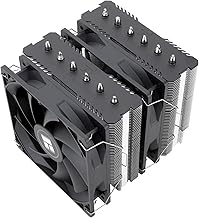
For most builds, a high-quality air cooler is all you need. Modern tower coolers like the Thermalright Peerless Assassin 120 SE or the Cooler Master Hyper 212 PRO ARGB handle even hot mainstream CPUs while being cheap, reliable, and free of pump failure risk. Liquid AIO coolers such as the ARCTIC Liquid Freezer III Pro 360 or CORSAIR Nautilus 360 RS shine for the hottest high-core-count chips and for builders who want a clean look with the radiator handling heavy heat loads.
Understand Case Airflow
Cooling is a system, not a single part. Cool air should enter the front and bottom of the case and exit through the top and rear, creating a steady front-to-back, bottom-to-top flow. Aim for a slightly positive pressure, with a bit more intake than exhaust, to reduce dust buildup. Even the best CPU cooler struggles inside a case starved of fresh air, so plan intake and exhaust before worrying about the cooler itself.
Fan Placement and Configuration
- Front fans as intake pull cool air across your drives and toward the components.
- Rear and top fans as exhaust remove the hot air rising off the CPU and GPU.
- Keep cables tidy so they do not block the airflow path through the case.
- Match fan sizes to your radiator; a 360mm AIO like the Nautilus 360 RS needs three 120mm fan mounts.
Apply Thermal Paste Correctly
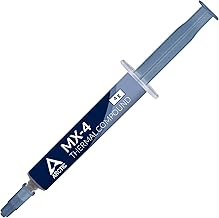
The thermal paste between your CPU and cooler is what actually transfers heat, and a bad application can cost you several degrees. A pea-sized dot in the center, spread by the pressure of mounting the cooler, is enough for most chips. Reapply fresh paste whenever you remove a cooler, and consider a refresh every few years as old paste dries out. Coolers like the Thermalright Assassin X120 Refined SE usually include a starter tube.
Maintenance and Monitoring
Dust is the enemy of sustained cooling. Clean your intake filters every month or two and blow out heatsinks and radiators a couple of times a year. Use free monitoring software to watch your CPU and GPU temperatures under load; sustained readings comfortably below the manufacturer’s limit mean your cooling is doing its job. If temperatures climb over time, dust or dried paste is almost always the culprit.
Tips
- Set a custom fan curve so fans stay quiet at idle and ramp up only under load.
- Give a big air cooler like the Peerless Assassin room; check case clearance before buying.
- Mount an AIO radiator as front intake or top exhaust, and keep tubes below the pump when possible.
- Clean dust filters regularly; it is the single easiest way to keep temperatures low.
Frequently Asked Questions
Is air or liquid cooling better?
For most gamers a premium air cooler is quieter to maintain, cheaper, and just as effective. Liquid AIOs make sense for very hot CPUs or for a cleaner look with strong radiator cooling.
What temperature is too hot for a gaming PC?
Brief spikes into the 80s Celsius under load are normal, but sustained temperatures near the chip’s limit mean throttling. Aim to keep your CPU and GPU comfortably below their rated maximums.
How many case fans do I need?
Two intake and one exhaust is a solid baseline. Add more only if your components run hot or you install a large radiator that needs its own set of fans.
How often should I reapply thermal paste?
Every time you remove the cooler, and otherwise every few years as it dries out. Fresh paste can drop temperatures by several degrees if the old application was aging or uneven.
Conclusion
Keeping your gaming PC cool comes down to treating it as a system: good case airflow, the right cooler for your CPU, correct thermal paste, and regular dust cleaning. A quality air cooler serves most builders perfectly, while a 360mm AIO earns its place in the hottest rigs. Get the fundamentals right and your components will run at full speed, stay quiet, and reward you with years of reliable, throttle-free performance.