Key takeaways
- No layout diagram: Avoid listings that show only beauty photos and never identify ANSI, ISO, spacebar sizes, or modifier widths.
- “Universal fit” without qualifications: Compatibility should mention MX-style stems and list supported layouts.
- Unclear legend method: If a seller does not say doubleshot, dye-sublimated, laser-etched, or pad-printed, assume the legends may be basic printing.
- Only a 104-key kit for a compact or nonstandard board: Compact keyboards often need special right Shift, Fn, Alt, or navigation keys.
- RGB photos with no shine-through claim: Strong lighting in product images does not prove the legends themselves will illuminate.
- No return policy: Fit problems are common enough that a clear return process is essential.
Shopping for Razer keyboard keycaps looks simple until the new set arrives and a few keys do not fit, the legends are in the wrong place, or the RGB no longer shines through as expected. The most common mistake is buying by color alone. Razer keyboards can use standard-looking layouts while still having bottom-row, modifier, or lighting details that deserve a closer check.
The other frequent mistake is treating “PBT,” “doubleshot,” and “shine-through” as interchangeable terms. They describe different things: the plastic, how the legends are made, and whether light can pass through them. A $15 universal set can be a smart visual upgrade, while a $40 to $50 Razer-focused set may be the better choice when full compatibility, clear legends, and predictable fit matter more.
Our top picks
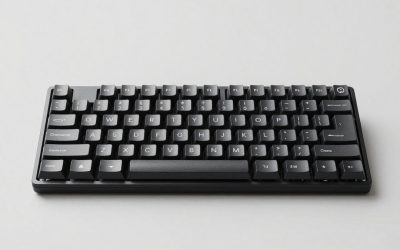
 Womier Pudding Keycaps
- 【Ultra-Wide Compatibility with Standard and Non-Standard Keycap Kits】…
- 【Enduring Double Shot PBT Keycaps】These PBT keycaps are…
- 【Environmental Keycap Storage Box+Keycap Puller】This pudding keycap set…
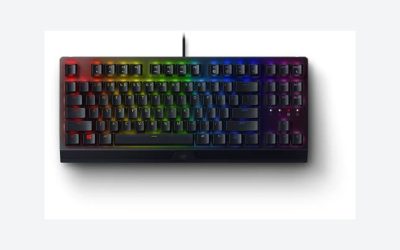
 Razer PBT Keycap + Coiled Cable Upgrade
- Durable Doubleshot PBT: Made with PBT and our…
- Universal Compatibility: The set works with all our…
- Keycap Removal Tool and Stabilizers: The set includes…
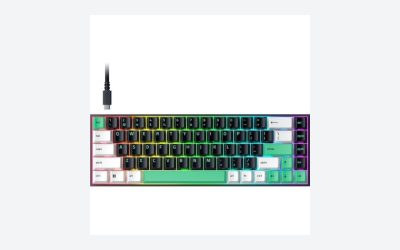
 Womier Pudding Keycaps
- 【Enduring Double Shot PBT Keycaps】These PBT keycaps are…
- 【Ultra-Wide Compatibility with Standard and Non-Standard Keycap Kits】…
- 【Environmental Elegant Keycaps Storage Box+keycap Pulle】This pudding keycap…
| Product | Key specs | |
|---|---|---|
| Womier Pudding Keycaps | 【Ultra-Wide Compatibility with Standard and Non-Standard Keycap Kits】… 【Enduring Double Shot PBT Keycaps】These PBT keycaps are… 【Environmental Keycap Storage Box+Keycap Puller】This pudding keycap set… | Check price |
| Razer PBT Keycap + Coiled Cable Upgrade | Durable Doubleshot PBT: Made with PBT and our… Universal Compatibility: The set works with all our… Keycap Removal Tool and Stabilizers: The set includes… | Check price |
| Womier Pudding Keycaps | 【Enduring Double Shot PBT Keycaps】These PBT keycaps are… 【Ultra-Wide Compatibility with Standard and Non-Standard Keycap Kits】… 【Environmental Elegant Keycaps Storage Box+keycap Pulle】This pudding keycap… | Check price |
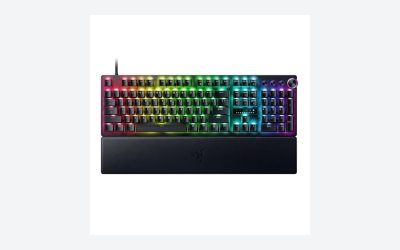
 Razer Doubleshot PBT Keycap Upgrade Set for Razer Doubleshot PBT Keycap Upgrade Set for | Compatibility: Razer Mechanical and Optical Keyboards and Standard… Oil-Resistant Doubleshot PBT Keycaps: Made of textured, high-grade… Extra-Thick Key Walls: Provides maximum durability and solid… | Check price |
As an Amazon Associate we earn from qualifying purchases at no extra cost to you.
In 2026, the best keycap set is not necessarily the most expensive one. It is the one that matches your keyboard’s physical layout, switch stems, typing habits, and RGB priorities.
Decide These 3 Things First
- Identify your exact Razer keyboard model and layout. Check the model name on the underside of the keyboard or in Razer Synapse. Note whether it is full-size, tenkeyless (TKL), 75%, 65%, or another compact format. A full-size board commonly needs about 104 keys for a US ANSI layout, while a TKL needs roughly 87 keys.
- Check the bottom row before ordering. Measure the spacebar and nearby modifier keys in keycap units, written as “u.” One unit is usually about 18 mm wide. A standard ANSI spacebar is 6.25u, or roughly 112.5 mm wide. Nonstandard modifier widths are the reason an otherwise generous 130- to 164-key set may still leave gaps.
- Choose between maximum RGB and maximum durability. If the keyboard’s lighting is central to your setup, prioritize shine-through legends and translucent sidewalls. If you mainly want a quieter, denser, more refined typing surface, prioritize thick PBT with non-shine-through legends.
Size and Compatibility: Fit Comes Before Finish
Razer keycap compatibility starts with the switch stem and ends with the physical layout. Many Razer mechanical and optical keyboards use a cross-shaped, MX-style stem, so a broad range of aftermarket keycaps can mount physically. That does not guarantee every key in the set will fit the board correctly.
Start with layout. Most US full-size keyboards use a 104-key ANSI layout; UK full-size versions commonly use 105 keys with an ISO Enter key. ANSI Enter is a wide horizontal key, usually 2.25u. ISO Enter is taller and more vertical, and it requires a dedicated cap. If you have an ISO keyboard, do not assume a “104-key compatible” set will cover it.
Then examine the bottom row. Standard coverage usually includes a 6.25u spacebar, 1.25u Ctrl/Alt/Windows keys, and 1.5u modifiers. Some Razer boards, especially older or compact designs, can use different key widths or require specific keys around the spacebar. Measure before buying rather than relying on a product image.
A 104-key set generally covers only a basic full-size ANSI layout. A 130-key set adds common alternates. A 140- to 164-key kit is safer for buyers who need multiple spacebar sizes, extra modifiers, Mac legends, ISO support, or compact-keyboard keys. For example, the 164-key Womier Pudding sets provide much more layout flexibility than a basic 104-key replacement kit, but the included extras still need to match your specific board.
Material: ABS vs. PBT Is a Practical Choice
Most keycaps are made from ABS or PBT plastic. ABS is smooth, relatively light, and especially effective for bright shine-through legends. It is common on original equipment keycaps because it can deliver crisp lighting at a lower cost. Its drawback is surface shine: heavy-use keys such as the spacebar, W, A, S, D, and Enter may become noticeably glossy over time.
PBT is generally the more durable upgrade material. It has a lightly textured surface, resists finger oils better, and usually retains its original look longer. Quality PBT keycaps are often about 1.3 to 1.5 mm thick, compared with many thinner stock caps in the 0.9 to 1.1 mm range. Thickness is not the only measure of quality, but it can contribute to a more solid sound and less flex.
For a Razer RGB keyboard, there is a trade-off. Solid-color PBT caps with non-translucent legends may make the board look cleaner in daylight but substantially reduce the visibility of legends in a dark room. PBT shine-through caps offer a compromise. The Womier Pudding PBT Shine Through sets, available in black or white at about $14.99, use opaque top surfaces with translucent lower sections designed to spread RGB lighting around each key.
Choose ABS if bright, sharply illuminated legends are your top priority. Choose PBT if texture, resistance to shine, and a more substantial feel matter more. Choose PBT pudding caps if you want visible RGB effects without moving into a higher price bracket.
Construction and Legends: Look for Doubleshot, Not Just “Printed”
Construction determines whether the lettering lasts. The most dependable everyday option is doubleshot construction. Two separate plastic layers are molded together: one forms the keycap body and the other forms the legend. Because the letters are physical material rather than surface ink, they cannot rub off through normal use.
Dye-sublimated legends are also durable, particularly on light-colored PBT caps, but they are usually not shine-through. The dye is infused into the plastic surface and holds up well, yet it does not create a translucent path for RGB lighting. Laser-etched and pad-printed legends can be acceptable on inexpensive sets, but they are more vulnerable to fading or wear.
For a backlit Razer keyboard, check whether the legend placement matches the switch’s lighting position. Most illuminated legends sit in the upper portion of the cap. A centered legend may look attractive, but it can appear unevenly lit on keyboards where the LED sits above the switch stem.
Razer’s Doubleshot PBT upgrade sets are designed around this use case. The black Razer PBT Keycap + Coiled Cable Upgrade Set has been listed around $47.83, while the Mercury White Doubleshot PBT set has been listed around $39.95. These are pricier than universal kits, but their value is in reliable legend construction and keyboard-focused compatibility rather than sheer key count.
Comfort and Performance: Profile Changes the Feel
A keycap profile is the shape and height of each row. It affects finger travel, typing angle, sound, and how quickly you adapt. Most buyers replacing keycaps on a Razer gaming keyboard will be most comfortable with an OEM-style profile because it closely resembles the familiar sculpted shape found on many prebuilt boards.
OEM-profile keycaps are typically around 9 to 11 mm tall from the keycap base to the top, depending on the row. Cherry-profile caps are usually a little lower, often by roughly 1 to 2 mm in the middle rows, and can feel more compact and controlled for touch typists. SA-style caps are much taller, often 15 mm or more in their upper rows, and create a more dramatic retro look but may feel slower or less stable for fast gaming.
For gaming, prioritize a profile with clear row sculpting, especially if you use the keyboard at a desk height that leaves your wrists fairly flat. Avoid mixing profiles within the main typing area. A tall replacement Enter key paired with lower letter keys can feel awkward even if it technically fits.
Keycaps do not change switch actuation force, polling rate, or keyboard latency. They can, however, alter acoustics and perceived stability. Thick PBT often produces a deeper, less sharp sound than thin ABS. Pudding caps can sound slightly more hollow than dense solid-wall caps because of their translucent construction. Neither is automatically better; it is a preference decision.
Price Tiers: Spend Where It Makes a Difference
Budget: $12 to $25. This range includes many generic PBT pudding sets and large universal kits. Expect 120 to 164 keys, broad color choices, and good RGB diffusion. Inspect the compatibility chart closely, because extra keys do not always mean the correct key sizes are included. The $14.99 Womier Pudding sets are representative of this value-focused category.
Mid-range: $25 to $45. Here, buyers can expect more consistent molding, thicker PBT, cleaner legends, and better coverage for common ANSI or ISO variations. This is a sensible range for someone replacing worn stock caps on a daily-use Razer keyboard.
Premium: $40 to $70. Premium sets often offer branded compatibility, doubleshot PBT legends, tighter quality control, and more reliable shine-through performance. Razer’s upgrade sets fall into this category. Paying more is worthwhile when you want to avoid layout guesswork or need bright, durable backlit legends.
Above $70, you are often paying for niche profiles, limited colors, artisan accents, or enthusiast-brand design. Those can be worthwhile for a custom build, but they are not necessary for a practical Razer refresh.
Warranty: Read What Is Actually Covered
Keycaps are wear items, so warranty terms can be narrower than they are for keyboards. Look for at least a 30-day return window from the seller, especially when buying a universal set. That gives you enough time to test every stabilizer key, compare modifier widths, and verify that RGB looks right at night.
A 1-year manufacturer warranty is a useful sign for a branded upgrade set, but read the exclusions. Normal surface wear, accidental damage, discoloration from chemicals, and incompatibility caused by ordering the wrong layout may not be covered. Keep the packaging until you have installed and checked the full set.
If a listing makes broad claims such as “fits all mechanical keyboards,” treat that as marketing rather than a guarantee. A keycap may fit an MX-style stem while still failing to match a spacebar stabilizer position, an ISO layout, or a nonstandard modifier row.
Delivery and Assembly: Plan for a 30- to 60-Minute Swap
Keycap replacement is easy, but it is detail-oriented. Set aside 30 to 60 minutes for a full-size keyboard and work over a tray or clean towel so small caps do not roll away. A wire keycap puller is safer than a hard plastic puller because it is less likely to mark cap sides.
Before removing anything, take a clear photo of the keyboard. Pull standard keys straight upward. For large stabilized keys—usually the spacebar, Enter, Backspace, Shift, and numpad 0—lift gently and evenly from both sides. Do not twist them; stabilizer inserts can be damaged if forced.
When the package arrives, count the specialty keys before removing your original set. Compare the supplied spacebars, 1u keys, 1.25u modifiers, 1.5u modifiers, and Enter keys against your board. Install the spacebar and both Shift keys first. If those fit, the rest of the project is usually straightforward.
Spec Checklist
| Spec | Budget | Mid | Premium |
|---|---|---|---|
| Typical price | $12–$25 | $25–$45 | $40–$70 |
| Material | PBT or ABS/PBT blend | Textured PBT | Doubleshot PBT |
| Key count | 104–164 keys | 120–150 keys | 104–140+ model-focused keys |
| Legend method | Laser-etched or basic shine-through | Dye-sub or improved shine-through | Doubleshot legends |
| Best for | Low-cost color or RGB refresh | Daily typing and broad compatibility | Durability and dependable Razer fit |
| Return target | At least 30 days | At least 30 days | 30 days plus manufacturer support |
Red Flags
- No layout diagram: Avoid listings that show only beauty photos and never identify ANSI, ISO, spacebar sizes, or modifier widths.
- “Universal fit” without qualifications: Compatibility should mention MX-style stems and list supported layouts.
- Unclear legend method: If a seller does not say doubleshot, dye-sublimated, laser-etched, or pad-printed, assume the legends may be basic printing.
- Only a 104-key kit for a compact or nonstandard board: Compact keyboards often need special right Shift, Fn, Alt, or navigation keys.
- RGB photos with no shine-through claim: Strong lighting in product images does not prove the legends themselves will illuminate.
- No return policy: Fit problems are common enough that a clear return process is essential.
FAQ
Will any MX keycaps fit a Razer keyboard?
Many will mount because numerous Razer mechanical and optical switches use MX-style cross stems. However, mounting is only one part of compatibility. Confirm the bottom-row key sizes, spacebar length, Enter shape, and any compact-layout keys before buying.
Are PBT keycaps better than ABS keycaps for Razer keyboards?
PBT is usually better for resisting shine and maintaining texture, while ABS can provide brighter shine-through legends. For a keyboard used heavily for work or gaming, PBT is generally the stronger long-term choice. For maximum RGB brightness, quality shine-through ABS or PBT pudding caps can be preferable.
Do pudding keycaps make Razer Chroma RGB brighter?
They do not increase the keyboard’s LED output, but their translucent sidewalls spread more existing light around each key. The result is usually a more dramatic glow, especially in a dark room. They can be less subtle and may not suit buyers who prefer a clean daytime look.
Do I need to replace stabilizers when changing Razer keycaps?
Usually, no. Standard keycap replacement uses the keyboard’s existing stabilizers. Only consider stabilizer work if large keys rattle, bind, or fail to return properly. For a routine keycap swap, install the new large keys carefully and test each one before completing the keyboard.