Key takeaways
- Best overall: Logitech MX Keys S
- Best mechanical: Keychron K8 Max
- Best budget and best ergonomic value: Logitech Wave Keys
- Best quiet keyboard for shared offices: Razer Pro Type Ultra
- Best for Mac: Apple Magic Keyboard with Touch ID
- Best premium: Keychron Q1 Max
- Best low-profile mechanical: Lofree Flow2
The best keyboard for work for most people is the Logitech MX Keys S. Its quiet, laptop-style keys, full-size layout with a number pad and one-button switching between three devices make it the easiest upgrade for long days at a desk. If you prefer the feel of a mechanical keyboard, the Keychron K8 Max is the runner-up: a tenkeyless board with 2.4 GHz, Bluetooth and wired modes, hot-swappable switches and fully remappable keys. Below are seven main picks covering every budget and working style, five more worth considering, a buying guide and answers to the most common questions about keyboards for the office and home office.
This guide was updated in October 2026. Picks are based on research into manufacturer specifications, current listings and independent reviews from established outlets, not on our own use. Some links are affiliate links, which support the site at no extra cost to you.
Top Picks at a Glance
- Best overall: Logitech MX Keys S
- Best mechanical: Keychron K8 Max
- Best budget and best ergonomic value: Logitech Wave Keys
- Best quiet keyboard for shared offices: Razer Pro Type Ultra
- Best for Mac: Apple Magic Keyboard with Touch ID
- Best premium: Keychron Q1 Max
- Best low-profile mechanical: Lofree Flow2
Work Keyboard Comparison Table
| Keyboard | Best for | Key type | Layout | Connection | Watch for | Price tier |
|---|---|---|---|---|---|---|
| Logitech MX Keys S | Most office workers | Low-profile scissor | Full-size with number pad | Bluetooth, Logi Bolt support, 3 devices | Shallow key travel | Mid-range |
| Keychron K8 Max | Mechanical typing at work | Mechanical, hot-swappable | Tenkeyless (TKL) | 2.4 GHz, Bluetooth, wired | No number pad, tall without a wrist rest | Mid-range |
| Logitech Wave Keys | Budget ergonomic comfort | Membrane, wave layout | Full-size with number pad | Bluetooth, Logi Bolt receiver, 3 devices | No backlight | Budget |
| Razer Pro Type Ultra | Quiet mechanical in shared spaces | Silent linear mechanical | Full-size with number pad | 2.4 GHz, Bluetooth, wired | Large footprint | Upper-mid |
| Apple Magic Keyboard with Touch ID | Mac users | Low-profile scissor | Compact | Bluetooth | Touch ID needs an Apple silicon Mac | Mid-range |
| Keychron Q1 Max | Premium build and customisation | Mechanical, hot-swappable, gasket mount | 75% with knob | 2.4 GHz, Bluetooth, wired | Heavy, no number pad | Premium |
| Lofree Flow2 | Low-profile mechanical feel | Low-profile mechanical | Compact | Rechargeable wireless | Smaller layout takes adjustment | Upper-mid |
1. Logitech MX Keys S: Best Keyboard for Work Overall

Logitech MX Keys S Wireless Keyboard Low Profile Fluid Precise - Graphite
Included for '7 Best Keyboards for Work in 2026 (Office & Home)' as a representative home product in this roundup; selection reflects the product set returned for this topic.
View on AmazonKey specs
- Key type: Low-profile scissor keys with spherically dished keycaps
- Layout: Full-size with number pad
- Connection: Bluetooth Low Energy and Logi Bolt support; pairs with up to three devices
- Backlight: Smart illumination that turns on as your hands approach
- Power: Rechargeable over USB-C
- Software: Logi Options+ with Smart Actions for multi-step shortcuts
Best for: Anyone who types all day, takes video calls and switches between a laptop and a desktop. Skip if: You want deep, clicky keys or a compact keyboard that leaves more room for your mouse.
Why we picked it
The MX Keys S is the keyboard independent reviewers most often name as the default choice for work, and it is easy to see why. Its keys feel similar to a good laptop keyboard, so the switch is painless for people who are used to typing on a notebook. Each keycap has a shallow dish that helps centre your fingertips, and the keys are quiet enough that colleagues on a call will not hear you typing notes. DeskDNA notes Logitech’s own figures of around 10 days of battery with backlighting on and up to 5 months with it off.
The feature that sells it to many office workers is Easy-Switch. Three buttons let you jump between a work laptop, a personal desktop and a tablet instantly, and with Logi Flow and a compatible Logitech mouse you can even copy and paste between computers. Logi Options+ adds Smart Actions, letting you chain tasks like opening your usual apps with a single key.
Compared with the Keychron K8 Max below, it is quieter and includes a number pad but lacks the feel and customisation of a mechanical board. Compared with the Logitech Wave Keys, it costs more but adds backlighting, rechargeable power and a slimmer, more premium build.
Pros
- Quiet, laptop-style typing that suits calls and shared spaces
- Instant switching between three devices
- Full-size layout with number pad
- Smart backlight and USB-C charging
Cons
- Shallow key travel will not satisfy mechanical keyboard fans
- Full-size width pushes your mouse further out
2. Keychron K8 Max: Best Mechanical Keyboard for Work

Keychron K8 Max TKL Wireless Mechanical Keyboard, PBT Keycaps/Brown Switch
Included for '7 Best Keyboards for Work in 2026 (Office & Home)' as a representative home product in this roundup; selection reflects the product set returned for this topic.
View on AmazonKey specs
- Key type: Mechanical, hot-swappable (brown tactile switch in this version)
- Layout: Tenkeyless (TKL), no number pad
- Connection: 2.4 GHz wireless, Bluetooth and wired USB-C
- Keycaps: PBT
- Software: QMK/VIA for remapping keys and macros
Best for: Writers, developers and anyone who enjoys the tactile feedback of a mechanical keyboard but needs reliable wireless for work. Skip if: You enter lots of numbers or need near-silent typing.
Why we picked it
Keychron’s K8 line is a frequent recommendation for office mechanical keyboards because the tenkeyless layout keeps every key you use daily while giving your mouse more room. The Max version adds a 2.4 GHz wireless mode alongside Bluetooth and wired, which matters for work: a 2.4 GHz dongle is generally more stable and lower latency than Bluetooth in crowded offices, and Bluetooth is still there for pairing with a tablet or second computer.
Brown tactile switches give a gentle bump on each keypress without the loud click of blue switches, a sensible middle ground for home offices. Because the board is hot-swappable, you can later try quieter linear or silent switches without soldering. QMK/VIA support means you can remap keys, add macros for repetitive tasks or set up layers for apps you use every day. PBT keycaps resist the shine that cheaper ABS keycaps develop after heavy use.
Compared with the Keychron Q1 Max, the K8 Max costs far less and is lighter but uses a less premium case. Compared with the MX Keys S, it is louder and taller, so most people will want a wrist rest.
Pros
- Three connection modes including stable 2.4 GHz
- Hot-swappable switches for easy changes
- Fully remappable with QMK/VIA
- Durable PBT keycaps
Cons
- No number pad
- Taller profile benefits from a separate wrist rest
3. Logitech Wave Keys: Best Budget and Ergonomic Value

Logitech Wave Keys Ergonomic Wireless Keyboard with Palm Rest - Graphite
Included for '7 Best Keyboards for Work in 2026 (Office & Home)' as a representative home product in this roundup; selection reflects the product set returned for this topic.
View on AmazonKey specs
- Key type: Membrane keys in a gentle wave shape
- Layout: Full-size with number pad
- Connection: Bluetooth and Logi Bolt USB receiver; up to three devices
- Comfort: Built-in cushioned palm rest
- Power: AAA batteries
Best for: Workers who want more comfort than a flat keyboard without the learning curve of a split design, at a budget price. Skip if: You need backlighting for a dim room.
Why we picked it
Fully split ergonomic keyboards can take weeks to get used to. The Wave Keys takes a gentler approach: the keys follow a subtle curve that encourages a more natural hand position, and the attached cushioned palm rest supports your wrists through a long day. Most people can type on it normally from the first hour, which makes it an easy pick for shared offices or for anyone trying an ergonomic keyboard for the first time.
It keeps a full number pad, so it suits finance and admin work, and connects over Bluetooth or the included Logi Bolt receiver, which is designed for secure business environments. Easy-Switch keys let you jump between three devices, as on the MX Keys S. Running on AAA batteries means no charging at all for long stretches.
Compared with the MX Keys S, you give up backlighting and the premium metal top in exchange for a much lower price and a more ergonomic shape. If you want a more aggressive ergonomic design, the Logitech Ergo K860 in the Also Consider section is the next step up.
Pros
- Comfortable wave layout with almost no learning curve
- Integrated cushioned palm rest
- Full-size layout with number pad
- Logi Bolt receiver included
Cons
- No backlight
- Membrane keys feel softer than mechanical or scissor switches
4. Razer Pro Type Ultra: Best Quiet Mechanical Keyboard for Shared Offices
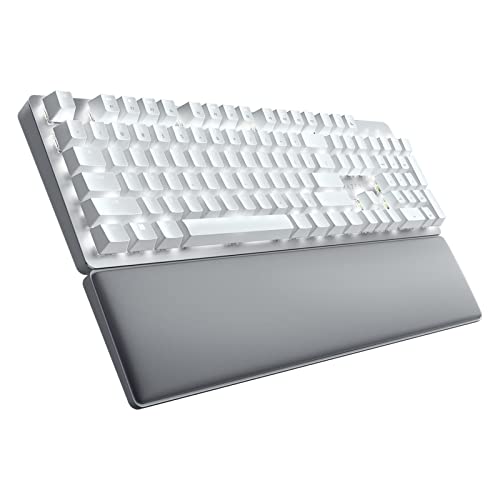
Razer Pro Type Ultra Wireless Mechanical Keyboard: Silent, Linear Switches - Ergonomic Design - HyperSpeed Technology - Connect up to 4 Devices - Fully Programmable Keys & Smart Controls
Included for '7 Best Keyboards for Work in 2026 (Office & Home)' as a representative home product in this roundup; selection reflects the product set returned for this topic.
View on AmazonKey specs
- Key type: Razer silent linear mechanical switches
- Layout: Full-size with number pad
- Connection: Razer HyperSpeed 2.4 GHz wireless, Bluetooth and wired
- Backlight: White backlighting
- Comfort: Plush wrist rest included
Best for: People who want mechanical key feel and a number pad in an open-plan office or shared home workspace. Skip if: Desk space is tight.
Why we picked it
Mechanical keyboards are great to type on but can annoy coworkers and spill into microphones on calls. The Pro Type Ultra was built specifically for productivity, using silent linear switches that cut much of the sound while keeping the smooth, consistent action of mechanical keys. It is one of the few mechanical keyboards that gives you a full number pad, an included wrist rest and three connection modes in one package.
HyperSpeed wireless gives a stable 2.4 GHz connection, and Bluetooth lets you pair other devices. The clean white backlight and understated design look professional, without the gaming styling some people expect from Razer. The included wrist rest helps offset the height of the mechanical keys.
Compared with the Keychron K8 Max, it is quieter, adds a number pad and includes a wrist rest, but it is larger and less customisable. Compared with the MX Keys S, it costs more but offers a deeper, more satisfying keypress.
Pros
- Silent linear switches suit shared spaces
- Full-size layout plus included wrist rest
- 2.4 GHz, Bluetooth and wired connections
- Professional, understated look
Cons
- Takes up a lot of desk space
- Switches are not hot-swappable
5. Apple Magic Keyboard with Touch ID: Best Keyboard for Mac

Apple Magic Keyboard with Touch ID
Included for '7 Best Keyboards for Work in 2026 (Office & Home)' as a representative home product in this roundup; selection reflects the product set returned for this topic.
View on AmazonKey specs
- Key type: Low-profile scissor keys
- Layout: Compact, Mac layout (a version with number pad is also sold)
- Connection: Bluetooth, USB-C for charging and pairing
- Security: Touch ID for login, passwords and payments on Macs with Apple silicon
Best for: Mac users who want secure, fast logins and native macOS shortcuts. Skip if: You work on Windows or need to switch between several computers.
Why we picked it
For Mac users, Touch ID is the reason to choose this keyboard over every other option. A fingerprint sensor in the top-right corner lets you unlock your Mac, fill in passwords and approve purchases without typing, which saves a surprising amount of time on a work computer that locks frequently. The keys match the feel of current MacBook keyboards, so it is easy to move between your laptop and a desk setup.
All keys are labelled for macOS, including the Command and Option keys and media controls. It pairs automatically when connected by cable and charges over USB-C. The main limitation is that it does not have multi-device switching like the Logitech MX Keys S, and Touch ID requires a Mac with Apple silicon.
If you use a number pad regularly, choose the full-size version with numeric keypad.
Pros
- Touch ID speeds up logins and password entry
- Native macOS key layout
- Slim and compact
Cons
- No easy multi-device switching
- Touch ID only works with Apple silicon Macs
6. Keychron Q1 Max: Best Premium Keyboard for Work

Keychron Q1 Max 75% QMK/VIA Wireless Custom Mechanical Keyboard with Knob
Included for '7 Best Keyboards for Work in 2026 (Office & Home)' as a representative home product in this roundup; selection reflects the product set returned for this topic.
View on AmazonKey specs
- Key type: Mechanical, hot-swappable, gasket-mounted
- Layout: 75% with rotary knob
- Connection: 2.4 GHz wireless, Bluetooth and wired
- Build: Full aluminium body
- Software: QMK/VIA
Best for: Professionals who spend most of the day typing and want a premium, heavy, quiet-sounding board. Skip if: You need a number pad or plan to carry your keyboard.
Why we picked it
The Q1 Max is often recommended for buyers who want custom-keyboard quality without building one themselves. Its full aluminium case and gasket mount give a solid, softened typing feel and a deeper sound than plastic keyboards. The 75% layout keeps function keys and arrows in a compact footprint, and the rotary knob is useful for volume or scrolling through timelines.
Like the K8 Max, it offers 2.4 GHz, Bluetooth and wired modes, plus QMK/VIA remapping and hot-swappable switches. The difference is build quality: the Q1 Max feels like a desk tool designed to last for years.
The trade-offs are weight and price. It is not a keyboard to throw in a laptop bag, and you should add a wrist rest for comfort. If you mostly type and want the best possible feel, though, it is worth the premium.
Pros
- Premium aluminium build and gasket mount
- Three connection modes
- Rotary knob and full remapping
- Hot-swappable switches
Cons
- Heavy and not portable
- No number pad
7. Lofree Flow2: Best Low-Profile Mechanical Keyboard

LOFREE Flow2 Low-Profile Mechanical Keyboard, Aluminum Alloy with Pulse Tactile Switches, Rechargeable Wireless Keyboards with 3 Mode Connections for Windows, macOS (Space Gray, 68 Keys)
Included for '7 Best Keyboards for Work in 2026 (Office & Home)' as a representative home product in this roundup; selection reflects the product set returned for this topic.
View on AmazonKey specs
- Key type: Low-profile mechanical (tactile switches in this version)
- Build: Aluminium alloy body
- Connection: Rechargeable wireless
- Layout: Compact
Best for: People who like slim laptop-height keyboards but want the crisper feedback of mechanical switches. Skip if: You rely on a number pad or a full-height mechanical feel.
Why we picked it
The Flow2 sits between the MX Keys S and a traditional mechanical keyboard. Its low-profile mechanical switches keep the board slim enough to use without a wrist rest, while still giving each keypress a defined tactile feel. The aluminium case gives it a clean, premium look that suits design studios and minimal desks.
Specialist keyboard guides often recommend the Flow line for design-focused buyers, and this second generation is a natural choice for anyone who wants a mechanical keyboard that looks at home next to a laptop. It is rechargeable and wireless, so it keeps your desk free of cables.
Compared with the MX Keys S, it is more expensive and drops the number pad, but the typing feel is more distinct. Compared with the Q1 Max, it is lower, lighter and easier to carry.
Pros
- Slim, low-profile mechanical design
- Premium aluminium body
- Wireless and rechargeable
Cons
- Compact layout without a number pad
- Low-profile switches have shorter travel than standard mechanical keys
Also Consider
Logitech Ergo K860: Best Split Ergonomic Keyboard

Logitech Ergo K860 Wireless Ergonomic Split Keyboard with Wrist Rest
Included for '7 Best Keyboards for Work in 2026 (Office & Home)' as a representative home product in this roundup; selection reflects the product set returned for this topic.
View on AmazonBest for workers with wrist or shoulder discomfort. The K860 uses a curved, split keyframe and a padded wrist rest to encourage a more neutral typing posture, and it keeps the number pad. Trade-off: the split layout takes time to learn, and the keys are not backlit.
Logitech MX Keys Mini: Best Compact Option

Logitech MX Keys Mini Minimalist Wireless Illuminated Keyboard - Graphite
Included for '7 Best Keyboards for Work in 2026 (Office & Home)' as a representative home product in this roundup; selection reflects the product set returned for this topic.
View on AmazonBest for small desks or setups where mouse space matters. It offers the same quiet scissor keys, smart backlighting and three-device switching as the MX Keys S in a compact layout without a number pad. Trade-off: you lose the number pad and dedicated navigation keys.
Keychron K10 Pro (Silent Red): Best Full-Size Mechanical
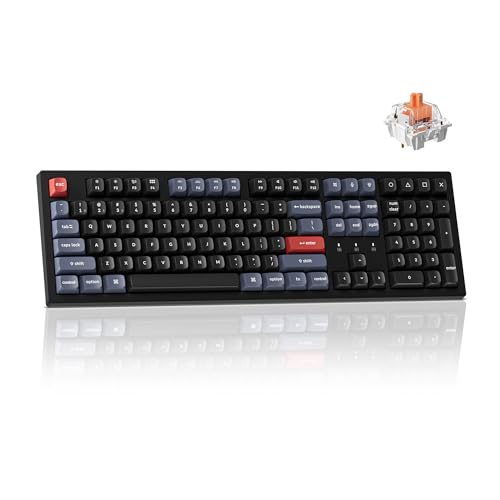
Keychron K10 Pro Wireless Custom Mechanical Keyboard, QMK Programmable Bluetooth 100% Layout with Silent Red Switch White Backlight Compatible with Mac Windows Linux
Included for '7 Best Keyboards for Work in 2026 (Office & Home)' as a representative home product in this roundup; selection reflects the product set returned for this topic.
View on AmazonBest for mechanical fans who type lots of numbers. This full-size 100% layout includes a number pad, QMK programming and Bluetooth, and the silent red switches are designed to reduce noise. Trade-off: it is wide, and its wireless is Bluetooth rather than a 2.4 GHz dongle.
Cherry KC 200 MX: Best Wired Mechanical for Offices

Cherry KC 200 MX, Wired Mechanical Office Keyboard, Modern Design with Elegant Aluminum Surface, USB-A Connection, MX2A Brown Switches, White/Silver
Included for '7 Best Keyboards for Work in 2026 (Office & Home)' as a representative home product in this roundup; selection reflects the product set returned for this topic.
View on AmazonBest for desks that never move and IT departments that prefer wired keyboards. It uses Cherry MX2A switches with an aluminium top plate and a USB-A connection. Trade-off: no wireless, so it is less tidy on a shared desk.
Logitech K120: Best Basic Wired Keyboard

Logitech K120 Full Size Wired Keyboard USB Plug-and-Play Windows - Black
Included for '7 Best Keyboards for Work in 2026 (Office & Home)' as a representative home product in this roundup; selection reflects the product set returned for this topic.
View on AmazonBest for the lowest possible cost. This plug-and-play USB keyboard has a full-size layout and is a common choice for office fleets and spare desks. Trade-off: basic membrane feel, no backlight and no wireless.
How We Chose
We focused on keyboards that people actually use for full workdays: office workers, remote workers, writers, developers and finance teams. Our criteria were:
- Typing comfort over long sessions: Key feel, layout and ergonomic support.
- Noise: How suitable each keyboard is for calls and shared spaces.
- Connectivity: Stable wireless options and multi-device switching for laptop-plus-desktop setups.
- Layout fit: Whether it keeps a number pad, and how much room it leaves for a mouse.
- Value and coverage: At least one strong option at budget, mid-range, upper-mid and premium price tiers.
We reviewed manufacturer specifications and current listings, then compared them with recommendations from independent keyboard reviewers and specialist guides published in 2026. These picks are research-based rather than drawn from our own use, and we have avoided claims that cannot be checked against a spec sheet.
Buying Guide: How to Choose a Keyboard for Work
Scissor, membrane or mechanical?
Scissor-switch keyboards like the MX Keys S and Apple Magic Keyboard feel like a laptop: quiet, shallow and fast. Membrane keyboards like the Wave Keys and K120 are softer and usually the cheapest. Mechanical keyboards like the Keychron and Razer models have deeper travel and more distinct feedback, which many heavy typists prefer. If you take frequent calls, choose scissor keys, silent linear switches or brown tactile switches over clicky blue switches.
Full-size, TKL or compact?
A full-size keyboard includes a number pad, essential for accounting, data entry and spreadsheets. Tenkeyless (TKL) keyboards drop the number pad, bringing your mouse about three to four inches closer, which can reduce shoulder strain. 75% and compact boards save even more space but move or remove some keys. If you switch from full-size to compact, expect a few weeks of adjustment.
Wireless: Bluetooth or 2.4 GHz?
Bluetooth is convenient for pairing with laptops and tablets without a dongle, and it is ideal for switching between devices. A 2.4 GHz USB receiver, such as Logi Bolt or Razer HyperSpeed, is usually more stable in busy offices with many wireless devices and typically has lower latency. The best work keyboards support both. Wired keyboards are still the most reliable and never need charging.
Multi-device switching
If you use a work laptop and a personal computer at the same desk, multi-device switching is a major time saver. Look for dedicated device keys, as on the MX Keys S, Wave Keys and Keychron wireless boards. Logitech’s Flow feature can extend this to copy and paste between computers when paired with a compatible mouse.
Ergonomics
For long typing days, ergonomics matter. A wrist or palm rest helps keep your wrists neutral, especially with taller mechanical keyboards. Wave layouts like the Wave Keys offer comfort with almost no learning curve, while split designs like the Ergo K860 go further but take time to master. Keep the keyboard close to your body and at elbow height, and pair it with a mouse placed within easy reach.
Battery and charging
Rechargeable keyboards with USB-C are convenient and often add backlighting. Keyboards that run on AAA batteries, such as the Wave Keys and Ergo K860, can last a very long time between changes. Backlighting is the biggest drain on battery life, so smart or automatic backlight features make a real difference.
Mistakes to Avoid When Buying a Work Keyboard
- Buying a clicky keyboard for a shared space: Blue switches are loud on calls and in open offices. Choose silent, linear or tactile switches instead.
- Dropping the number pad when you need it: A compact keyboard looks great, but if you enter numbers daily, you will miss it. Stick with full-size, or add a separate numpad.
- Ignoring compatibility: Check whether the keyboard has Mac or Windows legends, and whether features like Touch ID or software support your operating system.
- Skipping a wrist rest with tall keyboards: Mechanical keyboards can force your wrists upward. Use the included rest or buy one.
- Overlooking IT rules: Some companies block Bluetooth or require specific receivers. Logi Bolt and wired keyboards are often easier to approve.
Frequently Asked Questions
What is the best keyboard for work?
The Logitech MX Keys S is the best keyboard for work for most people. It combines quiet, comfortable keys, a full-size layout with number pad, smart backlighting and easy switching between three devices. Mechanical fans should look at the Keychron K8 Max instead.
Are mechanical keyboards good for office work?
Yes, as long as you choose quieter switches. Brown tactile or silent linear switches give a satisfying feel without disturbing coworkers. Many people find mechanical keys more comfortable over long typing sessions, but they are usually taller, so use a wrist rest.
What is the quietest keyboard for the office?
Scissor-switch keyboards like the Logitech MX Keys S and Apple Magic Keyboard are among the quietest. For a mechanical option, the Razer Pro Type Ultra uses silent linear switches, and the Keychron K10 Pro is sold with silent red switches.
Is a wireless keyboard good for work?
Yes. Modern wireless keyboards are reliable enough for all-day work, especially with a 2.4 GHz receiver. They keep your desk tidy and often support several devices. If your workplace restricts Bluetooth, choose a keyboard with a business receiver like Logi Bolt or a wired model.
What keyboard is best for typing all day?
The MX Keys S suits people who like low-profile laptop-style keys, while the Keychron Q1 Max and K8 Max suit those who prefer mechanical feedback. If you have wrist discomfort, an ergonomic design like the Logitech Wave Keys or Ergo K860 is worth trying.
Do I need a number pad on my work keyboard?
You need one if you enter numbers frequently, such as in accounting, data entry or spreadsheet-heavy roles. Otherwise, a tenkeyless or compact keyboard gives your mouse more room and can be more comfortable for your shoulders.
Is an ergonomic keyboard worth it?
For many people who type for hours each day, yes. Ergonomic keyboards encourage a more natural hand and wrist position. Start with a gentle design like the Wave Keys if you are new to them, and move to a split keyboard like the Ergo K860 if you want more support.
Can I use one keyboard with my laptop and desktop?
Yes. Keyboards with multi-device switching, such as the Logitech MX Keys S, Wave Keys and Keychron wireless models, let you pair two or three computers and switch between them with a single key.
Which Keyboard Should You Buy for Work?
- Most office and remote workers: Logitech MX Keys S.
- You want a mechanical feel: Keychron K8 Max.
- You want comfort on a budget: Logitech Wave Keys.
- You work in a shared space and want mechanical keys: Razer Pro Type Ultra.
- You use a Mac: Apple Magic Keyboard with Touch ID.
- You want the best build quality: Keychron Q1 Max.
- You prefer slim keyboards with mechanical switches: Lofree Flow2.
- You have wrist discomfort: Logitech Ergo K860.
Last updated: October 2026.