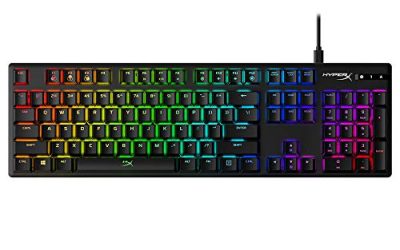
Our Top Picks
As an Amazon Associate we earn from qualifying purchases.
Disclosure: This article contains affiliate links to products on Amazon. If you buy through those links, we may earn a commission at no additional cost to you.


Typing messages, entering passwords, searching a store, and chatting in a supported game are all slower with an on-screen keyboard and a controller. A physical keyboard plugged into a PlayStation 4 changes that immediately.
There is an important limit to understand first. The PS4 supports USB and Bluetooth keyboards for system-level text input, and some games add their own keyboard support. That does not mean every PS4 game will let you play it entirely with a keyboard. Features that depend on PC software, such as advanced macros or lighting profiles stored in an app, may not be available on PS4 even when basic typing works perfectly.
For that reason, every keyboard in this guide was chosen because its Amazon listing states PS4 compatibility in its title, its operating system field, or its compatibility description.
Quick Picks
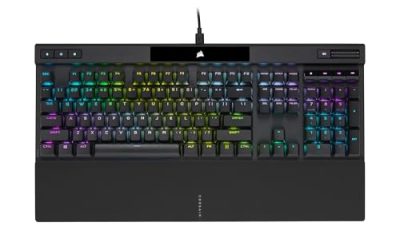
- Best overall: SteelSeries Apex 3 (B07ZGDPT4M) — wired full-size board whose listing names PS4, with quiet switches, 10-zone RGB, IP32 water resistance, and a magnetic wrist rest.
- Best wireless for the couch: KLIM Chroma Wireless (B07FLKYRFB) — 2.4 GHz board with a USB receiver, rechargeable battery, and a listing that names PC, PS4, Xbox One, and Mac.
- Best simple wired board: Orzly RX-250 Hornet Edition (B08KYFR6MB) — full-size USB board designed, in the listing’s words, for PC gamers, PS4, PS5, laptop, Xbox, and Nintendo Switch.
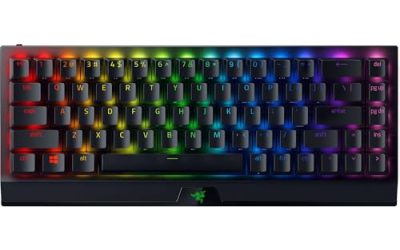
- Best mechanical-feel pick: Redragon K521 (B0DRFGNWV1) — 104-key wired board with rainbow LED backlighting, anti-ghosting, and PS4 and PS5 named in its listing.
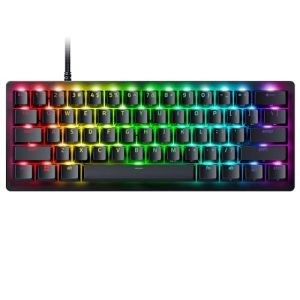
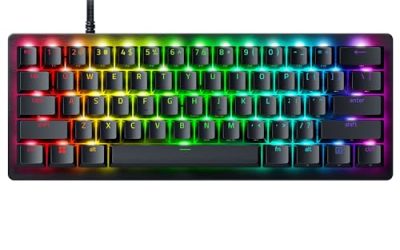
- Best compact pick: CHONCHOW Mini RGB 60% (B0CG4D1NSV) — 68-key USB board whose listing names Xbox, PS4, and PS5, with a detachable Type-C cable.
1. SteelSeries Apex 3 — Best Overall
The SteelSeries Apex 3 is the most complete PS4 keyboard on this list. Its Amazon listing gives its operating system compatibility as Windows, Mac OS X, Xbox, and PS4, with a USB port required. That is exactly the kind of explicit statement you want to see before buying a keyboard for a console, because it comes from the product’s own specification field rather than from a general claim about gaming consoles.
As a keyboard, the Apex 3 is a full-size wired model with Whisper Quiet gaming switches, 10-zone RGB illumination in sections rather than a single fixed color, and an IP32 water resistance rating for small spills. A premium magnetic wrist rest is included and attaches without clips or straps.
For PS4 use, the wired USB connection is the practical advantage: no battery to charge and no receiver to lose. Treat any software-driven extras as PC-side benefits, and treat the Apex 3 on PS4 as a well-built, quiet, backlit keyboard first.
Specifications (from the listing):
- Model: Apex 3, item model number 64812
- Connection: Wired USB, USB port required
- Compatibility stated in listing: Windows, Mac OS X, Xbox, and PS4
- Switches: Whisper Quiet gaming switches
- Backlighting: 10-zone RGB illumination
- Water resistance: IP32
- Included feature: Premium magnetic wrist rest
Pros:
- PS4 is named directly in the listing’s operating system compatibility field
- Quiet switch design suits shared living rooms and late sessions
- Magnetic wrist rest is included rather than sold as a separate extra
- IP32 rating adds everyday spill resistance
Cons:
- Wired only, so it is less convenient across a large living room
- Full-size layout takes more space than a tenkeyless or 60 percent board
- Software-based customization should not be assumed to work on PS4
View the SteelSeries Apex 3 on Amazon
2. KLIM Chroma Wireless — Best Wireless Pick for the Couch
The KLIM Chroma Wireless solves the main problem with using a wired keyboard on a PS4 in a living room: distance. Its listing describes a wireless connection through a USB receiver, with use from up to 30 feet away, and it names PC, PS4, Xbox One, and Mac in the product title itself. That combination of a receiver-based connection and explicit PS4 naming makes it the natural couch pick in this guide.
The Chroma Wireless is a membrane keyboard with quiet keys, RGB backlighting, and a rechargeable built-in battery, so you are not swapping disposable batteries to keep it running. The listing describes the board as slim, durable, ergonomic, and waterproof in design, with silent keys intended for comfortable typing. Because it is a full-size board, you keep a conventional layout for entering text, searching, and chatting, rather than relearning a mini layout.
Wireless freedom comes with two practical checks. The receiver needs a USB port on the PS4, so plan your ports if you also use an external drive or a headset dongle. A rechargeable keyboard also needs a charging routine before long sessions.
Specifications (from the listing):
- Model: KLIM Chroma Wireless Keyboard
- Connection: 2.4 GHz wireless via USB receiver, up to 30 feet in the listing
- Compatibility stated in listing: PC, PS4, Xbox One, and Mac
- Keyboard type: Membrane, quiet and silent keys in the listing description
- Backlighting: RGB backlighting
- Battery: Built-in rechargeable battery
- Build notes from listing: Slim, durable, ergonomic, waterproof design
Pros:
- PS4 is named in the product title and compatibility answers
- Wireless receiver connection suits couch distances from the console
- Rechargeable battery avoids disposable battery swaps
- Quiet membrane keys are considerate for shared rooms
Cons:
- Receiver occupies a USB port on the console
- Needs periodic charging, unlike a wired board
- Membrane feel will not satisfy players who specifically want mechanical switches
View the KLIM Chroma Wireless on Amazon
3. Orzly RX-250 Hornet Edition — Best Simple Wired Console Board

The Orzly RX-250 Hornet Edition is built around a straightforward promise: plug a full-size wired keyboard into the system you are using and start typing. Its Amazon title says it is designed for PC gamers, PS4, PS5, laptop, Xbox, and Nintendo Switch, which is one of the clearest multi-console statements of any keyboard in this roundup. There is no battery, no pairing sequence, and no receiver to keep track of.
The RX-250 is a full-size board with 104 keys, RGB rainbow backlighting, and 19-key rollover with anti-ghosting in the listing description. Those details matter for fast typing and for games that support keyboard input, because simultaneous key presses are less likely to be dropped when you are moving, acting, and chatting at the same time. The listing also describes an ergonomic shape with a foldable stand, so you can angle the board rather than leaving it completely flat on a desk or lap desk.
This is a membrane-style gaming keyboard rather than a true mechanical board. Its value is simplicity and stated compatibility across many systems, not switch customization. If you play only from a couch far from the console, the cable becomes the limiting factor and the wireless KLIM above is the better fit.
Specifications (from the listing):
- Model: RX250-K, RX-250 Hornet Edition
- Connection: USB wired
- Compatibility stated in listing: PC, PS4, PS5, laptop, Xbox, and Nintendo Switch
- Layout: Full-size, 104 keys
- Rollover: 19-key rollover and anti-ghosting in the listing description
- Backlighting: RGB rainbow backlighting
- Ergonomics: Foldable stand in the listing description
Pros:
- PS4 and several other consoles are named directly in the product title
- Plug-and-play wired connection with no charging or pairing
- Full-size layout with a number pad for fast text and code entry
- Anti-ghosting and rollover support suit supported games as well as chat
Cons:
- Cable length limits couch use depending on your room layout
- Membrane feel rather than mechanical switches
- Rainbow lighting is less flexible than per-zone or per-key RGB systems
View the Orzly RX-250 Hornet Edition on Amazon
4. Redragon K521 — Best Full-Size Mechanical-Feel Pick

The Redragon K521 is a full-size wired keyboard for players who want a mechanical-feel typing experience without moving to a compact layout. Its listing title describes a 104-key wired mechanical-feeling keyboard with multimedia keys, one-touch backlight control, and anti-ghosting, and it states compatibility with PC, Mac, PS4, PS5, and Xbox. The description adds that no driver is required and that the board is plug and play across the named systems.
The headline feature is the rainbow LED backlight design, which the listing says was upgraded to make the light more penetrating, with a dedicated one-touch button to turn the lighting on or off. That single control is useful on a console, where you cannot rely on PC software to manage effects. The board also includes 12 multimedia combination keys, which add convenience for everyday typing and media tasks when the same keyboard is used with a computer.
Be precise about what mechanical-feeling means: the K521 is a membrane-style board tuned to imitate some of that feel, not a board with individual mechanical switches. Players who mainly want a full-size, backlit, explicitly PS4-compatible wired board will find its listing covers exactly that ground.
Specifications (from the listing):
- Model: K521
- Connection: Wired USB, plug and play, no driver required in the listing
- Compatibility stated in listing: PC, Mac, PS4, PS5, and Xbox, plus Windows and Mac OS versions
- Layout: Full-size, 104 keys
- Backlighting: Rainbow LED with one-touch on and off button
- Extra keys: 12 multimedia combination keys
- Anti-ghosting: Stated in the product title
Pros:
- PS4 and PS5 are named in both the title and the compatibility description
- One-touch lighting control works without PC software
- Full-size layout with multimedia combination keys
- Mechanical-feel design for players who dislike soft, flat membrane boards
Cons:
- Mechanical-feeling is not the same as true mechanical switches
- Wired only, with the usual couch distance limitation
- Rainbow backlighting is a fixed style rather than fully addressable RGB
View the Redragon K521 on Amazon
5. CHONCHOW Mini RGB 60% Gaming Keyboard — Best Compact Pick

Not every PS4 setup has room for a full-size keyboard. If your console sits on a small desk, a dorm shelf, or a side table, the CHONCHOW Mini RGB 60% Gaming Keyboard is the space-saving option in this guide. Its listing title names Xbox, PS4, and PS5 among its intended devices, and its compatibility description says the keyboard works for PC, computer, laptop, PS3, PS4, PS5, Xbox, and Mac, with plug-and-play use and no additional driver needed.
The board has 68 keys in a 60 percent layout, with rainbow RGB backlighting and a detachable Type-C cable. The detachable cable is more useful than it sounds in a console setup: you can remove the board and store it without a permanently attached cable taking up space, and a damaged cable can be replaced without replacing the whole keyboard. The listing describes the connection as USB wired through that Type-C interface, so there is no battery or wireless pairing involved.
The compromise is the layout itself. A 60 percent board omits the number pad and the dedicated function row, combining them onto other keys. For chat, search, passwords, and supported games, that is usually enough. Choose a full-size board instead if you rely on dedicated keys without layers.
Specifications (from the listing):
- Model: Mini RGB 60% Gaming Keyboard, model G31a in the listing
- Connection: USB wired, detachable Type-C cable
- Compatibility stated in listing: PC, laptop, PS3, PS4, PS5, Xbox, and Mac
- Layout: 60 percent, 68 keys
- Backlighting: Rainbow RGB backlighting
- Driver: Plug and play, no additional driver needed in the listing
Pros:
- PS4 is named in the title and the compatibility description
- Compact 68-key layout fits small desks and entertainment units
- Detachable Type-C cable makes storage and cable replacement easier
- Wired connection needs no charging or pairing
Cons:
- No number pad or dedicated function row
- Layered keys take adjustment for new 60 percent users
- Small layout is less comfortable for long typing sessions than a full-size board
View the CHONCHOW Mini RGB 60% Gaming Keyboard on Amazon
How to Choose a Keyboard for PS4
Start with the compatibility statement, not with the lighting or the switch type. Look for a listing that names PS4 in its title, its operating system field, or its compatibility description, as each pick in this guide does. A keyboard that only promises PC support may still type on a PS4, because the console accepts standard USB and Bluetooth keyboards for text input, but you would be relying on general behavior rather than on a claim the seller has actually made for that model.
Next, decide between wired and wireless based on distance. A wired USB keyboard is simplest at a desk: no charging, no receiver, and no pairing. A wireless board with a USB receiver is better when the console sits across the room. Check Bluetooth-only boards carefully, because a board made for phones and tablets is a different product from one whose seller states console support.
Then match the layout to the job. Full-size boards are best for passwords, codes, and long chat messages. Compact boards save space and can be enough for chat and supported games, but they move some keys behind combinations. Consider switch feel last, and check true mechanical boards model by model for an explicit PS4 statement.
Finally, keep expectations for extras realistic. Backlighting controlled from the keyboard itself is more useful on PS4 than effects that need a PC application. Macros and remapping software are PC features unless the listing says otherwise.
How to Connect a Keyboard to a PS4
For a wired keyboard, plug its USB cable into a USB port on the front of the PS4 and use it in text fields and supported games. For a wireless keyboard with a USB receiver, plug the receiver in instead and switch the keyboard on. For a Bluetooth keyboard, put it into pairing mode, then on the PS4 go to Settings, then Devices, then Bluetooth Devices, and select it. Keyboard language and repeat settings are under Settings, then Devices, then External Keyboard. If a game does not respond for gameplay, that is a limit of the game’s own support; the same board should still work for system text entry.
FAQs
Can you use any USB keyboard on a PS4?
The PS4 accepts standard USB keyboards for text input, and many basic boards will type in menus, messages, and search fields. For a buying decision, though, a model whose listing explicitly names PS4 is the safer choice, because the seller has stated that use rather than leaving it to general USB behavior.
Can you play every PS4 game with a keyboard?
No. Keyboard gameplay support is decided by each game. Some titles, particularly online and MMO-style games, support keyboard input or at least keyboard chat, while many console-first games are designed only for a controller. A keyboard always helps with system-level typing, even in games that do not use it for play.
Is a wireless keyboard good for PS4?
Yes, if it uses a connection the console can accept and its listing states PS4 support. A 2.4 GHz board with a USB receiver, such as the KLIM Chroma Wireless in this guide, is a practical couch option. Remember that the receiver uses a USB port and that the keyboard needs charging.
Do RGB lighting and macros work on PS4?
Lighting that is built into the keyboard and controlled from the keyboard usually works as a hardware feature. Lighting profiles, macros, and remapping that depend on a PC program should not be assumed to work on PS4 unless the listing says so. Judge a PS4 keyboard mainly on its typing feel, layout, connection, and stated compatibility.
Is a 60 percent keyboard enough for PS4?
For chat, search, passwords, and supported games, usually yes. A 68-key board such as the CHONCHOW Mini covers letters, numbers, and common commands in a small footprint. If you enter numbers often or dislike layered keys, choose a full-size board instead.
What is the difference between mechanical and mechanical-feel?
A mechanical keyboard has an individual switch under each key. A mechanical-feel keyboard, such as the Redragon K521, uses a different internal design, typically membrane-based, that is tuned to imitate some of the firmness and travel of a mechanical board. The listing wording matters, so read it literally rather than assuming both terms mean the same construction.
Conclusion
The best keyboards for PS4 say so in their own listings and match your console setup. Choose the SteelSeries Apex 3 for the strongest wired package, the KLIM Chroma Wireless for couch distance, the Orzly RX-250 for simple multi-console use, the Redragon K521 for a full-size mechanical-feel board, and the CHONCHOW Mini when space is tight.
More from Amazon
Programs that pair well with the guide above. Offers and eligibility are set by Amazon and may change.
Free shipping on eligible items, Prime Video and more. Eligible new members can start with a free trial.
Start a Prime free trialAd-free music streaming. Eligible new subscribers can start with a free trial.
Try Music Unlimited freeA Prime membership for ages 18-24 with a trial period. Eligibility is set by Amazon.
See Prime for Young AdultsAudiobooks and podcasts to listen to on the go. Eligible new members can start with a free trial.
Try Audible freeAs an Amazon Associate we earn from qualifying purchases.