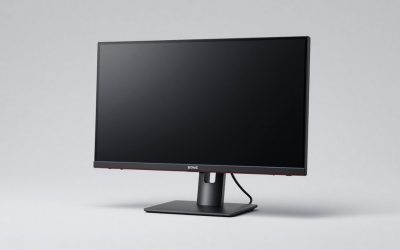
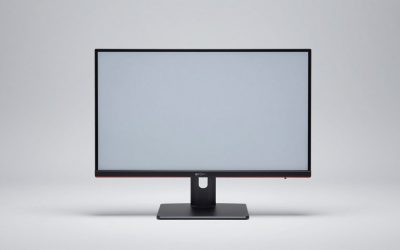
The 1440p gaming monitor market has never been more crowded — or more confusing. Walk into any price bracket under $500 and you’ll find a dozen 27-inch panels claiming 180Hz refresh rates, 1ms response times, and HDR support, with spec sheets that look nearly identical on paper. The problem is that those numbers hide enormous differences in real-world performance: panel type dictates contrast and viewing angles, “1ms” is measured in ways that vary wildly between manufacturers, and HDR certification at the entry level often means little more than a slightly brighter backlight.
This guide cuts through the noise. We’ve focused on 27-inch QHD (2560×1440) displays, which remain the sweet spot for value in 2026 — high enough resolution to look sharp without demanding a flagship GPU, and now available with genuinely fast IPS and even QD-OLED panels within reach of a $500 budget. Below you’ll find our top picks, a breakdown of the specs that actually matter, and honest guidance on where to spend and where to save.
Our top picks
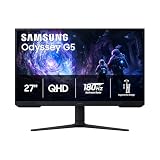
 Samsung 27" Odyssey G5
- QHD Resolution (2560 x 1440) has 1.7 times…
- HDR10 provides brighter highlights and nuanced shadow for…
- The 180Hz refresh rate minimizes lag for gameplay…
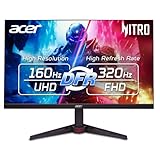
 Acer Nitro 27in QHD 2560x1440 IPS 180Hz
- Quality Visuals: The KG271U 27" IPS monitor with…
- AMD FreeSync Technology: Say “goodbye” to stuttering and…
- Up to 180Hz: The 180Hz refresh rate speeds…
 ASUS TUF Gaming 27” 1440P HDR Monitor
- High-Resolution QHD Gaming Display: 27-inch QHD (2560 x…
- ASUS Extreme Low Motion Blur Sync Technology: ELMB…
- Advanced Synchronization Technologies: FreeSync Premium, G-Sync compatible and…
| Product | Key specs | |
|---|---|---|
| Samsung 27" Odyssey G5 | QHD Resolution (2560 x 1440) has 1.7 times… HDR10 provides brighter highlights and nuanced shadow for… The 180Hz refresh rate minimizes lag for gameplay… | Check price |
| Acer Nitro 27in QHD 2560x1440 IPS 180Hz | Quality Visuals: The KG271U 27" IPS monitor with… AMD FreeSync Technology: Say “goodbye” to stuttering and… Up to 180Hz: The 180Hz refresh rate speeds… | Check price |
| ASUS TUF Gaming 27” 1440P HDR Monitor | High-Resolution QHD Gaming Display: 27-inch QHD (2560 x… ASUS Extreme Low Motion Blur Sync Technology: ELMB… Advanced Synchronization Technologies: FreeSync Premium, G-Sync compatible and… | Check price |
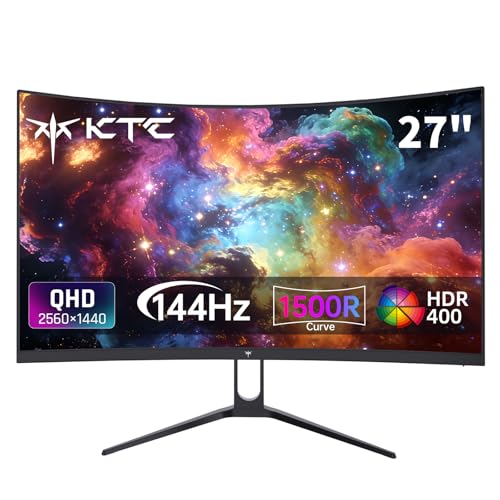 KTC H27S5C 27 Inch Curved Gaming Monitor | Immersive Curved Design: The KTC 27 inch curved… Stunning 2K QHD Resolution: Enjoy crisp, vivid images… Smooth 144Hz Refresh Rate: Experience seamless motion and… | Check price |
 Samsung 27" Odyssey OLED G6 | Samsung’s 27” Odyssey OLED G6 Gaming Monitor is… OLED Safeguard technology supports performance by actively helping… Glare Free Technology keeps screen clear of reflection… | Check price |
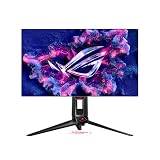
 ASUS ROG XG27ACS 27 Inch 1440p 180Hz | 27-inch 2560 x 1440 HDR gaming monitor with… ASUS Fast IPS technology enables a 1ms response… ASUS Extreme Low Motion Blur Sync (ELMB SYNC)… | Check price |
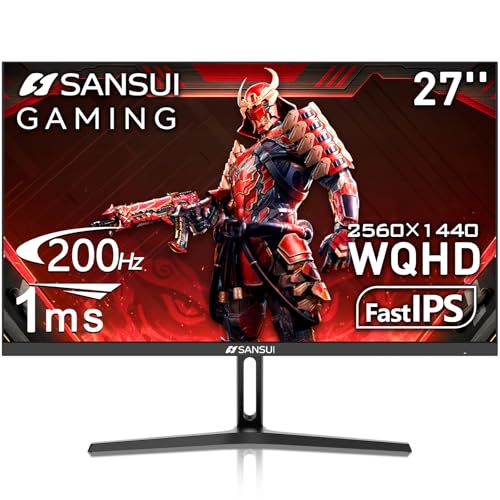 SANSUI 27 Inch WQHD 2560 x 1440 | - 27 inch WQHD 2560x1440 gaming monitor, fast… - Response time: 1ms, IPS display, HDR, 120%sRGB… - Multiple Ports: HDMI 2.0 (up to 144Hz… | Check price |
 AOC 27 Inch Gaming Monitor 2K QHD | With 2K QHD (2560x1440) resolution, this monitor boasts… Lightning-fast 180Hz (via DP1.4) refresh rate and rapid… Adaptive-Sync ensures ultra-smooth, tear-free team fights for flawless… | Check price |
As an Amazon Associate we earn from qualifying purchases at no extra cost to you.
⚡ Save on Your Next PC — Amazon Prime
Prime members get fast free shipping on the systems above, plus early access to Prime Day & Black Friday PC deals. New members get a 30-day free trial.
Watch: Best Gaming Monitor Under $500 — Video Review
How to Choose Gaming Monitor Under $500
- Resolution and size: 27-inch QHD is the value sweet spot at this budget. It delivers roughly 109 pixels per inch — noticeably sharper than 1080p — while remaining far easier to drive than 4K. If you’re running a mid-range GPU, QHD lets you push high frame rates without dropping settings to medium.
- Panel type: Fast IPS dominates this category and offers the best all-round balance of colour accuracy, viewing angles, and response time. VA panels deliver deeper blacks and are common on curved models, but often show smearing in dark scenes. QD-OLED is now just barely affordable here and offers unmatched contrast, though it demands more care around static elements.
- Refresh rate and response time: 144Hz is the practical minimum for competitive play; 180Hz has become the standard at this price and is worth the small premium. Treat manufacturer “1ms” claims with scepticism — look for grey-to-grey figures measured at moderate overdrive, and prioritise panels with reviewed low overshoot.
- Adaptive sync support: FreeSync Premium and G-SYNC Compatible certification eliminate tearing without the frame-rate penalty of V-Sync. Almost every monitor in this bracket supports at least one; confirm compatibility with your GPU and check that variable refresh works over both DisplayPort and HDMI if you plan to connect a console.
- Connectivity and extras: DisplayPort 1.4 is essential for hitting maximum refresh rates. USB-C with power delivery is a genuine convenience if you dock a laptop, while built-in speakers, ergonomic stands with height and pivot adjustment, and VESA mounting are the differences between a monitor you tolerate and one you enjoy daily.
The Best Picks Reviewed
ASUS TUF Gaming VG27AQ3A
This is the all-rounder we’d recommend to most buyers: a Fast IPS panel at 180Hz with 130% sRGB coverage, Extreme Low Motion Blur Sync, and both FreeSync Premium and G-SYNC Compatible certification. Motion clarity is excellent for the money, the stand offers full ergonomic adjustment, and the inclusion of speakers and dual HDMI plus DisplayPort makes it genuinely versatile for a mixed console-and-PC setup.
ASUS ROG XG27ACS
The XG27ACS earns its slight price premium with USB-C connectivity that carries video and power delivery over a single cable — a real advantage if you switch between a gaming rig and a work laptop. The 180Hz Fast IPS panel is tuned well out of the box with low overdrive overshoot, and native G-SYNC compatibility means variable refresh works cleanly on NVIDIA hardware.
Samsung Odyssey OLED G6 (G61SH)
If your budget stretches to the top of this bracket, the QD-OLED panel here delivers per-pixel contrast and near-instantaneous response times that no IPS display can match — dark scenes look genuinely black rather than grey. Bear in mind that OLED requires some care with static HUD elements and desktop use, and peak full-screen brightness trails a good IPS in a bright room.
Acer Nitro KG271U N3bmiipx
Acer’s KG271U is the pragmatic choice: a straightforward 180Hz IPS panel that delivers the core experience — sharp 1440p, fast motion, adaptive sync — without paying for extras you may not use. The stand is basic and lacks height adjustment, so budget for a VESA arm, but the panel itself punches well above its price.
Samsung Odyssey G5 (G51F)
The G51F is the value pick for buyers prioritising immersion and contrast over outright motion clarity, with a VA panel that produces deeper blacks than any IPS here. It’s an excellent choice for single-player and cinematic games; competitive players sensitive to dark-scene smearing should look to the IPS options above.
Frequently Asked Questions
Is 1440p worth it over 1080p for gaming in 2026?
For most people, yes. At 27 inches, 1080p looks noticeably soft, while QHD delivers a clear sharpness upgrade. Modern mid-range GPUs handle 1440p at high frame rates comfortably, and upscaling technologies like DLSS and FSR close the gap further in demanding titles.
Do I need 180Hz, or is 144Hz enough?
144Hz is already a massive upgrade over 60Hz, and the jump to 180Hz produces diminishing returns for most players. That said, 180Hz panels now cost roughly the same, so there’s little reason to actively choose 144Hz unless a specific model wins on other factors like contrast or price.
Is HDR meaningful on a monitor at this price?
On IPS models with HDR400-class certification, the effect is modest — you get slightly brighter highlights but no real local dimming. QD-OLED is the exception, delivering genuine HDR impact thanks to per-pixel light control. Don’t let HDR badging alone drive your decision.
Will these monitors work with a PS5 or Xbox Series X?
All of them will display a console signal, but consoles output 4K or 1440p at up to 120Hz over HDMI 2.1. Most monitors in this bracket use HDMI 2.0, which caps 1440p at 120Hz — fine in practice, but check the HDMI specification if console gaming is your priority.
Final Thoughts
For the majority of buyers, the ASUS TUF Gaming VG27AQ3A is the smartest purchase under $500 — it combines a well-tuned 180Hz Fast IPS panel, full ergonomic adjustment, and broad adaptive sync support without asking you to compromise anywhere significant. If you regularly connect a laptop or want the cleanest single-cable setup, the ASUS ROG XG27ACS justifies its modest premium with USB-C. And if contrast matters most to you and your budget reaches the ceiling of this bracket, the Samsung Odyssey OLED G6 offers a genuine step-change in image quality that no IPS panel at any price can replicate.