Key takeaways
- CPU cores: Editing and encoding scale with threads, so target a modern 8-core-plus chip; an Intel Core i7-14700 or Ryzen 7/9 keeps timelines responsive.
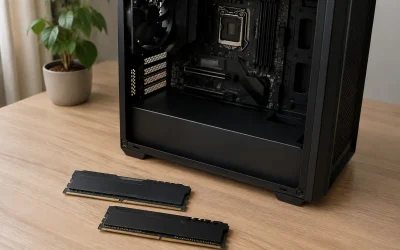
- Memory: 32GB is the realistic minimum for 4K work, and 64GB pays off with heavy multicam or After Effects; make sure it is dual-channel.
- Storage: A fast NVMe SSD for your OS and active project plus a large secondary drive for media beats one small disk every time.
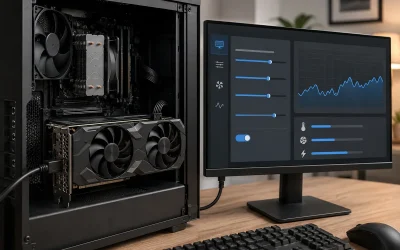
- GPU acceleration: Resolve and Premiere use the GPU for effects and encoding, so an RTX card with 8GB or more of VRAM speeds up exports noticeably.
- Upgrade path: A tower with free RAM slots and drive bays lasts longer than a sealed mini PC, though mini PCs win on desk space and power draw.
What's inside
Video editing punishes a computer differently than gaming does: timeline scrubbing, multi-cam sequences, and 4K exports lean on core count, memory bandwidth, and fast storage more than raw GPU horsepower alone. A machine that games beautifully can still stutter on a heavy Premiere or DaVinci Resolve timeline if it is short on RAM or stuck with slow disks.
We looked at prebuilt desktops and mini PCs that balance a strong multi-core CPU, at least 32GB of memory, and NVMe storage so your scrubbing stays smooth and your renders finish before your coffee gets cold. Whether you edit 1080p social clips or 4K multicam, there is a pick here to match your workload and budget.
As an Amazon Associate we earn from qualifying purchases at no extra cost to you.




⚡ Save on Your Next PC — Amazon Prime
Prime members get fast free shipping on the systems above, plus early access to Prime Day & Black Friday PC deals. New members get a 30-day free trial.
Watch: Best PC for Video Editing — Video Review
How to Choose
- CPU cores: Editing and encoding scale with threads, so target a modern 8-core-plus chip; an Intel Core i7-14700 or Ryzen 7/9 keeps timelines responsive.
- Memory: 32GB is the realistic minimum for 4K work, and 64GB pays off with heavy multicam or After Effects; make sure it is dual-channel.
- Storage: A fast NVMe SSD for your OS and active project plus a large secondary drive for media beats one small disk every time.
- GPU acceleration: Resolve and Premiere use the GPU for effects and encoding, so an RTX card with 8GB or more of VRAM speeds up exports noticeably.
- Upgrade path: A tower with free RAM slots and drive bays lasts longer than a sealed mini PC, though mini PCs win on desk space and power draw.
The Best Picks Reviewed
Dell Pro Tower i7-14700
With a 20-core Intel i7-14700, 16GB of upgradeable RAM, and a 1TB SSD, this tower is the reliable workstation-style pick. The high core count chews through exports, and the roomy chassis makes adding memory and drives painless as projects grow.
WIWB Gaming PC i9-14900HX RTX 5060 Ti
This machine pairs a fast Core i9-14900HX with an RTX 5060 Ti 8GB and a 1TB NVMe SSD, so it accelerates both timeline effects and CUDA-based exports. It is the pick if you also game and want GPU-accelerated encoding.
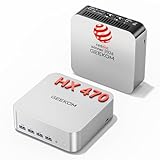
GEEKOM A9 Max Mini PC
The A9 Max packs a Ryzen AI 9 HX 470, 32GB of DDR5, and 2TB of storage into a tiny footprint with a capable NPU for AI-assisted editing tools. It is the choice for creators short on desk space who still want serious multi-core throughput.
Getorli Mini PC Ryzen 7 6800H
A value-focused mini PC with a Ryzen 7 6800H, 32GB of LPDDR5, and a 1TB NVMe drive, this is a strong 1080p and light 4K editing box for the money. It sips power and stays quiet on the desk.
HP Z-Series Workstation
For those who want a proven workstation platform with Quadro-class graphics, this HP handles color-critical and professional codec work steadily. It is less flashy but built for reliability during long render jobs.
Frequently Asked Questions
Do I need a powerful GPU for video editing?
You need a capable one, not necessarily a flagship. Resolve and Premiere offload effects and encoding to the GPU, so 8GB or more of VRAM speeds up exports, but CPU cores and RAM matter just as much.
How much RAM do I need for 4K editing?
32GB is the practical minimum for smooth 4K work, and 64GB is worth it for heavy multicam, After Effects, or running background apps while you edit.
Is a mini PC good enough for editing?
Modern mini PCs with a strong mobile Ryzen or Intel chip and 32GB of RAM handle 1080p and moderate 4K editing well. For the heaviest 8K or multicam timelines, a tower with more cooling and upgrade room is safer.
SSD or HDD for video projects?
Keep your OS and active project on a fast NVMe SSD for responsive scrubbing, and use a large HDD or secondary SSD as a media archive. Editing directly off a slow HDD causes dropped frames.
Final Thoughts
The best editing PC matches its cores, memory, and storage to your footage. Heavy multicam and 4K creators should look at the high-core Dell Pro Tower or the GPU-accelerated WIWB build, while space-conscious editors get impressive throughput from the GEEKOM A9 Max mini PC. Prioritize 32GB or more of RAM and NVMe storage, and your timeline will stay fluid no matter the codec.