Key takeaways
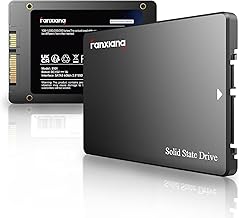
- PCIe Gen 3 (around 3,200 MB/s), like the Silicon Power 2TB or WD Green SN350, plenty fast for gaming and the best value.
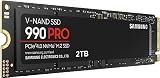
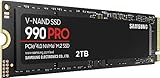
- PCIe Gen 4 (up to roughly 7,400 MB/s), like the Samsung 990 PRO, WD_Black SN7100, or KingSpec Championship Edition, the mainstream performance pick.
- PCIe Gen 5 (up to 14,700 MB/s), like the Samsung 9100 PRO, cutting-edge but only worth it for specific creator workloads.
What's inside
- Watch: How Much Storage for a Gaming PC in 2026? — Video Review
- How Much Capacity Do You Actually Need?
- Understand SSD Generations and Speed
- Does Faster Storage Improve Load Times?
- Should You Use One Drive or Two?
- Plan for Future Growth
- Tips
- Related Guides
- Frequently Asked Questions
- Conclusion
- Related Articles
- Related Guides
Modern games have quietly ballooned into some of the largest files on your PC, with flagship titles now routinely demanding 100 to 200 GB each before updates and high-resolution texture packs pile on top. Add a few live-service games, a capture folder, and the operating system, and a drive that felt roomy a couple of years ago fills up fast. Figuring out how much storage you actually need in 2026, and what kind, is one of the most impactful decisions you can make for a smooth gaming experience.
- Watch: How Much Storage for a Gaming PC in 2026? — Video Review
- How Much Capacity Do You Actually Need?
- Understand SSD Generations and Speed
- Does Faster Storage Improve Load Times?
- Should You Use One Drive or Two?
- Plan for Future Growth
- Tips
- Related Guides
- Frequently Asked Questions
- Conclusion
- Related Articles
- Related Guides
This guide breaks down realistic capacity targets for different types of players, explains why the type of SSD matters as much as the size, and shows you how to plan a storage setup that stays fast and spacious for years. You will learn the difference between the drive tiers, how load times are affected, and how to avoid paying for speed you will never notice.
As an Amazon Associate we earn from qualifying purchases at no extra cost to you. Product prices and availability are accurate as of the date shown and are subject to change.


⚡ Save on Your Next PC — Amazon Prime
Prime members get fast free shipping on the systems above, plus early access to Prime Day & Black Friday PC deals. New members get a 30-day free trial.
Watch: How Much Storage for a Gaming PC in 2026? — Video Review
How Much Capacity Do You Actually Need?
A 1 TB drive is the practical floor in 2026, but it fills quickly if you keep more than a handful of large titles installed. Most players are best served by 2 TB, which comfortably holds Windows, a dozen big games, and your capture footage without constant uninstalling. Options like the Samsung SSD 990 PRO 2TB, the Crucial P310 2TB, or the WD_Black SN7100 2TB hit that sweet spot. If you archive game footage or install everything you own, plan for 4 TB across one or two drives.
Understand SSD Generations and Speed
Not all SSDs are equal. The main tiers you will see are:
- PCIe Gen 3 (around 3,200 MB/s), like the Silicon Power 2TB or WD Green SN350, plenty fast for gaming and the best value.
- PCIe Gen 4 (up to roughly 7,400 MB/s), like the Samsung 990 PRO, WD_Black SN7100, or KingSpec Championship Edition, the mainstream performance pick.
- PCIe Gen 5 (up to 14,700 MB/s), like the Samsung 9100 PRO, cutting-edge but only worth it for specific creator workloads.
Does Faster Storage Improve Load Times?
Moving from a hard drive to any SSD is a night-and-day upgrade that slashes load screens and eliminates texture pop-in. Jumping from Gen 3 to Gen 4, however, yields only small real-world gains in most games, often a second or two. Technologies like DirectStorage can widen that gap in newer titles, but for the vast majority of players a solid Gen 4 drive like the Crucial P310 is the sensible ceiling; Gen 5 heat and cost rarely pay off for gaming alone.
Should You Use One Drive or Two?
A single large drive keeps things simple, but a two-drive strategy has real advantages. Put your OS and most-played games on a fast primary drive, then add a larger secondary drive for your library and captures. This keeps your boot drive from filling up and makes reinstalling Windows less painful. A high-endurance QLC drive is fine as the bulk secondary, while your primary should be a fast TLC model.
Plan for Future Growth
Game sizes only trend upward, so buy a little more than you think you need today. Check that your motherboard has a free M.2 slot before assuming you can expand later, and confirm whether that slot runs at Gen 4 or Gen 5 speed. Buying a 2 TB drive now rather than a 1 TB one costs less per gigabyte and spares you a frustrating shuffle of uninstalling favorites in a year.
Tips
- Leave 10 to 15 percent of any SSD empty so it maintains peak write performance.
- Install your operating system and competitive shooters on the fastest drive for the snappiest feel.
- Add a heatsink or use a motherboard’s built-in one for Gen 4 and Gen 5 drives to prevent throttling.
- Do not pay the Gen 5 premium unless you edit large video files; gaming rarely benefits.
Frequently Asked Questions
Is 1 TB enough for a gaming PC in 2026?
It works if you keep only a few games installed at once, but most players will feel cramped. 2 TB is the more comfortable target and rarely costs much more per gigabyte.
Do I need a PCIe Gen 5 SSD for gaming?
No. Gen 4 drives already exceed what current games can use. Gen 5 runs hotter and costs more, and the load-time savings in games are minimal.
What is the difference between TLC and QLC SSDs?
TLC drives are faster and more durable, ideal as your main drive. QLC drives are cheaper per gigabyte and fine for a bulk secondary drive holding your larger library.
Can I add more storage later?
Usually yes, as long as your motherboard has a free M.2 slot or SATA port. Check available slots and their supported speed before you build so expansion is painless.
Conclusion
For most gamers in 2026, a 2 TB PCIe Gen 4 SSD is the clear sweet spot, delivering the speed games can actually use with the capacity to avoid constant uninstalling. Match the drive tier to your real needs rather than the spec sheet, keep a little headroom free, and plan for a second drive if your library keeps growing. Get storage right and load screens shrink while your favorite games stay ready to launch.