Key takeaways
- Resolution and Aspect Ratio: For ultrawide gaming, 3440 x 1440 at 21:9 is the standard for 34-inch models. It balances sharpness and GPU load far better than 5120 x 1440. If you move to 40-inch, look for WUHD 5120 x 2160 for similar pixel density.
- Refresh Rate and Response Time: 165Hz to 180Hz is ideal for most players, while 200Hz to 240Hz benefits competitive FPS players. Pair it with a true 1ms GtG or MPRT response and overdrive options to reduce ghosting without inverse overshoot.
- Curvature and Comfort: 1500R is the versatile middle ground for gaming and productivity, while 1000R wraps more aggressively around your peripheral vision. Tighter curves improve edge focus at close desk distances under 80cm.
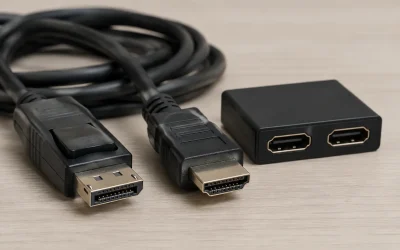
- Adaptive Sync and Connectivity: Look for AMD FreeSync Premium or VESA AdaptiveSync and G-Sync compatibility to eliminate tearing between 48Hz and the max refresh. HDMI 2.1 and DisplayPort 1.4 are essential for hitting 180Hz+ at full resolution.
- Color and HDR: Prioritize 99% to 130% sRGB and at least 90% DCI-P3 coverage for vivid, accurate color. HDR support and 300 nits or higher brightness improve contrast in games, but local dimming and panel contrast matter more than HDR400 badges alone.
What's inside
Ultrawide gaming has become the sweet spot for immersion in 2026, and a 34-inch 21:9 display is the clearest upgrade from standard 16:9. With a native 3440 x 1440 UWQHD resolution you get roughly 34% more horizontal pixels than 2560 x 1440, which means a wider field of view in shooters, more timeline in strategy games, and true side-by-side multitasking without a dual-monitor bezel.
We evaluated the most popular ultrawide gaming monitors on real-world performance, not just spec sheets, focusing on refresh rate, response time, curvature, color gamut, and connectivity. From 240Hz esports-ready panels to deeply curved 1000R displays for immersion, these are the best ultrawide gaming monitors you can buy right now.
As an Amazon Associate we earn from qualifying purchases at no extra cost to you.


⚡ Save on Your Next PC — Amazon Prime
Prime members get fast free shipping on the systems above, plus early access to Prime Day & Black Friday PC deals. New members get a 30-day free trial.
Watch: Best Ultrawide Gaming Monitor — Video Review
How to Choose
- Resolution and Aspect Ratio: For ultrawide gaming, 3440 x 1440 at 21:9 is the standard for 34-inch models. It balances sharpness and GPU load far better than 5120 x 1440. If you move to 40-inch, look for WUHD 5120 x 2160 for similar pixel density.
- Refresh Rate and Response Time: 165Hz to 180Hz is ideal for most players, while 200Hz to 240Hz benefits competitive FPS players. Pair it with a true 1ms GtG or MPRT response and overdrive options to reduce ghosting without inverse overshoot.
- Curvature and Comfort: 1500R is the versatile middle ground for gaming and productivity, while 1000R wraps more aggressively around your peripheral vision. Tighter curves improve edge focus at close desk distances under 80cm.
- Adaptive Sync and Connectivity: Look for AMD FreeSync Premium or VESA AdaptiveSync and G-Sync compatibility to eliminate tearing between 48Hz and the max refresh. HDMI 2.1 and DisplayPort 1.4 are essential for hitting 180Hz+ at full resolution.
- Color and HDR: Prioritize 99% to 130% sRGB and at least 90% DCI-P3 coverage for vivid, accurate color. HDR support and 300 nits or higher brightness improve contrast in games, but local dimming and panel contrast matter more than HDR400 badges alone.
The Best Picks Reviewed
Alienware 34 Curved Gaming Monitor AW3425DWM
Our top overall pick for most gamers, the Alienware AW3425DWM combines a 34-inch WQHD 3440 x 1440 panel with a fast 180Hz refresh rate and 1ms response. The 1500R curve hits the ideal balance of immersion and viewing comfort, while AMD FreeSync Premium and VESA AdaptiveSync ensure tear-free gameplay from 48Hz to 180Hz. With strong factory calibration, wide viewing angles, and gamer-focused OSD features, it delivers the most well-rounded experience for both competitive and cinematic titles in 2026.
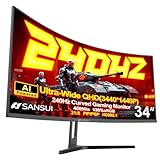
SANSUI 34 Inch Curved 240Hz UWQHD Gaming Monitor
Built for speed, this SANSUI 34-inch UWQHD model pushes to 240Hz at 3440 x 1440, making it the sharpest choice for high-frame-rate shooters and racing games. The 1ms response and high refresh keep motion exceptionally clear when paired with a capable GPU via DisplayPort 1.4. You get the same immersive 21:9 aspect ratio and 1500R curve as other top ultrawides, but with extra headroom for future GPU upgrades and DisplayPort/HDMI flexibility for PC and console setups.
Samsung 40 Inch Odyssey G7 G75F WUHD Curved Gaming Monitor
When maximum immersion matters, the Samsung Odyssey G7 G75F steps up to a massive 40-inch WUHD panel with a broader 5120 x 2160 resolution. That extra vertical and horizontal real estate is excellent for flight sims, RPGs, and productivity where you want 4K-like detail without losing the ultrawide perspective. Samsung’s aggressive curve and high-density VA panel deliver deep contrast and strong uniformity, making this the go-to if you want a single-monitor cockpit rather than a traditional 34-inch.
Samsung 34 Inch Odyssey G5 Ultra-Wide Gaming Monitor
The Odyssey G5 remains the immersion specialist in the 34-inch class thanks to its deep 1000R curvature, which wraps the 3440 x 1440 image tightly around your field of view. It is tuned for smooth, tear-free gaming with high refresh support and low input lag, and its VA panel offers notably high native contrast for darker game scenes. If you sit close and prioritize wrap-around feel for racing and atmospheric games over flat-panel versatility, the G5’s curve is a clear differentiator.
Sceptre 34-Inch Curved Ultrawide WQHD Monitor C345B-QUT168
The Sceptre C345B-QUT168 brings ultrawide performance to a more accessible setup without cutting core gaming specs. You get a 34-inch 3440 x 1440 R1500 curved display with up to 180Hz via DisplayPort and 165Hz via HDMI, plus a 1ms response and 99% sRGB coverage for accurate color. With two DisplayPort inputs, built-in speakers, and PIP/PBP support, it is a practical choice for gamers who also need a versatile work monitor for editing and multitasking.
Frequently Asked Questions
Is 3440 x 1440 demanding on my GPU?
It is more demanding than 2560 x 1440 by about 34%, but far less than 4K. In 2026, a mid-range to upper mid-range GPU can drive 120 to 180 fps at high settings in most titles with upscaling like DLSS or FSR enabled. For 240Hz, you will need a high-end GPU or lowered settings in demanding games.
Do I need 240Hz if I mostly play single-player games?
Not necessarily. For story-driven and RPG titles, a well-calibrated 165Hz to 180Hz panel looks incredibly smooth and saves GPU budget for higher visual settings. Reserve 200Hz to 240Hz for competitive shooters where every millisecond and frame improves tracking and reaction time.
Is a 1500R or 1000R curve better for gaming?
1500R is more versatile for mixed use, keeping straight lines natural for browsing and creation. 1000R feels more immersive at desk distances of 60 to 80cm, pulling the edges into your peripheral vision, but it can subtly distort spreadsheets or photo editing. Choose based on how close you sit and whether gaming or productivity comes first.
Will an ultrawide work with PS5, Xbox, or streaming?
Consoles output 16:9, so you will see black bars on the sides or a stretched image depending on the monitor scaler. Ultrawides shine on PC, where native 21:9 is supported in most modern games. For video streaming, 21:9 movies fill the screen, while 16:9 content will pillarbox. Check that your monitor has HDMI 2.1 if you plan to switch between PC and console.
Final Thoughts
For most players in 2026, the Alienware AW3425DWM is the safest all-rounder with its 180Hz, 1ms performance and balanced 1500R curve. Competitive players who want the highest frame ceiling should step up to the SANSUI 34 Inch 240Hz UWQHD model, while those craving total immersion should consider the Samsung 40 Inch Odyssey G7 G75F for its expansive WUHD view.