Key takeaways
- Mac layout and keys: Look for dedicated Command and Option keycaps and a Mac/Windows toggle so shortcuts work correctly. Keychron boards natively support macOS with the right modifiers, saving you from remapping every key.
- Profile height: If you love the slim feel of Apple’s keyboard, a low-profile mechanical board like the Keychron K3 keeps that thin footprint while adding real switches. Standard-profile boards feel more substantial and satisfying.
- Switch type: Tactile switches (Brown) give feedback for typing without loud clicks; linear switches feel smooth and quiet. Hot-swappable boards let you change switches later without soldering to fine-tune the feel.
- Wireless and multi-device: Bluetooth boards that pair with several devices let you switch between a Mac, iPad, and PC instantly. The MX Mechanical and Keychron wireless models excel at this multi-device flow.
- Backlighting and battery: White or RGB backlighting helps in dim rooms, and good battery life means fewer charges. Balance illumination against runtime based on how you work.
What's inside
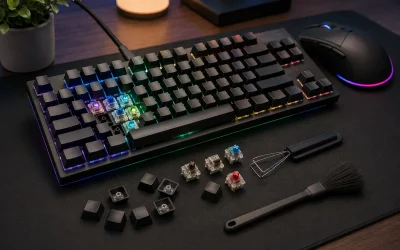
Mac users have long been stuck between Apple’s slim but shallow Magic Keyboard and Windows-focused mechanical boards that map the modifier keys wrong. The good news for 2026 is that a wave of mechanical keyboards now ship with proper Mac layouts, dedicated Command and Option keys, and Mac-Windows toggles, so you get the satisfying tactile feel of real switches without fighting your operating system. Add wireless multi-device pairing and you can switch between your MacBook, iPad, and desktop from one keyboard.
This roundup reviews the best mechanical keyboards for Mac this year, from the low-profile Keychron K3 that echoes Apple’s slim feel to the full-size Keychron K10 Max and the premium Logitech MX Mechanical. We explain layouts, switches, and connectivity so you find the board that feels right and works seamlessly with macOS.
As an Amazon Associate we earn from qualifying purchases at no extra cost to you.








⚡ Save on Your Next PC — Amazon Prime
Prime members get fast free shipping on the systems above, plus early access to Prime Day & Black Friday PC deals. New members get a 30-day free trial.
Watch: Best Mechanical Keyboard for Mac — Video Review
How to Choose
- Mac layout and keys: Look for dedicated Command and Option keycaps and a Mac/Windows toggle so shortcuts work correctly. Keychron boards natively support macOS with the right modifiers, saving you from remapping every key.
- Profile height: If you love the slim feel of Apple’s keyboard, a low-profile mechanical board like the Keychron K3 keeps that thin footprint while adding real switches. Standard-profile boards feel more substantial and satisfying.
- Switch type: Tactile switches (Brown) give feedback for typing without loud clicks; linear switches feel smooth and quiet. Hot-swappable boards let you change switches later without soldering to fine-tune the feel.
- Wireless and multi-device: Bluetooth boards that pair with several devices let you switch between a Mac, iPad, and PC instantly. The MX Mechanical and Keychron wireless models excel at this multi-device flow.
- Backlighting and battery: White or RGB backlighting helps in dim rooms, and good battery life means fewer charges. Balance illumination against runtime based on how you work.
The Best Picks Reviewed
Keychron K3 Version 2 (75% Low-Profile Wireless)
This is the best pick for Mac users who love a slim keyboard. The K3 V2’s low-profile design mirrors the thin feel of Apple’s keyboard while delivering real mechanical switches, and its 75% layout keeps arrow and function keys in a compact frame. With native Mac support, QMK customization, and wireless connectivity, it is the ideal bridge from the Magic Keyboard to mechanical.
Logitech MX Mechanical Wireless (Tactile, Graphite)
The MX Mechanical is the premium productivity pick. Its tactile switches feel excellent, the smart backlighting adjusts to your hands, and multi-device Bluetooth lets you flow between a Mac, iPad, and PC seamlessly. Built for professionals, it pairs beautifully with Logitech’s ecosystem and macOS, making it a refined all-day typing companion.
Keychron K10 Max (Full-Size Wireless)
If you want every key including a numpad, the K10 Max is the full-size choice. It offers QMK wireless flexibility, Mac and Windows support, programmable keys, and multi-device pairing, giving Mac power users a complete, customizable board. It is perfect for those who handle data or spreadsheets and want the full layout with mechanical feel.
Keychron C2 (Full-Size Wired, Brown Switch)
The C2 is the value pick for a stationary Mac setup. This full-size wired board with tactile Brown switches and a retro look delivers reliable mechanical typing and native Mac support at an affordable price. With no battery to manage and every key present, it is a straightforward, dependable desktop keyboard.
Logitech Alto Keys K98M (Wireless Mechanical Gasket)
The Alto Keys K98M brings a gasket-mounted design for a softer, quieter typing feel in a wireless mechanical board. Its comfortable acoustics and clean graphite styling suit Mac users who want a modern, muted sound profile and cable-free convenience, making it a stylish alternative to the sharper feel of standard mounts.
Frequently Asked Questions
Do mechanical keyboards work with Mac?
Yes. Many mechanical keyboards, especially Keychron models, ship with Mac keycaps and a Mac/Windows toggle so Command and Option keys map correctly. You get the tactile feel of mechanical switches with full macOS shortcut support out of the box.
Should I get a low-profile or standard mechanical keyboard for Mac?
If you love the thin feel of Apple’s keyboard, a low-profile board like the Keychron K3 keeps that slim ergonomics while adding switches. If you prefer a more substantial, satisfying keypress, a standard-profile board like the Keychron C2 or K10 Max feels more traditional.
Can one keyboard connect to my Mac, iPad, and PC?
Yes, if it supports multi-device Bluetooth. Boards like the Logitech MX Mechanical and Keychron wireless models pair with several devices and let you switch between them with a keypress, ideal for moving between a Mac, iPad, and Windows PC.
What switch type is best for typing on a Mac?
Tactile switches like Brown are the most popular for typing, offering a feedback bump without loud clicks. If you want quieter, smoother keystrokes, linear switches or a gasket-mounted board like the Alto Keys K98M deliver a softer sound and feel.
Final Thoughts
Mac users no longer have to choose between a proper layout and mechanical feel. The Keychron K3 is the best pick for those who love a slim profile, while the Logitech MX Mechanical is the premium multi-device productivity board. For a full layout with a numpad, the Keychron K10 Max delivers, and the wired Keychron C2 is a great value. Prioritize a true Mac layout, the right switch, and the connectivity you need, and typing on your Mac will feel better than ever.