Key takeaways
- Fix airflow first; it is free and often the single biggest improvement.
- Replace old thermal paste with a quality compound for a 5 to 10 degree drop.
- Undervolting or Eco Mode cuts heat dramatically with almost no performance loss.
- Set fan curves to ramp earlier so heat leaves before the CPU reaches its throttle point.
High CPU temperatures are more than a number to worry about: once a processor hits its thermal limit it throttles, quietly dropping clock speed to protect itself and costing you performance mid-game. Keeping temperatures in check means your CPU holds its boost clocks longer, runs quieter, and lasts longer.
Lowering CPU temps rarely requires a full cooler replacement; often it is a matter of airflow, paste, and settings. This guide covers the most effective fixes in order of value, from quick free tweaks to hardware upgrades, so you can bring a hot chip back under control.
Our top picks


As an Amazon Associate we earn from qualifying purchases at no extra cost to you. Ratings are shown as listed on Amazon.
⚡ Save on Your Next PC — Amazon Prime
Prime members get fast free shipping on the systems above, plus early access to Prime Day & Black Friday PC deals. New members get a 30-day free trial.
Watch: How to Lower CPU Temperatures — Video Review
Improve case airflow
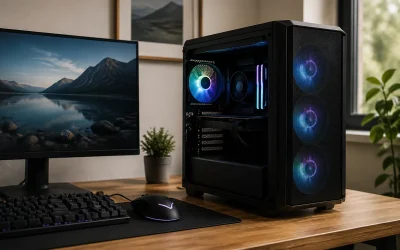
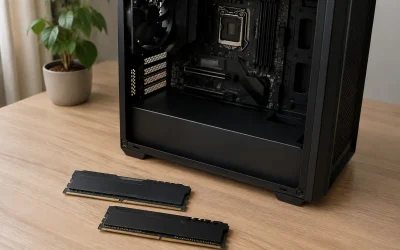
Before touching the cooler, make sure air is actually moving through the case. Aim for a balanced or slightly positive pressure setup with intake fans at the front and exhaust at the top and rear. Remove obstructions, tidy cables out of the airflow path, and clear dust from filters. Good airflow alone can drop CPU temperatures by several degrees at no cost.
Reapply thermal paste
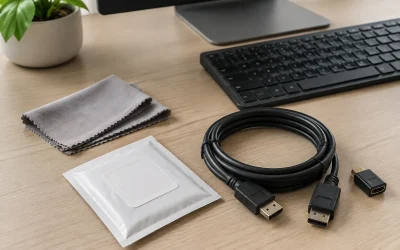
Thermal paste dries out over years, and a poor original application traps heat. Cleaning off the old paste and applying a quality compound like Thermal Grizzly Kryonaut or Noctua NT-H2 can lower temperatures by 5 to 10 degrees. Use a pea-sized amount in the center and let the cooler’s pressure spread it. On modern Intel chips, an anti-bend contact frame can further improve cooler contact.
Upgrade or reseat the cooler
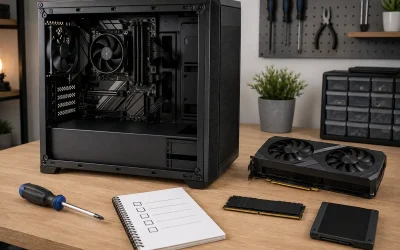
If your CPU still runs hot under a stock or undersized cooler, a better one makes a large difference. A quality air tower or a 240mm-plus AIO liquid cooler handles high-core chips far better than a basic heatsink. Even without buying new, reseating an existing cooler with fresh paste and correct mounting pressure fixes cases where it was installed unevenly.
Undervolt or adjust power limits
Modern CPUs often push voltage higher than necessary. Undervolting via the BIOS or a tool like Intel XTU trims heat while keeping performance nearly identical. Alternatively, capping the power limit or enabling Eco Mode on Ryzen sacrifices a sliver of peak performance for a big temperature reduction, which is ideal if your cooler is at its limit.
Tune fan curves
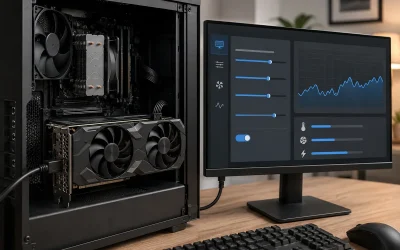
Aggressive default fan curves are noisy, while lazy ones let temperatures climb. In the BIOS or your motherboard software, set a curve that ramps fans up sooner under load so heat is removed before the CPU nears its limit. A digital-display cooler like the Thermalright Assassin X makes it easy to watch the effect of your curve in real time.
Tips
- Fix airflow first; it is free and often the single biggest improvement.
- Replace old thermal paste with a quality compound for a 5 to 10 degree drop.
- Undervolting or Eco Mode cuts heat dramatically with almost no performance loss.
- Set fan curves to ramp earlier so heat leaves before the CPU reaches its throttle point.
Frequently Asked Questions
What CPU temperature is too high?
Under heavy gaming load, most CPUs are fine up to the mid 80s Celsius, with throttling typically starting around 95 to 100. Sustained temperatures near that ceiling mean you are losing performance and should improve cooling.
Does thermal paste really lower temperatures?
Yes, especially if the existing paste is old or poorly applied. A fresh application of a quality compound commonly reduces CPU temperatures by 5 to 10 degrees Celsius.
Should I get an air cooler or AIO to lower temps?
Both work; a large air tower rivals a 240mm AIO for most chips. High-core processors and small cases often benefit more from a 280mm or 360mm AIO, while air coolers are simpler and have no pump to fail.
Can undervolting lower CPU temperatures safely?
Yes. Undervolting reduces the voltage the CPU uses, cutting heat with little to no performance loss, and it does no harm; the worst case is instability, which you simply dial back.
Conclusion
Cooler CPU temperatures translate directly into sustained clocks, quieter operation, and longer hardware life. Start with free wins like airflow and fan curves, refresh old thermal paste, and consider undervolting or a cooler upgrade if temperatures still climb. Work through these in order and even a hot-running chip will settle into a comfortable, throttle-free range.