Key takeaways
- Gaming cache: AMD’s X3D models stack extra L3 cache that boosts frame rates in many titles, an advantage Intel does not directly match.
- Multi-core productivity: Intel’s higher core and thread counts on Core Ultra chips often lead in rendering and encoding workloads.
- Platform longevity: AMD’s AM5 socket promises support through several CPU generations, while Intel more frequently changes sockets between generations.
- Efficiency: AMD’s X3D chips run cool and sip power under gaming loads, while Intel’s latest Core Ultra parts improved efficiency notably over prior generations.
- Memory: AMD gains meaningfully from fast EXPO memory feeding its Infinity Fabric; Intel is a bit less sensitive but still benefits from high-speed RAM.
- Price and bundles: AMD often wins on gaming value, while Intel prebuilts and bundles can offer aggressive pricing depending on the market.
The Intel versus AMD debate has powered PC enthusiast forums for decades, and in 2026 it is closer and more interesting than ever. AMD’s X3D chips with stacked cache have dominated gaming benchmarks, while Intel’s Core Ultra platform brings strong multi-core performance and efficiency improvements to the table.
Choosing between them depends on what you actually do with your PC, gaming alone or gaming plus heavy multitasking, and how much you value platform longevity and price. This comparison breaks down where each brand leads so you can pick the CPU that fits your build and budget rather than the one winning an internet argument.
Our top picks


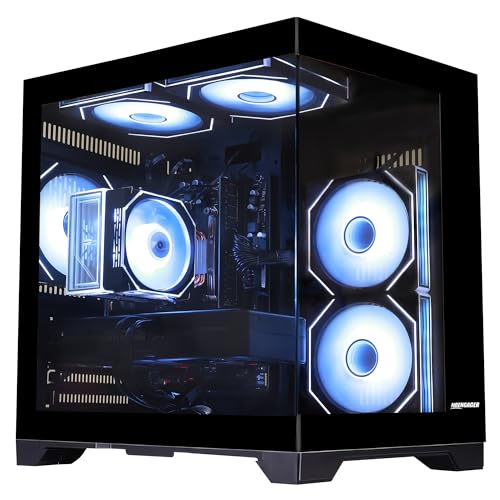


As an Amazon Associate we earn from qualifying purchases at no extra cost to you. Ratings are shown as listed on Amazon.
⚡ Save on Your Next PC — Amazon Prime
Prime members get fast free shipping on the systems above, plus early access to Prime Day & Black Friday PC deals. New members get a 30-day free trial.
Watch: Intel vs AMD for Gaming in 2026 — Video Review
Quick Verdict
For pure gaming frame rates, AMD’s X3D chips currently hold the crown thanks to their large 3D V-Cache, which many games love. Intel’s Core Ultra remains highly competitive and often edges ahead in mixed productivity and gaming workloads. If gaming is your top priority, AMD is the safer bet; if you also do heavy content creation, Intel’s core counts make it a strong all-rounder.
Key Differences
- Gaming cache: AMD’s X3D models stack extra L3 cache that boosts frame rates in many titles, an advantage Intel does not directly match.
- Multi-core productivity: Intel’s higher core and thread counts on Core Ultra chips often lead in rendering and encoding workloads.
- Platform longevity: AMD’s AM5 socket promises support through several CPU generations, while Intel more frequently changes sockets between generations.
- Efficiency: AMD’s X3D chips run cool and sip power under gaming loads, while Intel’s latest Core Ultra parts improved efficiency notably over prior generations.
- Memory: AMD gains meaningfully from fast EXPO memory feeding its Infinity Fabric; Intel is a bit less sensitive but still benefits from high-speed RAM.
- Price and bundles: AMD often wins on gaming value, while Intel prebuilts and bundles can offer aggressive pricing depending on the market.
Intel (Core Ultra)
Intel’s Core Ultra platform is the pick for users who want a machine that does everything well. The high core and thread counts chew through video editing, rendering, and streaming while encoding, and gaming performance is only a small step behind AMD’s best in most titles. Prebuilts like the many Intel Core i5-14400F and i7 gaming desktops on the market pair these chips with capable GPUs at competitive prices.
The platform’s trade-off has historically been more frequent socket changes, which can limit drop-in CPU upgrades down the road, and higher power draw on the very top chips. For a buyer who values raw multitasking muscle and does not mind the platform being less upgrade-friendly, Intel delivers a versatile, powerful foundation that handles gaming and creation equally.
AMD (Ryzen and X3D)
AMD Ryzen, and especially the X3D lineup, is the enthusiast’s gaming favorite. The stacked 3D V-Cache delivers class-leading frame rates and exceptional 1 percent-lows in cache-sensitive games, all while running cool and efficient. Ryzen chips also pair beautifully with fast EXPO memory, which further lifts gaming performance on the platform.
The AM5 socket is a major selling point, with AMD committing to long-term support so you can drop in a newer Ryzen chip years later without a new motherboard. Numerous AMD prebuilts and mini PCs, from Ryzen 5 gaming towers to Ryzen 7 and 9 mini PCs, span every budget. For gamers who want the best frames per dollar and a clear upgrade path, AMD is the standout.
Which Should You Buy?
- Choose AMD X3D if pure gaming frame rates and 1 percent-lows are your absolute priority.
- Choose Intel Core Ultra if you mix serious content creation and streaming with your gaming.
- Choose AMD AM5 if you want a long upgrade path and the ability to swap in future CPUs.
- Choose either mid-range chip if you are on a budget, since both offer excellent value at the mainstream tier.
- Pair whichever you pick with fast RAM, which matters more for AMD than Intel.
Frequently Asked Questions
Is AMD or Intel better for gaming in 2026?
For raw gaming frame rates, AMD’s X3D chips generally lead thanks to their extra cache. Intel remains very close and is excellent, but if gaming is your single priority, AMD’s X3D lineup is the top pick.
Does Intel or AMD last longer for upgrades?
AMD’s AM5 socket is designed for long-term support across multiple CPU generations, giving it a longevity edge. Intel tends to change sockets more often, which can require a new motherboard to upgrade the CPU.
Which is better for streaming and editing?
Intel’s higher core counts on Core Ultra often lead in multi-core productivity like rendering and encoding, making it strong for creators. AMD’s higher-core Ryzen 9 chips are also excellent, so both are viable for content work.
Do I need fast RAM for AMD or Intel?
Both benefit, but AMD gains more because memory speed feeds its Infinity Fabric and directly affects gaming performance. Enabling an EXPO or XMP profile is worthwhile on either platform.
Final Verdict
There is no universal winner, only the right chip for your workload. Gamers chasing the highest frame rates and a long upgrade path should lean AMD X3D on AM5, while creators who blend heavy multitasking with gaming will love Intel Core Ultra’s core count. Both deliver superb experiences in 2026, so match the CPU to how you actually use your PC and you cannot go wrong.