Key takeaways
- Prioritize an X3D chip if gaming is your main use case and budget allows the premium.
- Do not overspend on core count for pure gaming; 6 to 8 fast cores is plenty for 2026 titles.
- Match your CPU tier to your resolution: invest more in the chip for 1080p high-refresh play.
- Buy into a platform with an upgrade path so your next CPU only needs a chip swap, not a rebuild.
What's inside
- Watch: How to Choose a Gaming CPU (2026 Guide) — Video Review
- Cores, Threads, and What Games Actually Use
- Why 3D V-Cache Changes the Math
- Clock Speed, Platform, and Longevity
- Matching the CPU to Your GPU and Resolution
- Cooling and Power Headroom
- Tips
- Related Guides
- Frequently Asked Questions
- Conclusion
- Related Articles
- Related Guides
The processor is the quiet workhorse of any gaming rig. While the graphics card grabs the headlines, your CPU feeds it frames, handles physics, manages background tasks, and increasingly determines whether you hit a smooth 144 fps or stutter your way through a competitive match. Picking the wrong one bottlenecks everything else you buy, so it pays to understand what actually matters before you spend.
- Watch: How to Choose a Gaming CPU (2026 Guide) — Video Review
- Cores, Threads, and What Games Actually Use
- Why 3D V-Cache Changes the Math
- Clock Speed, Platform, and Longevity
- Matching the CPU to Your GPU and Resolution
- Cooling and Power Headroom
- Tips
- Related Guides
- Frequently Asked Questions
- Conclusion
- Related Articles
- Related Guides
This guide walks you through how gaming CPUs are measured in 2026, why cache and clock speed matter more than raw core counts for most games, and how to match a chip to your resolution, GPU, and budget. By the end you will know exactly which specs to compare and which marketing numbers to ignore.
As an Amazon Associate we earn from qualifying purchases at no extra cost to you. Product prices and availability are accurate as of the date shown and are subject to change.








⚡ Save on Your Next PC — Amazon Prime
Prime members get fast free shipping on the systems above, plus early access to Prime Day & Black Friday PC deals. New members get a 30-day free trial.
Watch: How to Choose a Gaming CPU (2026 Guide) — Video Review
Cores, Threads, and What Games Actually Use
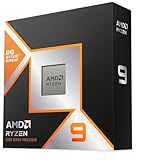
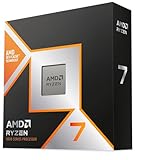
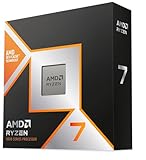
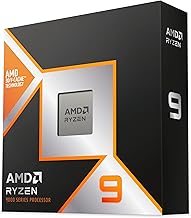
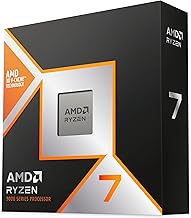
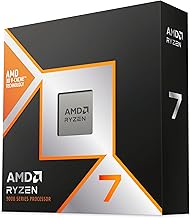
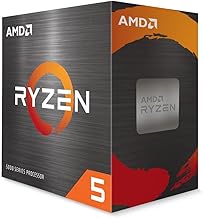
Modern games rarely scale past eight cores, which is why a well-tuned 8-core chip like the AMD Ryzen 7 9800X3D often outpaces pricier 16-core parts in pure gaming. Extra cores help if you stream, record, or run heavy background apps, but for gaming alone the sweet spot sits between 6 and 8 fast cores. A Ryzen 5 9600X handles the vast majority of titles comfortably, while a 16-core Ryzen 9 9950X3D only pulls ahead when you multitask hard or do content creation on the side.
Why 3D V-Cache Changes the Math
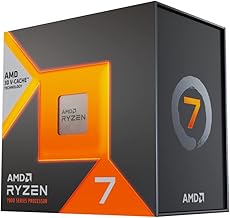
The single biggest gaming differentiator today is cache. AMD’s X3D chips stack extra L3 cache directly onto the die, and games love it because it keeps frequently used data close to the cores. That is why the Ryzen 7 7800X3D and its successor the 9800X3D dominate gaming benchmarks despite modest clock speeds. If your budget stretches to an X3D part, it will usually deliver more real-world frames per dollar than a higher-clocked non-cache chip.
Clock Speed, Platform, and Longevity
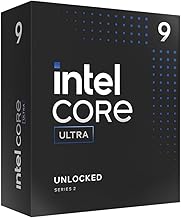
Clock speed still matters, especially for older or lightly-threaded engines. Intel’s approach with chips like the Core i7-14700K leans on high boost clocks and a hybrid of performance and efficiency cores, while the newer Core Ultra 7 270K refines power efficiency. Just as important is the socket: AMD’s AM5 platform is committed to years of upgrades, so a board bought today can host a future CPU. Factor the motherboard and RAM generation into your decision, not just the chip price.
Matching the CPU to Your GPU and Resolution
At 1080p your CPU does more work per frame, so a strong processor unlocks high refresh rates. At 4K the GPU becomes the limiter and CPU differences shrink dramatically. Pairing a flagship graphics card with a budget chip like the Ryzen 5 5500 wastes GPU potential at lower resolutions, while an entry GPU never stresses a 9950X3D. Aim for balance: the more you spend on your GPU and the lower your resolution, the more your CPU choice matters.
Cooling and Power Headroom
High-boost Intel chips such as the i7-14700KF draw significant power under load and need capable air or liquid cooling to sustain their clocks. AMD’s X3D parts run cooler and are more forgiving. Whatever you choose, budget for a cooler that matches the thermal output, and make sure your power supply has headroom, because a throttling CPU quietly erases the performance you paid for.
Tips
- Prioritize an X3D chip if gaming is your main use case and budget allows the premium.
- Do not overspend on core count for pure gaming; 6 to 8 fast cores is plenty for 2026 titles.
- Match your CPU tier to your resolution: invest more in the chip for 1080p high-refresh play.
- Buy into a platform with an upgrade path so your next CPU only needs a chip swap, not a rebuild.
Frequently Asked Questions
Is more cores always better for gaming?
No. Most games use eight cores or fewer, so beyond that point extra cores mainly help streaming and content creation, not frame rates. A fast 8-core chip usually beats a slower 16-core one in games.
What is 3D V-Cache and do I need it?
It is extra stacked cache that dramatically boosts gaming performance by keeping data near the cores. You do not strictly need it, but X3D chips like the 9800X3D offer some of the best gaming-per-dollar value available.
Does my CPU matter less at 4K?
Yes. At 4K the graphics card becomes the bottleneck, so CPU differences shrink. At 1080p and high refresh rates the CPU carries more weight and a faster chip pays off noticeably.
Should I match my CPU brand to my GPU brand?
No, AMD and Intel CPUs work with any GPU brand. Choose the CPU on price-to-performance and platform longevity, and pick the GPU separately on its own merits.
Conclusion
Choosing a gaming CPU in 2026 comes down to balance rather than chasing the biggest numbers. Decide your resolution and GPU tier first, favor cache-rich X3D chips when gaming is the priority, and pick a platform with room to grow. Get those three things right and your processor will quietly keep frames flowing for years without becoming the weak link in your build.