Key takeaways
- Motion clarity: 240Hz halves the time each frame stays on screen versus 144Hz, so fast pans and strafes leave less blur trailing behind moving enemies.
- GPU demand: Hitting 240fps consistently needs far more graphics horsepower than a stable 144fps, especially at 1440p and above.
- Price and value: 144Hz still gives more resolution and color quality per dollar, while 240Hz charges a premium for the extra speed.
- Perceived benefit: The jump from 60 to 144Hz is night and day; 144 to 240Hz is a refinement most players feel only in twitch scenarios.
- Panel options: 240Hz is increasingly common across sizes, from the compact Dell 27 SE2726HG to ultrawide curved models like the CRUA 34 WQHD, giving you real choice.
- Use-case fit: 144Hz is the versatile all-rounder; 240Hz is a specialist tool that rewards competitive discipline.
Refresh rate has quietly become the loudest bragging point in PC gaming, and the fight in 2026 lands squarely between 144Hz and 240Hz panels. A 144Hz monitor redraws the screen 144 times a second and has been the comfortable competitive standard for years, while a 240Hz display pushes that to 240 frames of visible information every second for noticeably crisper motion. Both feel dramatically smoother than the old 60Hz slabs, but the gap between them is far subtler than the gap that got you here.
The reason this choice matters more now than it did a few seasons ago is price and GPU headroom. Fast IPS 240Hz panels like the Dell 24 240Hz SE2426HG and the larger SANSUI 34 Inch 240Hz ultrawide have fallen close to what 144Hz cost not long ago, so the decision is less about budget extremes and more about whether your graphics card and your reflexes can actually cash the check a 240Hz panel writes.
Our top picks
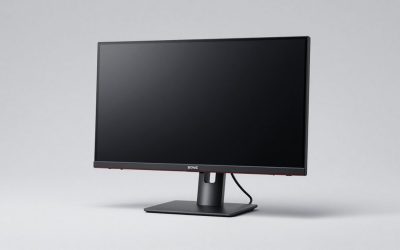
 Dell 24 240Hz Gaming Monitor
- Smooth motion: 240Hz refresh rate and fast 0.5ms…
- Seamless gaming: FreeSync Premium and HDMI VRR eliminate…
- Fast IPS: Faster 0.5ms response with excellent color…
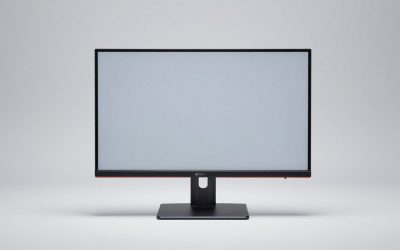
Dell 27 240Hz Gaming Monitor- Smooth motion: 240Hz refresh rate and fast 0.5ms…
- Seamless gaming: FreeSync Premium and HDMI VRR eliminate…
- Fast IPS: Faster 0.5ms response with excellent color…
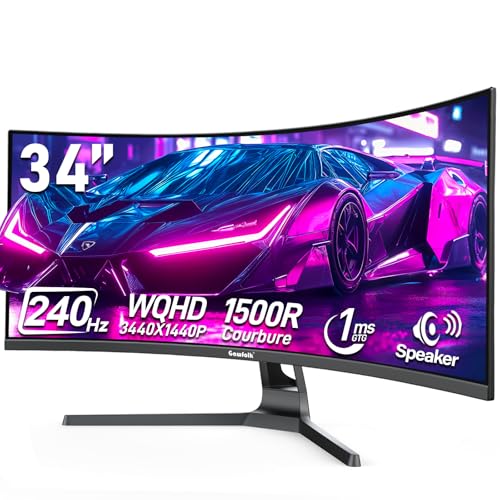 Gawfolk 34 Inch Curved Gaming Monitor 240Hz
- Smooth and Responsive Gameplay - This 34-inch curved…
- Immersive Visual Experience - The Ultra Wide curved…
- Vibrant and Accurate Colors - With support for…
| Product | Key specs | |
|---|---|---|
| Dell 24 240Hz Gaming Monitor | Smooth motion: 240Hz refresh rate and fast 0.5ms… Seamless gaming: FreeSync Premium and HDMI VRR eliminate… Fast IPS: Faster 0.5ms response with excellent color… | Check price |
| Dell 27 240Hz Gaming Monitor | Smooth motion: 240Hz refresh rate and fast 0.5ms… Seamless gaming: FreeSync Premium and HDMI VRR eliminate… Fast IPS: Faster 0.5ms response with excellent color… | Check price |
| Gawfolk 34 Inch Curved Gaming Monitor 240Hz | Smooth and Responsive Gameplay - This 34-inch curved… Immersive Visual Experience - The Ultra Wide curved… Vibrant and Accurate Colors - With support for… | Check price |
 KTC 27 Inch 240Hz Curved Gaming Monitor KTC 27 Inch 240Hz Curved Gaming Monitor | [Ultra-smooth 240Hz Refresh Rate] 240Hz refresh rate delivers… [More Immersive 1000R Curved Screen] The 1000R Curved… [Crysyal Visuals with 1440p Monitor] This 27 inch… | Check price |
 SANSUI 27 Inch Curved 240Hz Gaming Monitor SANSUI 27 Inch Curved 240Hz Gaming Monitor | 27” 240Hz 1500R Curved FHD 1080P Gaming Monitor… Prioritizes Gaming Performance: Up to 240Hz high refresh… Cinematic Color Accuracy: 130% sRGB & DCI-P3 95%… | Check price |
 CRUA 34" WQHD 240Hz Ultrawide Curved Gaming CRUA 34" WQHD 240Hz Ultrawide Curved Gaming | Ultra-Wide 34" Curved Display with 1500R Curve for… 240Hz Ultra-Smooth Gaming Performance: Enjoy ultra-fast 240Hz refresh… Stunning Color Accuracy with 120% sRGB: With 120%… | Check price |
 SANSUI 34 Inch Curved Monitor 240Hz UWQHD SANSUI 34 Inch Curved Monitor 240Hz UWQHD | 34 Inch Curved 240Hz UWQHD(3440*1440) Fast VA Ultrawide… Performance: 240Hz Refresh Rate | MRPT 1ms Response… Ergonomic Stand: PIP/PBP | Tilt -5°~15°(+/-2°) | VESA… | Check price |
 Sceptre Curved 24.5-inch Prime Gaming Monitor up Sceptre Curved 24.5-inch Prime Gaming Monitor up | 240Hz Refresh Rate: Stay above the pack with… 1ms Response Time: Colors fade and illuminate instantly… 1500R Curvature: The 1500R degree curved design immerses… | Check price |
As an Amazon Associate we earn from qualifying purchases at no extra cost to you.
⚡ Save on Your Next PC — Amazon Prime
Prime members get fast free shipping on the systems above, plus early access to Prime Day & Black Friday PC deals. New members get a 30-day free trial.
Watch: 144Hz vs 240Hz Monitor: Worth It in 2026? — Video Review
Quick Verdict
Buy a 144Hz monitor if you play a mix of story-driven and competitive titles, want the easiest frame-rate target for a mid-range GPU, and would rather spend the savings on resolution or panel quality. Step up to 240Hz if you live in fast shooters like Valorant, CS2, or Apex, already own a strong GPU, and want every possible edge in flick accuracy and target tracking.
Key Differences
- Motion clarity: 240Hz halves the time each frame stays on screen versus 144Hz, so fast pans and strafes leave less blur trailing behind moving enemies.
- GPU demand: Hitting 240fps consistently needs far more graphics horsepower than a stable 144fps, especially at 1440p and above.
- Price and value: 144Hz still gives more resolution and color quality per dollar, while 240Hz charges a premium for the extra speed.
- Perceived benefit: The jump from 60 to 144Hz is night and day; 144 to 240Hz is a refinement most players feel only in twitch scenarios.
- Panel options: 240Hz is increasingly common across sizes, from the compact Dell 27 SE2726HG to ultrawide curved models like the CRUA 34 WQHD, giving you real choice.
- Use-case fit: 144Hz is the versatile all-rounder; 240Hz is a specialist tool that rewards competitive discipline.
144Hz Monitors: The Sensible Sweet Spot
A 144Hz panel remains the smartest first high-refresh purchase for most players because it aligns almost perfectly with what mainstream GPUs can deliver at 1080p and 1440p. You get buttery smoothness in shooters, racers, and action games without constantly chasing frame counts your card cannot sustain, which keeps the experience consistent instead of stuttering between highs and lows.
It is also the value champion. Because the refresh rate is easier to drive, manufacturers pour the budget into better resolution, higher contrast, and richer color, so a 144Hz buyer often walks away with a sharper, prettier image for the same money. For anyone splitting time between competitive matches and immersive single-player worlds, 144Hz is the pick that never feels like a compromise.
240Hz Monitors: Built for the Competitive Edge
A 240Hz display exists for one reason: shaving milliseconds off how quickly you see and react. In pure competitive shooters, the tighter frame cadence makes flick shots land more predictably and keeps fast-moving targets more legible during rapid mouse swings. Models like the KTC 27 Inch 240Hz curved QHD and the SANSUI 27 Inch 240Hz FHD show how accessible that speed has become across form factors.
The catch is that the payoff scales with the player. You need a GPU that can genuinely feed 240fps and the mechanical consistency to exploit the clarity, otherwise the panel spends most of its life running well below its ceiling. For dedicated ranked grinders and aspiring pros, though, 240Hz is a tangible tool; for everyone else it is a luxury that looks better on a spec sheet than it feels in a casual match.
Which Should You Buy?
- For mixed gaming on a mid-range GPU: pick 144Hz because it matches your realistic frame rates and stretches your budget toward image quality.
- For serious competitive shooters: pick 240Hz because the extra motion clarity directly supports tracking and flicking under pressure.
- For 1440p or ultrawide immersion: pick 144Hz, as driving high resolution at 240fps is punishingly demanding for most rigs.
- For future-proofing with a high-end card: pick 240Hz so your monitor keeps pace as your GPU grows into higher frame rates.
- For the best value per dollar: pick 144Hz, which reliably delivers more panel quality for the price today.
Frequently Asked Questions
Can you actually see the difference between 144Hz and 240Hz?
Most players notice it, but only in fast motion. In side-by-side twitch tests moving objects look slightly clearer on 240Hz, yet in calmer or slower games the two feel nearly identical.
Do I need a powerful GPU for 240Hz?
Yes. To benefit you should consistently reach frame rates near 240fps, which demands a strong graphics card, especially above 1080p. Without that, a 240Hz panel mostly runs like a 144Hz one.
Is 240Hz worth it for casual gaming?
Generally no. Casual and single-player players get almost all the smoothness they want from 144Hz and are better off putting the extra money toward resolution or color quality.
Does higher refresh rate reduce input lag?
Slightly. A faster refresh shortens the time between frames, which can trim a few milliseconds of perceived delay, but the effect is small compared with the visible motion-clarity gain.
Final Verdict
For the vast majority of players in 2026, a quality 144Hz monitor is the smarter buy, delivering the smoothness and value that transform everyday gaming, while 240Hz is the right splurge only for committed competitive players with the GPU and skill to exploit every extra frame.