Shopping for a graphics card under $500 has become a genuinely confusing exercise. VRAM capacity now matters more than raw shader counts for many modern titles, upscaling and frame generation have blurred the line between “real” and “rendered” performance, and two cards with nearly identical model numbers can differ by 8GB of memory and a full performance tier. Meanwhile, sub-$500 pricing tends to fluctuate week to week, which means the card that was the obvious buy last month might not be the smartest purchase today.
This guide cuts through that noise. Every card below realistically lands within a $500 budget at typical street pricing, and each one is evaluated on what actually matters for gamers: frame rates at 1080p and 1440p, VRAM headroom for the next few years, cooling and acoustics, and physical fit inside a normal mid-tower case. We’ve focused on current-generation RTX 50-series and RDNA 4 options, since both bring meaningful upscaling and efficiency gains over the previous generation.
Our top picks
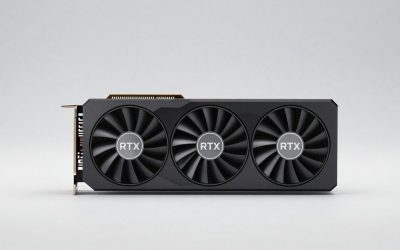
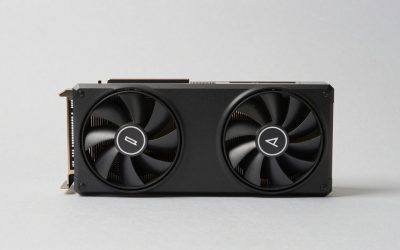
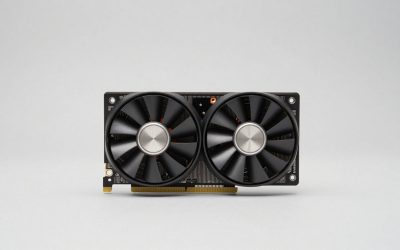
 ASUS Dual NVIDIA GeForce RTX 5060 8GB
2.5-slot design balances cooling performance with case compatibility
0dB technology keeps the card silent during light gaming sessions
3-year warranty gives extended coverage versus many competing cards
8GB of GDDR7 memory trails higher-tier RTX 5060 Ti or 5070 cards
OC mode clock gains over default mode are relatively modest
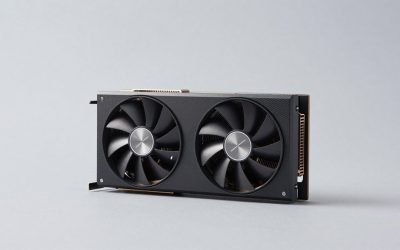
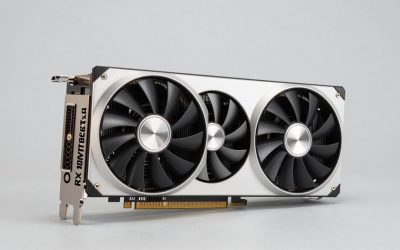
 GIGABYTE GeForce RTX 5060 WINDFORCE OC 8G
- Powered by the NVIDIA Blackwell architecture and DLSS…
- Powered by GeForce RTX 5060
- Integrated with 8GB GDDR7 128bit memory interface
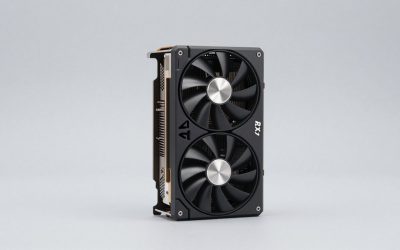
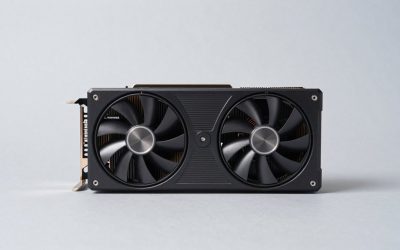
 ASUS Dual NVIDIA GeForce RTX 5060 Ti
2.5-slot design balances cooling with broader case compatibility
0dB technology keeps the card silent during light gaming loads
Axial-tech fan design is built for improved downward air pressure
OC mode clock gains over default mode are relatively modest
2.5-slot sizing still needs adequate case clearance to fit
| Product | Key specs | |
|---|---|---|
| ASUS Dual NVIDIA GeForce RTX 5060 8GB | Check price | |
| GIGABYTE GeForce RTX 5060 WINDFORCE OC 8G | Powered by the NVIDIA Blackwell architecture and DLSS… Powered by GeForce RTX 5060 Integrated with 8GB GDDR7 128bit memory interface | Check price |
| ASUS Dual NVIDIA GeForce RTX 5060 Ti | Check price | |
 GIGABYTE Radeon™ RX 9060 XT Gaming OC GIGABYTE Radeon™ RX 9060 XT Gaming OC | Powered by Radeon RX 9060 XT - Built… WINDFORCE Cooling System - The WINDFORCE cooling system… RGB Lighting - With 16.7M customizable color options… | Check price |
 GIGABYTE GeForce RTX 3050 WINDFORCE OC V2 GIGABYTE GeForce RTX 3050 WINDFORCE OC V2 | NVIDIA Ampere Streaming Multiprocessors 2nd Generation RT Cores 3rd Generation Tensor Cores | Check price |
As an Amazon Associate we earn from qualifying purchases at no extra cost to you.
⚡ Save on Your Next PC — Amazon Prime
Prime members get fast free shipping on the systems above, plus early access to Prime Day & Black Friday PC deals. New members get a 30-day free trial.
Watch: Best Graphics Card Under $500 — Video Review
How to Choose Graphics Card Under $500
- Match the card to your monitor: A 1080p 144Hz panel is well served by an 8GB card, but if you’re gaming at 1440p or plan to upgrade soon, prioritize a 16GB model — memory capacity is the single biggest longevity factor in this price bracket.
- Don’t ignore VRAM in 2026: Several recent AAA releases exceed 8GB of VRAM usage at 1440p with high textures, which causes stuttering and texture pop-in even when raw GPU performance is adequate. If your budget stretches to a 16GB card, take it.
- Weigh upscaling ecosystems: NVIDIA’s DLSS 4 with multi-frame generation currently has broader game support and slightly better image reconstruction, while AMD’s FSR 4 has closed much of the gap on RDNA 4 hardware. Check the specific games you play most.
- Check physical clearance and power: Most cards here are compact 2 to 2.5-slot designs that fit standard mid-towers, but always confirm length against your case spec. A quality 550W to 650W PSU is sufficient for everything on this list.
- Buy the cooler, not just the chip: Two cards using the same GPU can differ by 10°C and several decibels. Triple-fan and axial-tech designs with zero-RPM idle modes run quieter and sustain boost clocks longer under load.
The Best Picks Reviewed
ASUS Dual GeForce RTX 5060 Ti 16GB OC
This is the sweet spot of the entire sub-$500 category: 16GB of GDDR7 paired with a genuinely capable 1440p GPU, wrapped in ASUS’s proven Dual cooler with 0dB idle. If you want one card that handles high-refresh 1080p today and stays comfortable at 1440p for the next several years, this is the one to buy.
GIGABYTE Radeon RX 9060 XT Gaming OC ICE 16G
AMD’s RDNA 4 answer delivers 16GB of GDDR6 and strong rasterization performance for the money, and the Gaming OC ICE cooler with server-grade thermal gel keeps it impressively quiet under sustained load. Ray tracing still trails NVIDIA slightly, but for pure frame rates per dollar at 1440p it’s outstanding value.
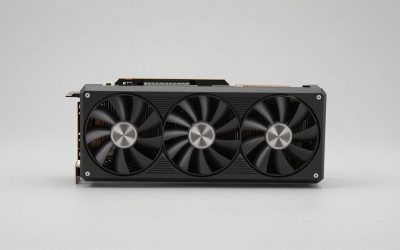
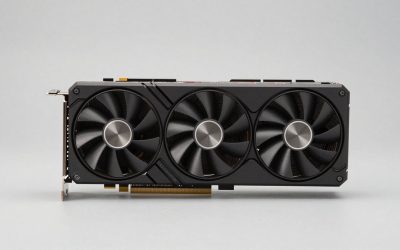
XFX Swift Radeon RX 9060 XT OC 16GB
A triple-fan take on the same 16GB RDNA 4 silicon, and the extra fan pays off in lower noise and cooler VRAM temperatures during long sessions. It’s a slightly longer card than the GIGABYTE, so measure your case, but it’s frequently the cheaper of the two 9060 XT options.
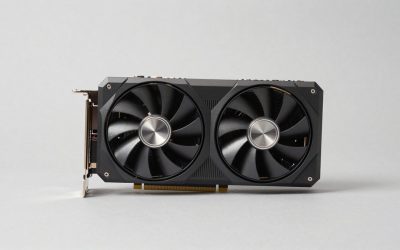
ASUS Dual GeForce RTX 5060 8GB OC
For strict 1080p gamers on a tighter budget, this is a clean, quiet, efficient card that pairs well with DLSS 4 to hit high refresh rates in almost anything current. The 8GB buffer is the limiting factor, so treat it as a 1080p card rather than a 1440p one.
GIGABYTE GeForce RTX 5060 WINDFORCE OC 8G
The WINDFORCE cooler is effective and the dual-fan design fits comfortably in compact builds, making this a sensible pick for small-form-factor or prebuilt upgrades. Performance is essentially identical to the ASUS Dual, so buy whichever is cheaper on the day.
Frequently Asked Questions
Is 8GB of VRAM still enough in 2026?
For 1080p gaming with sensible texture settings, yes — 8GB cards remain perfectly playable. At 1440p with high or ultra textures, however, several recent titles will exceed that buffer and cause frame-time stutter, which is why we recommend stretching to 16GB if your budget allows.
Should I choose NVIDIA or AMD at this price?
NVIDIA holds an edge in ray tracing and DLSS 4 frame generation support, while AMD typically offers more VRAM and better raw rasterization per dollar. If you play heavily ray-traced titles or use CUDA-accelerated creative apps, go NVIDIA; otherwise the RX 9060 XT is excellent value.
What power supply do I need?
A quality 550W unit is sufficient for the RTX 5060 cards, and 600W to 650W is a comfortable margin for the RTX 5060 Ti and RX 9060 XT. Prioritize a reputable 80 Plus Bronze or better PSU over a high wattage number from an unknown brand.
Will these cards bottleneck an older CPU?
At 1440p, most modern GPUs are the limiting factor rather than the CPU, so pairing is fairly forgiving. At 1080p with high refresh rates, a CPU older than roughly a Ryzen 5 3600 or Intel i5-10400 may hold these cards back in CPU-heavy titles.
Final Thoughts
If you only remember one recommendation, make it the ASUS Dual RTX 5060 Ti 16GB OC — it’s the most complete sub-$500 card available, combining 1440p-capable performance with the VRAM headroom to stay relevant. Value hunters should look hard at the GIGABYTE RX 9060 XT Gaming OC ICE 16G, which frequently undercuts it while offering the same memory capacity and superb cooling. And for anyone building a dedicated 1080p high-refresh rig on a tighter budget, the ASUS Dual RTX 5060 8GB OC remains a quiet, efficient, and thoroughly sensible buy.