Key takeaways
- Choose your GPU tier from your monitor’s resolution and refresh rate first, then compare cards.
- Favor 16GB VRAM if you want the card to stay comfortable for several years.
- Measure your case clearance before ordering a triple-fan or oversized model.
- Verify your power supply wattage and connectors match the card’s requirements before checkout.
Your graphics card is the single component that most directly decides how your games look and how smoothly they run. From the resolution you can drive to whether ray tracing is playable, the GPU sets the ceiling for your entire experience. Yet the market is a maze of model numbers, memory figures, and confusing tiers that make it easy to overpay or, worse, buy a card that chokes at your target settings.
In this guide you will learn how to read a graphics card’s real capabilities, why VRAM and memory bandwidth matter in 2026, how to match a GPU to your monitor, and where the sensible value lives across NVIDIA and AMD lineups. The goal is to help you buy exactly the performance you need without funding headroom you will never use.
Our top picks
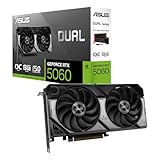
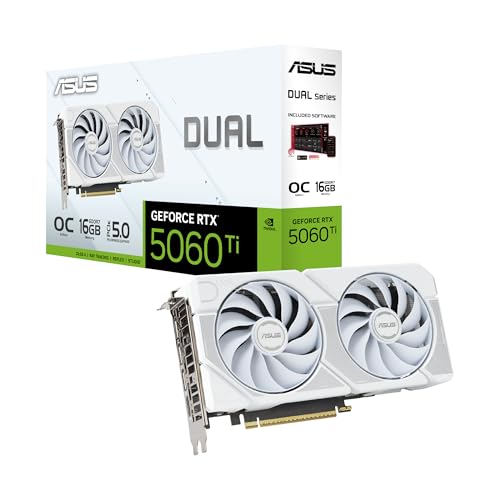
 ASUS Dual NVIDIA GeForce RTX 5060 8GB
- Product Group: Personal Computer
- Binding: Personal Computers



As an Amazon Associate we earn from qualifying purchases at no extra cost to you. Ratings are shown as listed on Amazon.
⚡ Save on Your Next PC — Amazon Prime
Prime members get fast free shipping on the systems above, plus early access to Prime Day & Black Friday PC deals. New members get a 30-day free trial.
Watch: How to Choose a Graphics Card (2026 Guide) — Video Review
Start With Your Monitor, Not the GPU
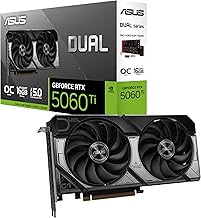
The smartest way to shop for a graphics card is backward, from your display. A 1080p 144Hz panel has very different demands than a 1440p or 4K screen. A mid-tier card like the ASUS Dual GeForce RTX 5060 is a strong 1080p performer, while a 1440p high-refresh setup is better served by something like the RTX 5060 Ti or a Radeon RX 9060 XT with 16GB. Buying a 4K flagship for a 1080p monitor wastes money you could spend elsewhere in the build.
How Much VRAM You Actually Need
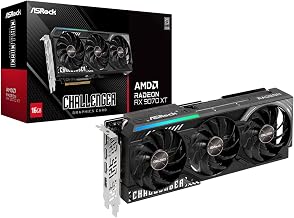
Video memory has become a real bottleneck as textures and ray tracing balloon in size. In 2026, 8GB is workable at 1080p but increasingly tight in demanding titles, which is why 16GB cards such as the XFX Radeon RX 9060 XT and GIGABYTE RX 9070 XT age far more gracefully. If you plan to keep a card for several years or push high-resolution textures, prioritize 16GB. For pure 1080p esports, 8GB remains adequate for now.
Ray Tracing and Upscaling Features
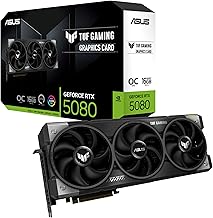
Two cards with similar raw power can deliver very different experiences once ray tracing and upscaling enter the picture. NVIDIA’s DLSS and AMD’s FSR reconstruct frames to boost performance, and a card like the ASUS TUF RTX 5080 pairs strong ray tracing hardware with mature upscaling. If you care about ray-traced lighting and reflections, weight your decision toward the feature set and tensor performance, not just rasterized benchmarks.
Cooling, Size, and Case Fit
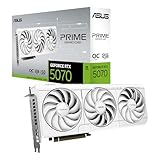
Modern GPUs are physically large, and a triple-fan card like the GIGABYTE RX 9060 XT Gaming OC ICE will not fit every case. Check the card’s length and slot count against your chassis clearance before buying. Compact builds benefit from SFF-ready designs such as the ASUS Prime RTX 5070 White. Good cooling also means quieter operation and more stable boost clocks, so a slightly larger cooler is usually worth it if you have the room.
Power Supply and Connector Requirements
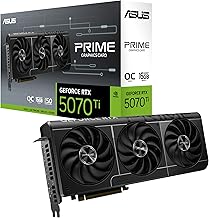
Higher-tier cards like the GIGABYTE RTX 5070 Ti Gaming OC demand serious wattage and the correct power connectors. Before you buy, confirm your PSU meets the recommended wattage with headroom and has the required cables. Undersizing your power supply causes crashes under load and can shorten component life, so treat the PSU as part of the GPU purchase rather than an afterthought.
Tips
- Choose your GPU tier from your monitor’s resolution and refresh rate first, then compare cards.
- Favor 16GB VRAM if you want the card to stay comfortable for several years.
- Measure your case clearance before ordering a triple-fan or oversized model.
- Verify your power supply wattage and connectors match the card’s requirements before checkout.
Frequently Asked Questions
Is 8GB of VRAM still enough in 2026?
At 1080p and for esports titles, 8GB generally works fine. For 1440p, ray tracing, or future-proofing, a 16GB card is the safer choice and will avoid texture stutter in demanding games.
Do I need ray tracing hardware?
Only if you value ray-traced lighting and reflections. Many players prioritize high frame rates instead, but if visual fidelity matters to you, weight your choice toward cards with strong ray tracing and upscaling support.
Should I buy NVIDIA or AMD?
Both offer excellent options. NVIDIA tends to lead in ray tracing and DLSS, while AMD often gives more VRAM per dollar. Compare specific models at your budget rather than picking a brand outright.
Will any graphics card fit my case?
No. Modern GPUs vary widely in length and thickness. Always check the card’s dimensions and your case’s clearance, and consider SFF-ready models for compact builds.
Conclusion
The right graphics card is the one matched to your monitor, your case, and your power supply, not simply the most expensive one you can afford. Work backward from your display’s resolution, weigh VRAM and features for the years you plan to keep it, and confirm physical and power compatibility. Do that and your GPU will deliver the smooth, sharp visuals it was designed for without wasted spend.